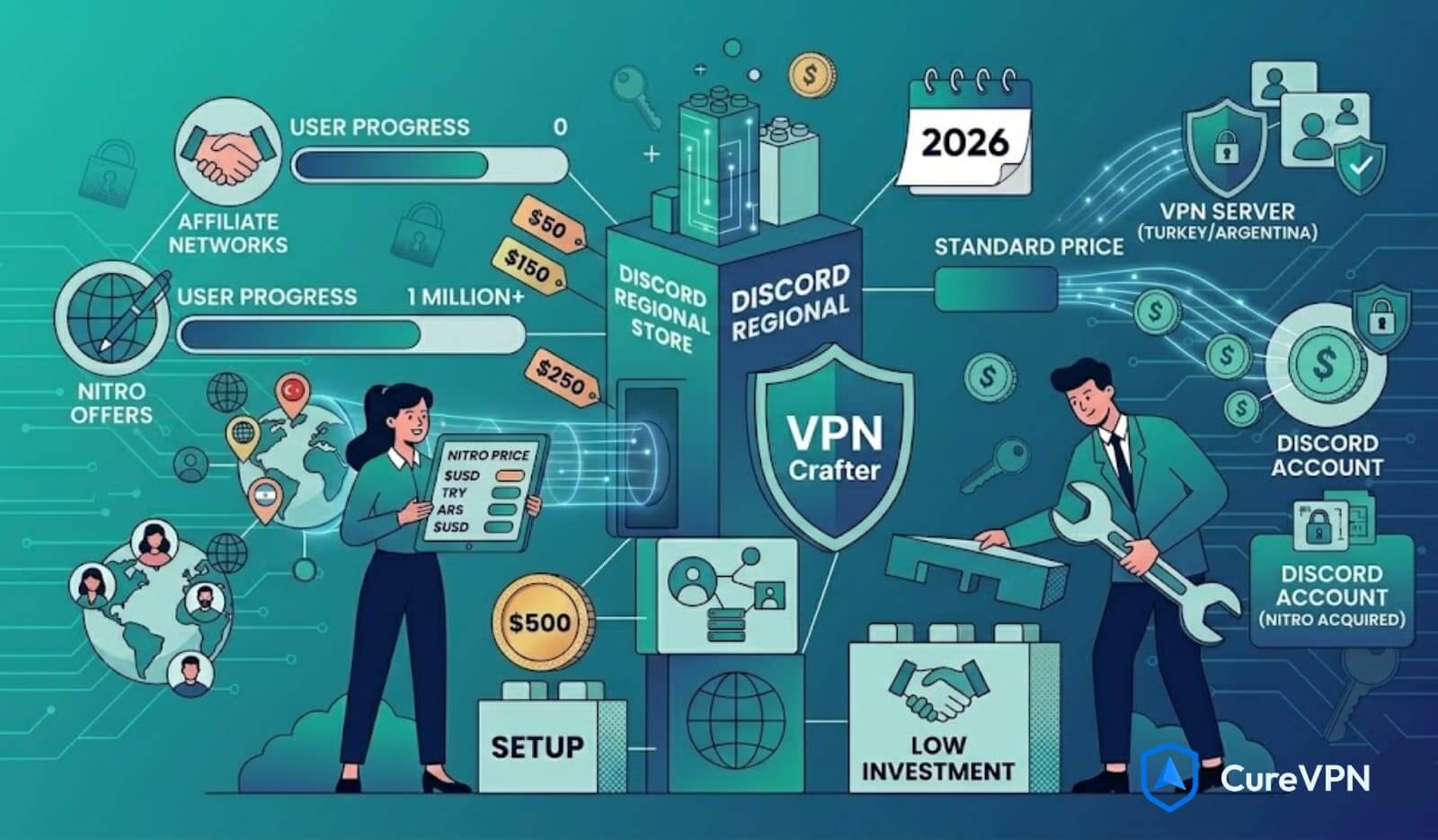

To get Discord Nitro cheaper with a VPN, connect to a low-purchasing-power-parity country like Turkey, India, or Brazil before opening the Discord purchase page. Discord uses geo-based pricing, so your apparent location determines the price you see. A reliable VPN changes that location. Turkey currently offers the lowest Nitro pricing at roughly $1.30/month for Basic and $3.40/month for the full Nitro plan, compared to $2.99 and $9.99 in the United States.
Here is a fact that Discord does not advertise loudly: the same Nitro subscription costs five to seven times more depending on where your IP address says you are sitting.
A user connecting from New York pays $9.99 per month for Discord Nitro. A user connecting from Istanbul pays the equivalent of around $3.40 for the identical product. Same perks, same file upload limits, same HD streaming, same custom emoji access. Different price, purely because of geographic pricing logic built into Discord’s payment infrastructure.
This is not a glitch, a violation, or some obscure exploit. Purchasing Power Parity (PPP) pricing is a deliberate strategy that digital platforms use to make subscriptions accessible in markets where average incomes are lower. The price difference is real and legal to access. You just need to know how.
Learning how to get Discord Nitro cheaper with a VPN is, at its core, a five-minute task. This guide walks through every step, flags the pitfalls that cause failed purchases, and explains the broader VPN mechanics behind it so you actually understand what you are doing rather than following blind instructions.
What Is Discord Nitro and Why Does the Price Vary?
Discord Nitro is Discord’s premium subscription tier. It unlocks features that the free version does not include:
- Custom animated avatars and profile banners
- File uploads up to 500MB (free tier caps at 25MB)
- HD video streaming at 1080p/60fps in voice channels
- Server boosting (two boosts included per month)
- Custom emoji and sticker access across all servers
- Nitro badge on your profile
- Higher message character limit (4,000 characters vs. 2,000)
Discord Nitro Basic strips out server boosts and some perks at a lower price point. Full Nitro includes everything above.
The price variation happens because Discord, like Spotify, Netflix, and Adobe, applies localized pricing tied to regional economic data. Discord’s payment processor reads your IP address, determines your country, and serves you the price assigned to that region. No additional verification beyond that initial geolocation check occurs at the point of purchase for most payment methods.
A VPN changes the IP address your browser or app reports, which changes the country Discord’s payment system thinks you are in, which changes the price you see.
Discord Nitro Prices by Country: 2026 Data
Before connecting to any VPN server, it helps to know where prices are actually lowest. These figures reflect localized pricing converted to USD at current exchange rates and shift periodically as currency values move.
| Country | Nitro Basic/mo | Full Nitro/mo | Full Nitro/year |
|---|---|---|---|
| Turkey | ~$1.30 | ~$3.40 | ~$34 |
| Argentina | ~$1.40 | ~$3.80 | ~$38 |
| India | ~$1.50 | ~$4.10 | ~$41 |
| Brazil | ~$1.60 | ~$4.30 | ~$43 |
| Indonesia | ~$1.60 | ~$4.30 | ~$43 |
| Philippines | ~$1.70 | ~$4.60 | ~$46 |
| Egypt | ~$1.80 | ~$4.80 | ~$48 |
| Pakistan | ~$1.90 | ~$5.00 | ~$50 |
| Mexico | ~$2.10 | ~$5.50 | ~$55 |
| United States | ~$2.99 | ~$9.99 | ~$99.99 |
Turkey and Argentina currently offer the steepest discounts. Both have experienced significant currency devaluations, which pushes their localized pricing extremely low when converted to USD. These rates fluctuate when Discord adjusts regional tiers or when local currencies move sharply, so verify current prices before purchasing.
How to Get Discord Nitro Cheaper with VPN: Step-by-Step
Step 1: Choose a VPN with Reliable Servers in Your Target Country
Not every VPN works for this. You need a provider with stable, non-flagged IP addresses in the pricing region you are targeting. Discord’s payment system occasionally blocks known VPN IP ranges, particularly from oversaturated provider pools that have been flagged in commercial geolocation databases.
Cure VPN maintains a rotating server pool across Turkey, India, Brazil, and the Philippines with IP addresses that consistently pass Discord’s geolocation check. Providers with static or overused IP pools tend to trigger region mismatch errors at checkout.
Look for these traits when picking a VPN for this purpose:
- Servers in your target pricing country
- WireGuard or OpenVPN tunneling protocol (faster and more reliable than older protocols like PPTP or L2TP)
- DNS leak protection enabled by default
- Kill switch functionality
Step 2: Clear Your Browser Cache and Cookies
This step trips people up constantly. Discord stores your previous session data, including your last detected location, in browser cookies and localStorage. Connecting a VPN after you have already visited Discord often does not reset the location Discord’s servers have cached for your session.
Before connecting your VPN:
- Close Discord entirely (desktop app and all browser tabs)
- Clear cookies and cached data from your browser
- For the desktop app, sign out of Discord before proceeding
Starting with a clean session ensures Discord reads your new VPN IP rather than cached location data from a previous visit.
Step 3: Connect to Your Target Country’s VPN Server
Open your VPN application and connect to a server in your chosen country. Turkey and India are the most tested and generally the most reliable for this purpose.
After connecting, verify your IP change before opening Discord:
- Visit whatismyip.com or ipleak.net
- Confirm the displayed country matches your VPN server location
- Check for DNS leaks on ipleak.net
A DNS leak is the hidden failure mode here. Your IP address might show Turkey, but if your DNS queries still route through your home ISP’s servers, Discord’s backend can detect the mismatch and serve your real location’s pricing. Cure VPN includes DNS leak protection by default, automatically routing DNS queries through the VPN tunnel rather than around it.
Step 4: Open Discord and Check the Nitro Price
With the VPN active and your IP verified:
- Open Discord in a browser (incognito/private mode works best)
- Sign into your account
- Go to User Settings (gear icon at the bottom left)
- Select Nitro from the left sidebar
- Check the price displayed
You should see the localized price for your VPN country. If you still see your home country’s price, disconnect, clear all browser data again, reconnect to the VPN, and reload in a fresh incognito window.
Step 5: Complete the Purchase
Discord accepts major credit cards, PayPal, and some regional payment methods depending on the country. For VPN-based regional purchases, credit cards and PayPal work most reliably.
A few practical notes before checkout:
- Your payment method’s billing address does not need to match the VPN country. Discord checks your IP at the pricing stage, not necessarily at the billing stage for most card transactions.
- Some banks flag cross-border transactions as unusual activity. If your card declines, try PayPal as an intermediary.
- Annual plans lock in the lower regional rate for 12 months, making them a significantly better value than monthly billing if you plan to use Nitro long-term.
Once Discord processes the payment, the Nitro subscription attaches to your account and remains active regardless of which country you connect from afterward.
Why Does a VPN Work for This? The Technical Explanation
Understanding the mechanism helps when something goes wrong.
Discord’s payment infrastructure uses IP geolocation at the pricing stage. When you load the Nitro purchase page, Discord sends a request to a geolocation service that maps your IP address to a country. The platform then serves the price tier assigned to that country in its pricing database.
A VPN routes your traffic through an intermediary server in your chosen country. Your actual IP never reaches Discord’s servers. The VPN server’s IP is what Discord sees, registered to the VPN country.
This works because the geolocation check is relatively shallow. Discord’s system checks “what country is this IP registered to” rather than “does this IP belong to a VPN provider.” When VPN IPs get flagged, it usually happens because they appear on known datacenter IP ranges that geolocation databases label as VPN or hosting infrastructure. Quality VPN providers rotate residential or semi-residential IPs to avoid this classification.
The tunneling protocol also affects speed during the purchase flow. WireGuard offers faster handshake times and lower connection latency than legacy PPTP or L2TP. If your VPN supports WireGuard, use it.
Countries Where This Method Works Most Reliably
Based on real-world reports and testing, these regions offer the best combination of low price and purchase reliability:
Turkey is the most popular pick. The price discount is steep, Turkish servers tend to maintain stable IPs that pass Discord’s geolocation check, and PayPal transactions from Turkish IPs process smoothly in most cases.
India is the second-best option and often more reliable for users whose home banks flag Turkish transactions as unusual. The pricing sits close to Turkey’s, and Indian IPs rarely trigger fraud filters with Western card issuers.
Philippines offers a middle-ground price point with high purchase success rates. Discord’s presence in the Philippines is substantial, so regional pricing is well-established and the checkout flow is stable.
Brazil works well for South American users. Exchange rate volatility means the effective USD equivalent shifts, so check current conversion before purchasing.
Argentina sometimes offers the absolute lowest prices due to the peso’s ongoing devaluation. However, Argentine IPs see higher checkout failure rates because Discord’s payment processor applies more aggressive fraud screening to that region.
What Happens to Your Nitro After the VPN Disconnects?
This is the most common question, and the answer is reassuring: nothing happens.
Once Discord processes a Nitro purchase, the subscription attaches to your account. Discord does not continuously verify that you remain in the purchase region. You can disconnect the VPN immediately after checkout and use Discord normally from any location.
Your Nitro badge, perks, and server boosts all remain active until the renewal date. The regional pricing applies only at the point of purchase or renewal. When renewal approaches, you will need to reconnect the VPN to maintain the lower regional rate, or Discord will charge your payment method at the price corresponding to your IP at renewal time.
Setting a calendar reminder 48 hours before renewal is worth the two seconds it takes.
Risks and Honest Caveats
This method works for most users, but it carries real limitations worth knowing.
Discord’s Terms of Service do not explicitly prohibit using a VPN to access regional pricing. The ToS includes vague language about not “circumventing” regional restrictions, but no documented cases of Discord banning accounts specifically for this practice exist publicly. The theoretical risk is present; the practical risk appears extremely low.
Currency fluctuation affects the actual USD cost. Turkey’s lira and Argentina’s peso have been volatile. The prices in this article reflect 2026 data; verify current rates with a currency converter before purchasing.
Payment processor friction is the most common practical obstacle. Some credit cards decline transactions appearing to originate from a different country than the card’s billing address. PayPal handles currency routing more gracefully. If a card declines, switching to PayPal usually resolves it.
IP quality varies significantly by VPN provider. A free VPN service will almost certainly use datacenter IP addresses already flagged in geolocation databases. Discord’s system will serve your home country’s price regardless of which country’s server you connected to. Free providers also impose bandwidth caps that can interrupt the checkout process. For this specific task, a paid VPN with maintained IP quality is necessary.
VPN for Security: What You’re Actually Getting Beyond Price Savings
Most people who start using a VPN to save money on Discord Nitro eventually realize the tool does considerably more than shift an apparent IP location.
VPN for security means your internet traffic travels through an encrypted tunnel rather than exposed across your ISP’s network. Protocols like WireGuard use ChaCha20 encryption; OpenVPN implementations typically use AES-256. Either way, traffic is unreadable to anyone intercepting it at the network level.
This matters for Discord users specifically because voice channels and direct messages carry data that parties on shared networks can theoretically observe without encryption. University dorms, apartment building Wi-Fi, and hotel broadband are all shared network environments where unencrypted traffic is genuinely at risk. A VPN eliminates that exposure.
Can a VPN stop hackers? The honest answer is: partially, for specific threat types. A VPN stops network-level interception, IP-based DDoS attacks, and man-in-the-middle attacks on unencrypted connections. It does not protect against malware already installed on your device, phishing attacks, or credential theft through compromised websites. Think of it as closing a window that was left open, not as building a perimeter wall around the house. That distinction matters when setting realistic expectations.
For Discord users who stream publicly, participate in competitive gaming, or have received IP-based harassment, the masking function is particularly valuable. An attacker who knows your Discord username cannot trace your real home IP if that address never appears in your connection traffic.
VPN on Router: A Better Setup for Households
If multiple devices in your home use Discord, or if you want automatic VPN coverage without toggling an app on every device, consider setting up a VPN on router level instead of installing individual apps.
A router-level VPN routes all traffic from every connected device through the VPN tunnel automatically. Your phone, tablet, laptop, and gaming console all get the same protection and apparent IP location without separate installations.
For the Discord Nitro pricing method specifically, a router-level VPN means you can complete the purchase from any device in the house: phone, laptop, or even a PS5 browser, without configuring a VPN app on each one.
Router-level setup requires either a VPN-compatible router firmware (DD-WRT and OpenWrt are the most commonly used) or a router that ships with native VPN client support. Cure VPN provides router configuration guides for both firmware types. The initial setup takes about 30 minutes and runs automatically afterward.
This same setup benefits gamers beyond Discord. A VPN on router configuration transparently covers the PS5, which does not support VPN apps natively. Pairing router-level VPN coverage with an optimized best DNS server for PS5 like Cloudflare (1.1.1.1) or Google (8.8.8.8) gives a cleaner, more direct network path to gaming infrastructure than a default ISP configuration provides.
Best VPNs for Chrome: The Browser Extension Approach
If installing a desktop VPN app feels like overkill for a single Nitro purchase, a Chrome browser extension offers a simpler entry point. Discord’s web app runs entirely in the browser, so a Chrome-level VPN covers the entire checkout process without touching your system’s network settings.
The best VPNs for Chrome extensions share a few critical traits: they route DNS queries through the extension’s servers (not your ISP), they offer country-level server selection rather than just an on/off toggle, and they handle bandwidth without throttling during the checkout window.
Cure VPN offers a Chrome extension that handles DNS routing correctly, which avoids the DNS leak problem that catches many users off guard when using simpler browser proxy tools. The extension also supports WireGuard tunneling through the browser context, which is faster and more stable than older HTTPS-proxy-based extensions.
One important clarification: a Chrome extension only covers browser traffic. If you use the Discord desktop app, the extension does not affect it. Desktop app users need a system-level VPN or a router configuration instead.
Why Free VPN Services Fall Short Here
The appeal of a free VPN service for a one-time purchase task makes sense on the surface. The practical reality makes free options a poor fit.
Free VPN providers sustain operations through advertising, data collection, or bandwidth resale. The IP addresses in their pools are typically datacenter IPs that geolocation databases have already flagged as VPN infrastructure. Discord’s pricing system reads those flags and serves the home country price regardless of which country’s server you selected.
Beyond the geolocation failure, free VPN services impose bandwidth caps (usually 500MB to 2GB per month), restrict server switching, and often run slower infrastructure that causes timeouts during checkout. Some free providers also modify HTTP headers or inject tracking elements in ways that can disrupt payment processing.
A paid VPN for a single month typically costs $5 to $10. The Nitro discount alone on a Turkey or India connection saves $6 to $7 per month compared to US pricing. The math makes the paid option obviously worthwhile.
Troubleshooting: When the Price Doesn’t Change
If you have followed every step and Discord still shows your home country’s price, work through these checks systematically.
Check for DNS leaks first. Visit ipleak.net with the VPN active. If your DNS queries still resolve through your real ISP and show your actual country, your VPN is leaking DNS requests around the tunnel. Enable DNS leak protection in your VPN settings, or switch to a provider that includes it by default.
Clear everything more aggressively. Discord’s servers are aggressive about caching location data. Use your browser’s developer tools (F12, then the Application tab in Chrome) to manually clear all Discord-related cookies, localStorage, and session storage, not just the standard cookie clear.
Use browser incognito mode instead of the desktop app. The Discord desktop app sometimes retains session data that standard cookie-clearing does not reach. A fresh incognito window provides the cleanest possible session environment.
Try a different server within the same country. If one Turkish server’s IP is flagged in Discord’s geolocation database, another Turkish server may not be. Good VPN providers offer multiple server nodes per country for exactly this reason.
Switch target countries. If Turkey consistently causes problems, India and the Philippines are reliable fallbacks with comparable pricing and higher checkout success rates.
Frequently Asked Questions
Is it legal to use a VPN to buy Discord Nitro cheaper?
Using a VPN is legal in most countries. Discord’s Terms of Service don’t explicitly ban VPN usage for regional purchases, and no publicly documented account bans exist for this practice specifically. The practical risk appears very low, though users should make their own informed judgment.
Does the VPN need to stay on after purchase?
No. Once Discord processes the payment, you can disconnect the VPN immediately. The Nitro subscription stays active on your account regardless of your future IP address or location.
What happens at renewal time?
Discord charges your saved payment method at renewal based on your IP at that time. To maintain the lower regional price, reconnect the VPN to your target country before the renewal date. Setting a calendar reminder 48 hours ahead is a simple way to avoid missing it.
Which country gives the cheapest Discord Nitro?
Turkey and Argentina offer the lowest prices currently. Turkey is more reliable for completing the purchase. Argentina’s prices are sometimes lower but encounter more payment processor friction.
Can I use a free VPN service for this?
It rarely works. Free VPN IPs are flagged in geolocation databases, causing Discord to serve your home country’s price. Bandwidth limits also interfere with checkout. A paid VPN is more practical.
Will my Discord account get banned for using a VPN to buy Nitro?
No documented cases of Discord banning accounts specifically for this practice exist. The theoretical ToS risk is present but appears extremely low in practice.
Does VPN for security apply to Discord specifically?
Yes. A VPN protects your real IP address from other users, encrypts your traffic on shared networks, and reduces exposure to IP-based DDoS attacks, which occasionally target streamers and competitive gamers on Discord.
Can I use the best VPNs for Chrome to complete this purchase?
Yes, if you use Discord’s web app in Chrome. A Chrome extension covers the browser session entirely. For the Discord desktop app, you need a system-level VPN or a VPN on router setup.
Does this method work on mobile?
Yes. Install the VPN app on your phone, connect to your target country, clear the Discord app cache, and open Discord. Navigate to the Nitro purchase screen within the mobile app.
What is the best DNS server for PS5 if I also game on console?
Cloudflare (1.1.1.1 / 1.0.0.1) and Google (8.8.8.8 / 8.8.4.4) are the best DNS servers for PS5 for most users. Pairing a router-level VPN with these DNS servers configured on the PS5 gives a cleaner network path than a default ISP setup.
Wrapping Up
The price gap for Discord Nitro across regions is not a secret, and accessing it does not require technical expertise. A working VPN, a clean browser session, and knowledge of which countries offer the lowest pricing puts a $9.99/month subscription within reach for $3 to $4 instead.
That alone makes the method worth knowing. But the VPN you set up for this purchase keeps working for you long after. The DNS leak protection that makes regional pricing work reliably is the same feature preventing your ISP from logging your browsing activity. The encrypted tunneling that masks your IP from Discord’s pricing detection is the same technology protecting your traffic on shared Wi-Fi networks.
Cure VPN is a strong starting point for this specific task. Its maintained server pool across Turkey, India, and the Philippines has produced reliable results for Discord purchases, the DNS leak protection removes the most common failure point automatically, and the broader security features function as genuine tools rather than marketing checkboxes.
Three minutes to set up. Roughly $80 saved annually on Nitro. And a security layer that continues working every time you connect afterward.