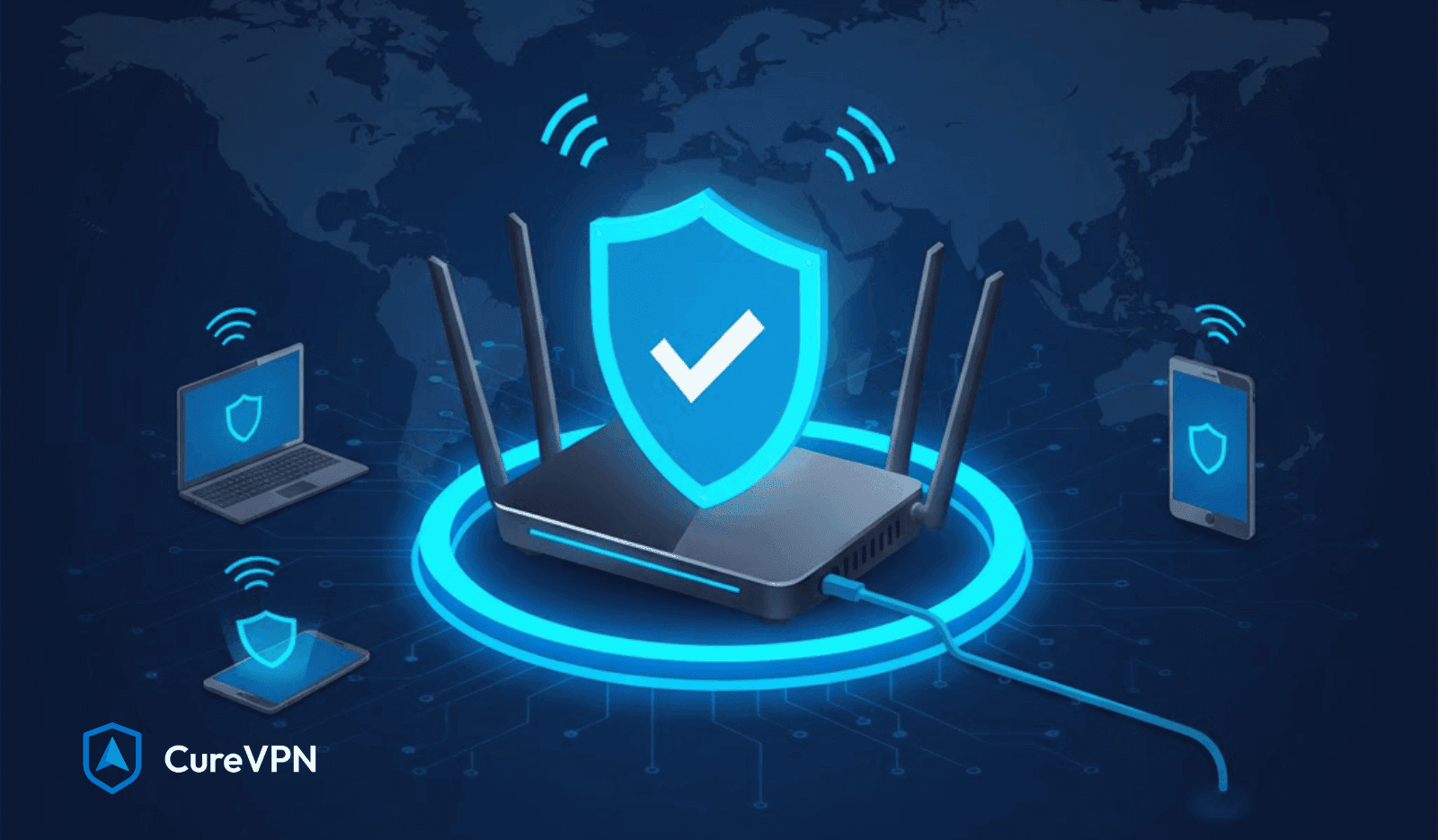

Homes no longer connect just a laptop and a phone. Smart TVs stream nonstop. Consoles stay online for hours. Doorbells, cameras, voice assistants, and even refrigerators talk to the internet quietly in the background. That constant connectivity creates a blind spot most people never see.
App-based VPNs protect only the device they run on. Everything else stays exposed. That gap grows wider every year as smart homes scale. VPN on Router closes that gap by securing traffic before it ever reaches individual devices.
Router-level protection does not rely on habits or memory. No toggle. No forgotten reconnect. Security becomes part of the network itself.
What Does “VPN on Router” Actually Mean?
A simple way to think about it: the router becomes the VPN client. Instead of installing a VPN app on each device, the router handles encryption and tunneling for everything connected to it. Phones, TVs, consoles, tablets, and IoT devices all route traffic through the same encrypted tunnel.
Traffic routing works upstream. Requests leave the device, hit the router, then pass through a VPN server before reaching the open internet. That means IP masking, encryption, and DNS protection happen automatically.
The difference between a device VPN and VPN on Router comes down to scope.
- Device VPN protects one endpoint
- Router VPN protects the entire network
That distinction matters more than most people realize.
VPN on Router vs Device VPN: Which is Better?
Choosing between router-level and device-level protection depends on your specific use case. Neither approach dominates universally. Understanding the tradeoffs helps you make informed decisions.
| Feature | VPN on Router | Device VPN |
|---|---|---|
| Setup Complexity | One-time configuration | Install on each device |
| Device Coverage | All connected devices | Only installed devices |
| Speed Impact | Affects all traffic | Selective application |
| Flexibility | Less granular control | Per-device customization |
| IoT Protection | Automatic coverage | Usually impossible |
| Cost | Single subscription | Multiple licenses often needed |
| Portability | Home network only | Works anywhere |
Router VPN makes perfect sense when you prioritize comprehensive household protection. Families with children benefit from network-wide ad blocking and content filtering that apps can’t circumvent. Smart home enthusiasts gain security for devices that otherwise remain vulnerable.
The VPN for home vs. VPN on router debate often misses this point: they’re different tools for different scenarios. Home VPN typically refers to device-level apps. Router VPN represents infrastructure-level security.
Device-level VPN shines for mobile professionals. Your laptop needs protection at coffee shops, airports, and client offices where you can’t control the router. Granular control matters here. You might want Netflix traffic unencrypted for speed while banking sessions route through VPN servers.
Travelers face similar requirements. Router configurations protect home networks beautifully but offer zero help on hotel Wi-Fi. Device apps provide portable security that follows you everywhere.
Hybrid approaches deliver optimal results for sophisticated users. Configure your home router with VPN protection for baseline security. Install device-level apps for mobile scenarios and selective routing needs. This combination ensures consistent protection without sacrificing flexibility.
Power users might run VPN on router for IoT devices and smart home gear while maintaining separate device apps for laptops and phones. This setup provides granular control where it matters most while automating protection for set-it-and-forget-it hardware.
The answer isn’t either-or. Strategic deployment of both technologies creates layered defenses that adapt to changing contexts and threat landscapes.
Step-by-Step: How to Set Up VPN on Router
Setting up a VPN on router requires careful preparation and methodical execution. The process varies by hardware, but fundamental steps remain consistent across platforms.
The prerequisites checklist ensures smooth installation:
Active VPN subscription with router support. Verify your provider offers OpenVPN configuration files or native router apps. Router with VPN client capability, either native or via custom firmware. Administrator access to router settings, including login credentials. Computer connected to router via Ethernet for stable configuration access. VPN configuration files downloaded from your provider’s website. Backup of current router settings before making changes.
Method 1: Installing VPN on DD-WRT Router
DD-WRT firmware provides robust VPN functionality across hundreds of router models. The setup process follows a logical sequence that builds layer by layer.
First, access your DD-WRT interface. Open a web browser and navigate to your router’s IP address, typically 192.168.1.1. Enter your admin credentials. Default username is usually “root” with your custom password.
Navigate to the Services tab, then locate the VPN subtab. Enable the OpenVPN Client option. This activates the configuration fields necessary for VPN connection.
Download OpenVPN configuration files from your VPN provider’s website. These files contain server addresses, encryption settings, and authentication parameters. Extract the files to an accessible location on your computer.
Open the configuration file using a text editor. Copy the certificate authority (CA) cert content. Paste it into the DD-WRT CA Cert field. Repeat this process for the Public Client Cert and Private Client Key fields.
Enter your VPN username and password in the designated authentication fields. Some providers use certificate authentication instead, which eliminates password requirements.
Configure the server IP or hostname. Copy this information from your VPN provider’s server list. Choose servers geographically close to your location for optimal speeds.
Set the tunnel protocol to UDP for better performance or TCP for improved reliability through restrictive networks. Most home users should select UDP on port 1194.
Enable “Redirect default Gateway” to route all traffic through the VPN tunnel. This setting ensures complete traffic encryption without exceptions.
Save the settings and apply changes. The router will establish a VPN connection. This process takes 30-60 seconds typically.
Method 2: Installing VPN on Stock Firmware
Modern routers from Asus, Netgear, and other manufacturers include native VPN client functionality. Configuration processes vary by brand but follow similar patterns.
Asus router setup leverages the brand’s user-friendly interface. Log into your router at router.asus.com or the default IP address. Navigate to VPN in the left sidebar. Select the VPN Client tab at the top.
Click “Add profile” and select OpenVPN. Give your connection a descriptive name. Upload the .ovpn configuration file provided by your VPN service. Enter your VPN account credentials if required.
Toggle “Import CA file” and upload the certificate authority file if not included in the .ovpn file. Click OK to save the configuration. Activate the connection by clicking “Activate” next to your VPN profile.
Netgear router configuration requires slightly different steps. Access the router admin panel at routerlogin.net. Navigate to Advanced > Advanced Setup > VPN Service. Select VPN Client and click “Add.”
Choose your VPN service from the dropdown menu if available. Many providers appear pre-configured in Netgear’s interface. Otherwise, select “Other VPN provider” for manual configuration.
Enter server information, including address and port number. Input your VPN credentials. Enable the connection and apply settings.
TP-Link router setup varies by model series. Newer Archer routers include VPN client functionality in the Advanced section. Navigate to VPN Client, add a new connection, and input configuration details provided by your VPN service.
Method 3: Using Pre-configured VPN Routers
Pre-flashed routers eliminate technical configuration entirely. Unbox the hardware, connect it to your modem, and access the simplified setup interface.
FlashRouters and similar providers ship devices with custom VPN interfaces. After connecting to the router’s network, navigate to the FlashRouters control panel. Select your VPN provider from the dropdown menu. Enter your subscription credentials. Choose your preferred server location. Click connect.
The entire process takes under five minutes. No configuration file editing. No certificate management. No troubleshooting connection failures.
Testing Your VPN Connection
Verification confirms your VPN on router configuration works correctly. Multiple testing methods ensure comprehensive validation.
Visit whatismyipaddress.com before and after VPN activation. Your displayed IP address should change to reflect the VPN server location. If your actual location still appears, the connection failed.
Use ipleak.net for detailed testing. This service checks for DNS leaks, WebRTC leaks, and IP address consistency. All results should show your VPN provider’s information, not your ISP’s details.
Test speed using speedtest.net with VPN active and inactive. Some speed reduction is normal. Drops exceeding 50% suggest configuration problems or server congestion.
Verify all devices receive protection by checking IP addresses from multiple gadgets. Smartphones, tablets, and laptops should all display the same VPN IP address.
Best VPN Services for Router Installation
Selecting the right VPN provider determines whether your router installation succeeds or frustrates. Router compatibility varies dramatically between services.
Key criteria separate excellent choices from mediocre options:
OpenVPN protocol support remains essential. WireGuard compatibility adds performance benefits. Detailed router setup documentation prevents configuration headaches. Unlimited simultaneous connections maximize router deployment value. Server network size and geographic distribution affect performance and access options. Customer support quality becomes critical when troubleshooting router-specific issues.
Top providers for router installation each bring distinct advantages:
ExpressVPN leads in user-friendly router implementation. Their custom firmware for select routers simplifies configuration to absurd levels. Native apps for Asus, Linksys, and Netgear routers eliminate manual OpenVPN setup. Speed performance remains consistently high even with encryption overhead. Their MediaStreamer feature helps with devices that struggle with full VPN connections. Pricing sits at the premium end, but reliability justifies the cost.
NordVPN excels in security features and server infrastructure. Over 6,000 servers globally ensure you’ll find fast, nearby connections. SmartPlay technology automatically handles streaming service access without manual configuration. Router setup guides cover 30+ specific models with detailed screenshots. Best VPNs for Chrome extensions complement router protection for mobile scenarios. Budget-friendly long-term subscriptions make it cost-effective for families.
Surfshark removes connection limits entirely. Their unlimited device policy makes router deployment even more valuable. CleanWeb feature blocks ads and malware at the network level. MultiHop functionality routes traffic through multiple countries for enhanced privacy. Whitelister split tunneling works at the router level for flexible configuration. Aggressive pricing undercuts competitors while maintaining solid performance.
Private Internet Access attracts technical users who value granular control. MACE ad blocking works system-wide through router configuration. Open-source applications build trust with security-conscious users. WireGuard protocol support delivers exceptional speeds on capable hardware. Port forwarding capability suits advanced use cases like remote access and gaming. The interface assumes technical competence but rewards it with powerful features.
CyberGhost simplifies router setup with pre-configured profiles. Dedicated streaming profiles optimize access to specific services. NoSpy servers in Romania provide enhanced privacy protections. Automated kill switch prevents unencrypted traffic leaks if VPN drops. 45-day money-back guarantee exceeds industry standards for risk-free testing. The service balances ease of use with robust security features.
Pricing considerations extend beyond monthly subscription costs. Annual plans typically cost 40-60% less than monthly billing. Three-year commitments sometimes drop costs to $2-3 monthly. Calculate total household protection costs when comparing. A single router subscription replacing five device licenses delivers massive savings.
Customer support importance cannot be overstated for router deployments. Configuration problems happen. Firmware conflicts emerge. Connection stability issues require troubleshooting. Providers offering 24/7 live chat support resolve problems faster than email-only services. Look for router-specific support teams familiar with DD-WRT, Tomato, and brand-specific configurations.
Free VPN service options exist, but rarely support router installation properly. Most free providers lack OpenVPN configuration files necessary for router setup. Bandwidth limitations make free services impractical for whole-home protection. Security concerns multiply with free providers who often monetize through data collection. Investing in paid services protects your network genuinely rather than creating new vulnerabilities.
Key Benefits of Using a VPN on Router
One setup covers every device on the network. That alone changes how people think about privacy.
Key advantages include:
- Automatic protection for phones, laptops, smart TVs, and consoles
- Coverage for devices that cannot install VPN apps
- Continuous encryption without user interaction
Smart TVs and streaming platforms like Tubi benefit here. A vpn for tubi works reliably when traffic routes through the router, even on devices with no VPN support.
Long-term value shows up quickly. Security stops being a daily task and becomes infrastructure.
Security & Privacy Advantages
Router-level encryption hides the public IP for the entire household. External observers see only the VPN endpoint, not individual devices.
That visibility reduction matters because ISPs monitor DNS queries, connection timestamps, and bandwidth usage. VPN on Router limits ISP tracking and reduces throttling during peak usage.
IoT devices often ship with weak security controls. Many cannot patch vulnerabilities quickly. Routing them through encrypted tunnels adds a protective layer they lack on their own.
People often ask, Can VPN stop hackers?
A VPN cannot fix unsafe passwords or infected devices, but encrypted tunneling blocks many interception-based attacks and reduces exposure on public and shared networks.
Performance Considerations You Must Know
Router hardware plays a bigger role than many guides admit.
VPN encryption uses CPU cycles. AES-256 encryption, while highly secure, demands processing power. Entry-level routers struggle under that load, especially with multiple devices streaming simultaneously.
Encryption overhead feels simple in practice:
- Better hardware equals better speeds
- Weak routers introduce latency
Lag avoidance depends on smart choices. A router with sufficient RAM, modern firmware, and optimized tunneling protocols such as WireGuard performs noticeably better.
Honesty matters here. Router VPNs trade convenience for performance flexibility. The right setup minimizes that trade-off.
VPN on Router vs VPN Apps: A Clear Comparison
The debate often surfaces as VPN for Home vs. VPN on Router, but the answer depends on behavior.
Router VPN excels at coverage and consistency. One tunnel. Always active. No gaps.
App-based VPNs still make sense in specific cases:
- Mobile data usage outside the home
- Per-app routing on laptops
- Temporary location switching
VPN solutions for home often work best when both models coexist. Router-level encryption handles baseline security, while apps extend protection on the move.
Best Use Cases for VPN on Router
Households with multiple users benefit immediately. Every device stays protected regardless of technical skill.
Remote workers reduce risk from unmanaged IoT devices sharing the same network. Small offices gain network-wide encryption without enterprise complexity.
Gamers appreciate consistent routing. Stable DNS handling and IP masking reduce connection variance during long sessions. That consistency matters more than raw speed.
Families gain privacy controls without constant supervision. Parents do not need to wonder, Is someone spying on my phone? when the network itself limits exposure.
Types of Routers That Support VPNs
Some routers ship with VPN clients pre-installed. These devices simplify setup and reduce risk.
Others rely on flashable firmware such as OpenWRT or DD-WRT. That approach offers flexibility but requires care.
ISP-provided routers often restrict VPN functionality. Hardware limitations and locked firmware block proper tunneling.
Router choice determines success more than the VPN brand itself.
How to Set Up VPN on Router (High-Level Overview)
Preparation matters.
Users need:
- A VPN provider that supports router configurations
- Router firmware with VPN client support
- Basic access to router admin settings
Most setups follow one of three paths:
- Pre-installed VPN profile
- Manual OpenVPN or WireGuard configuration
- Companion apps that push settings automatically
Provider selection matters here. Not every Free VPN Service supports router-level encryption reliably. Many limit bandwidth, cap connections, or log traffic.
Common Mistakes to Avoid
Underpowered routers top the list. Hardware bottlenecks cause slowdowns that users wrongly blame on VPNs.
Another issue comes from choosing providers without router support. App-only VPNs fail at the infrastructure level.
Firmware neglect creates a silent risk. Outdated firmware weakens encryption and opens attack vectors, regardless of VPN usage.
Is VPN on Router Right for You?
A quick checklist helps clarify fit:
- Multiple devices are connected daily
- Smart TVs or consoles without VPN apps
- Concern over ISP monitoring
- Desire for passive, always-on protection
Cost comparisons often favor routers long-term. One VPN connection replaces many subscriptions.
Those who benefit most want security without friction.
Final Thoughts: Network-Wide Privacy Done Right
VPN on Router shifts privacy from habit to design. Protection happens upstream, before traffic fragments across devices. Router-level VPNs outperform per-device installs when consistency matters. Homes, families, and small offices gain coverage that apps alone cannot match. Security works best when it feels invisible.
Users who care about stable encryption, DNS privacy, and network-wide protection often settle on providers that respect performance limits and transparency. Solutions like Cure VPN tend to stand out not through aggressive promises, but through stable routing, clear configuration support, and an understanding of how real households use connected networks.
Router-level privacy is not a trend. It is the direction modern networks are heading.