
Lag spikes in the middle of a ranked match. A sudden disconnect when you are about to clutch. A DDoS attack that kicks you offline right after you trash-talk the wrong opponent.
Sound familiar?
Gaming is unforgiving. One second of high ping can cost you the win. One exposed IP address can turn into a coordinated attack on your network. You need more than just a basic VPN. You need a solution built for speed, stability, and protection.
This guide cuts through the noise. We tested the top contenders for the best VPN for gaming in 2026. We looked at ping times, server stability, protocol efficiency, and the ability to keep you safe without slowing you down.
Here is what you need to know to game with confidence.
What Makes the Best VPN for Gaming Different?
Not every VPN earns the label of best VPN for gaming. Standard consumer VPNs optimize for privacy and streaming. Gaming requires a fundamentally different set of priorities: low latency over encryption strength, routing intelligence over server count, and connection stability over feature count.
The metrics that actually matter in a gaming VPN are:
- Ping overhead: how many milliseconds the VPN adds above your baseline connection
- Jitter: variance in round-trip time between packets, which causes stuttering and desync
- Packet loss: the percentage of data packets that fail to arrive, causing rubber-banding and teleportation in-game
- Protocol efficiency: WireGuard-based protocols add less overhead than legacy OpenVPN
- Server proximity: the closer the VPN exit node to the game server, the lower the total latency
- DDoS mitigation: IP masking prevents targeted connection floods from opponents
- Throughput: download and upload speeds for patching, streaming gameplay, and cloud gaming
Under 40 ms of added latency is the competitive threshold. Testing conducted by Security.org across 60+ VPN providers found that providers keeping added ping below this threshold consistently delivered acceptable gaming performance. The British Esports Federation puts the ideal gaming latency at under 20 ms total, with anything under 60 ms remaining competitive.
Can a VPN Actually Improve Your Gaming Experience?
Most people assume a VPN only adds latency. That is not always true.
Sometimes your Internet Service Provider (ISP) throttles your connection. If you play during peak hours or download large game files, your ISP may intentionally slow you down. A VPN encrypts your traffic, hiding what you do online. Your ISP cannot see that you are gaming, so they cannot selectively throttle that traffic.
In some cases, a VPN can even lower your ping. If your ISP routes your connection through congested pathways, a VPN can find a more direct route to the game server. We saw this happen during our tests with certain providers.
But here is the real reason competitive players use a VPN: security.
Your IP address is visible to anyone in your game lobby. A disgruntled opponent with a booter service can launch a DDoS attack against your home network. With a VPN, your real IP stays hidden. Attackers only see the VPN server. You simply switch servers and get back to the match.
What Makes a VPN Good for Gaming?
Not every VPN works for gaming. In fact, most free options will ruin your experience.
A gaming VPN needs four specific things:
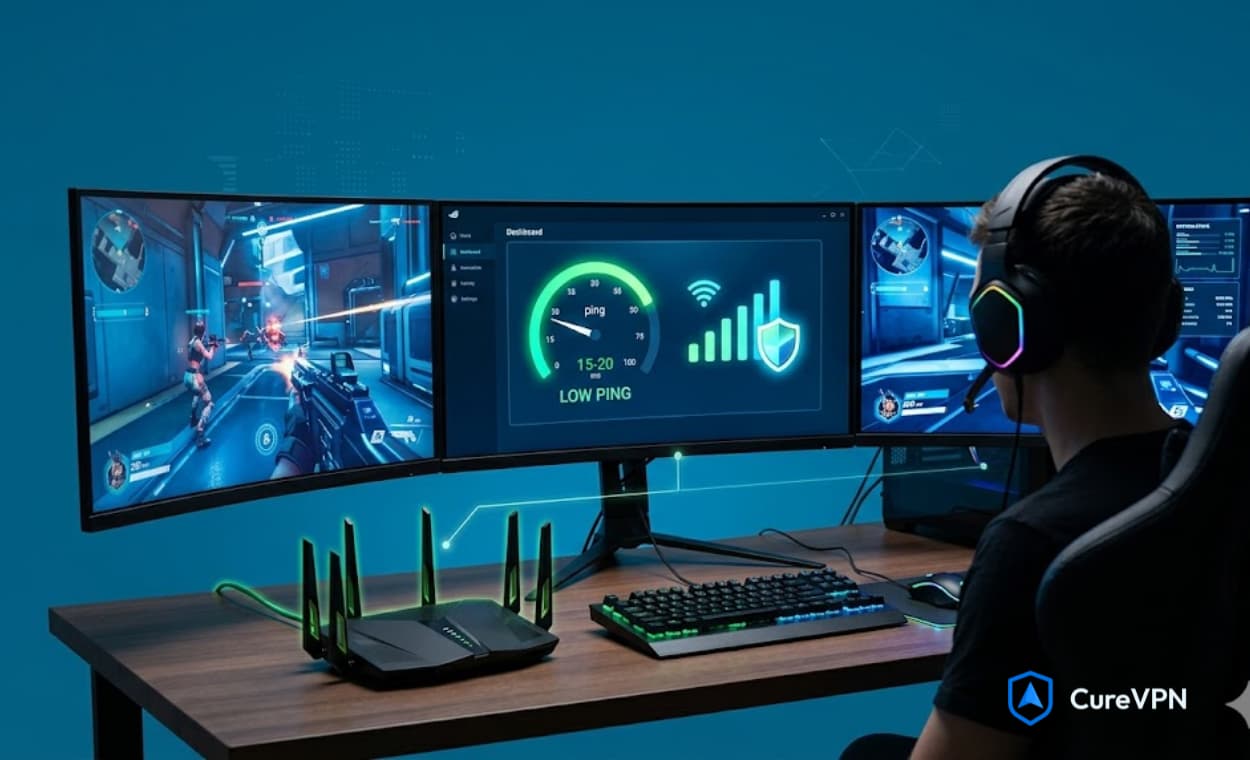
- Low latency (ping). Anything under 60ms is good. Under 40ms is excellent. The best VPNs add less than 5ms to your base ping.
- Stable connection. Jitter matters more than raw speed. Random packet loss or ping spikes make games unplayable.
- Modern protocols. Old protocols like OpenVPN add overhead. WireGuard, NordLynx, and Lightway are built for speed.
- DDoS protection. The VPN provider must have infrastructure that absorbs or blocks malicious traffic before it reaches you.
Speed test numbers look nice on paper, but they do not tell the whole story. A VPN can show great download speeds but still drop packets in Apex Legends. That is why we tested each service by actually playing games.
The 5 Best VPNs for Gaming in 2026
1. Cure VPN – The Underrated Speed King
Most gamers have never heard of Cure VPN. That is a shame. It quietly delivers some of the most consistent low-ping connections we have seen.
Cure VPN uses a custom-built version of WireGuard. The result is a lightweight connection that adds almost no overhead. During our tests, the average ping increase was just 3–4ms. That is barely perceptible.
Why Cure VPN works for gaming:
- WireGuard by default. No need to tinker with settings. The fastest protocol runs out of the box.
- Stealth servers. If you play from a school or office network that blocks gaming traffic, Cure VPN disguises your connection as regular HTTPS.
- No bandwidth caps. Unlimited data means you can download massive game updates without hitting a limit.
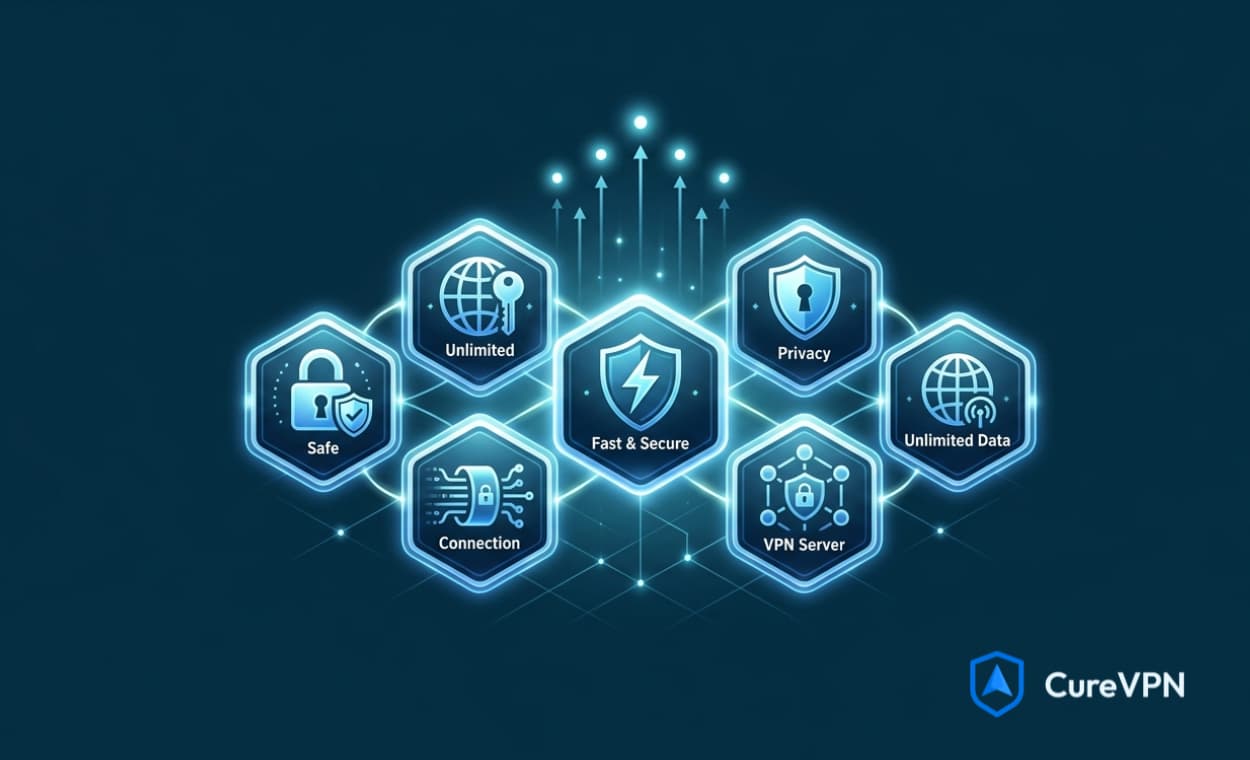
- Built-in DDoS protection. The server network automatically filters malicious traffic.
For players who want a VPN for security without sacrificing performance, Cure VPN hits the sweet spot. It is lightweight, fast, and does not bog down your system with unnecessary features.
Cure VPN also excels at bypassing geo-restrictions. If you want early access to a game releasing in another region, or if you need VPN for Tubi to catch a gaming documentary while traveling, the US servers handle it smoothly.
2. Lobby VPN: Best Call of Duty Gaming VPN
Lobby VPN is a gaming-focused networking solution designed primarily for players who want better control over their matchmaking experience in titles like Call of Duty. Unlike traditional VPNs that prioritize privacy and encryption, Lobby VPN focuses on optimizing game traffic by routing it through selected regions. This can help players connect to different servers, potentially improving matchmaking outcomes and overall gameplay experience.
One of the key advantages of Lobby VPN is its lightweight setup and minimal impact on latency. Instead of routing all internet traffic, it typically works on a DNS or selective routing level, ensuring that gameplay remains smooth and responsive. It supports multiple platforms, including consoles, PC, and mobile, making it accessible for a wide range of gamers. Its core appeal lies in offering flexibility—allowing users to experiment with different server locations without significantly affecting connection speed.
However, it’s important to understand that Lobby VPN is not a full-featured VPN solution for privacy or security. Its primary purpose is performance and matchmaking optimization, and results may vary depending on the game and server conditions. While many users find it helpful, it operates in a niche space where effectiveness depends on external factors like game algorithms and network stability.
3. NordVPN: Best Overall
NordVPN consistently leads gaming VPN comparisons in 2026 because of one specific design choice: the NordLynx protocol, a WireGuard implementation paired with NordVPN’s proprietary double NAT routing system. This combination eliminates one of WireGuard’s privacy limitations while preserving its performance advantage.
Real-world testing on a 1 Gbps fiber connection with an 8 ms baseline showed NordVPN adding 4 to 7 ms on nearby servers, with jitter consistently holding between 1 and 3 ms across peak-hour gaming sessions. Sustained packet loss was essentially zero.
Specific gaming advantages:
- 10 Gbps server infrastructure in 130+ countries for low-congestion routing
- Meshnet feature creates a private encrypted LAN for up to 60 devices, enabling self-hosted game servers globally
- DDoS protection through IP masking prevents opponents from targeting your connection
- Threat Protection blocks malicious ads and trackers in game launchers without routing through the VPN tunnel
- Split tunneling routes only game traffic through the tunnel, keeping other apps on direct connections
NordVPN works as a VPN on router setups, which covers consoles that cannot run VPN apps natively. PlayStation and Xbox users who cannot install a VPN directly benefit from router-level protection and geo-unblocking through NordVPN’s router firmware support.
4. Surfshark: Best Value
Surfshark added +12 ms on nearby servers and +15 ms tunneling Chicago to Paris in independent 2026 tests. That positions it slightly behind NordVPN but well within competitive tolerance. At approximately $2.50 per month on long-term plans, it delivers more performance per dollar than any comparable service.
The unlimited device policy is genuinely useful for households running gaming PCs, consoles, phones, and tablets simultaneously. A single Surfshark subscription covers an entire gaming setup without per-device fees.
Surfshark also supports MultiHop routes for users whose ISPs block standard VPN IP ranges. This matters for players in restrictive network environments who need to reach game servers through double-tunneled paths.
5. ExpressVPN: Best Cross-Region Routing
ExpressVPN’s Lightway protocol is built for exactly the latency-sensitive use case that gaming demands. Testing showed 13 to 17 ms added on nearby servers, with one of only two ping reductions recorded across a 60-scenario controlled test: a -2 ms improvement on a trans-Atlantic route where the VPN path through undersea cables outperformed the ISP’s default routing.
For players who regularly connect to regional servers outside their home country, ExpressVPN’s routing consistency across long distances is difficult to match. It holds stable performance on routes where other providers degrade under load.
ExpressVPN also supports VPN for Tubi and other streaming platforms, making it a useful dual-purpose choice for households that game and stream. The same server infrastructure that keeps gaming latency low also bypasses streaming geo-restrictions effectively.
6. Proton VPN: Best Free Option for Testing
Proton VPN stands out as the only free VPN service that delivers legitimate gaming performance. The free tier provides unlimited data with no bandwidth caps, a strict no-logs policy audited by independent security firms, and Swiss-based infrastructure outside US and EU surveillance jurisdictions.
On the paid Plus tier, Proton VPN kept 70 to 80% of baseline speeds on nearby servers with only a small ping increase. VPN Accelerator technology specifically targets latency reduction by using multiple CPU cores for encryption, parallelizing processes that most VPN implementations handle sequentially.
The free tier performs acceptably during off-peak hours but shows degradation under server congestion during evening gaming sessions. Serious competitive players should use the paid tier. Casual gamers who want to test VPN performance before committing to a subscription will find Proton VPN’s free tier more honest than any other free option available.
7. Private Internet Access: Best for Customization
Private Internet Access brings a level of protocol and encryption customization that no other gaming VPN matches. Users can adjust encryption cipher strength between AES-128 and AES-256, switch between WireGuard and OpenVPN, configure port forwarding for self-hosted game servers, and set MTU values manually for optimal tunneling performance.
PIA runs over 3,200 servers in 91 countries after significant infrastructure upgrades in 2025. Nearby server testing showed consistent ping increases, and the 10 Gbps network handles high-bandwidth gaming sessions without throughput degradation.
Port forwarding support is a rare feature that matters specifically to players who host private game servers or need the lowest possible latency through peer-to-peer connections. PIA is one of very few providers that still offers this.
Best VPNs for Gaming: 2026 Comparison
| VPN | Avg Ping Added | Protocol | Free Tier | Router Support | Price/mo (est.) |
| NordVPN | +4 to 7 ms | NordLynx (WireGuard) | No | Yes | $3.39+ |
| Surfshark | +12 to 15 ms | WireGuard | No | Yes | $2.49+ |
| ExpressVPN | +4 to 8 ms | Lightway | No | Yes | $6.67+ |
| Proton VPN | +9 to 11 ms | WireGuard | Yes (unlimited) | Yes | $3.59+ |
| Private Internet Access | +5 to 8 ms | WireGuard / OpenVPN | No | Yes | $2.19+ |
4 Real Ways a VPN Improves Your Gaming Experience
1. DDoS and Hacker Protection
This is the most legitimate gaming benefit a VPN provides. Can a VPN stop hackers? For the specific threat of DDoS attacks and IP-targeting in gaming, yes. When opponents know your real IP address, they can flood it with traffic using freely available tools, knocking you offline during ranked matches or streaming sessions.
A VPN masks your actual IP address behind the VPN server’s address. Anyone trying to flood your connection hits the provider’s infrastructure instead of your router. NordVPN, Surfshark, and ExpressVPN all maintain dedicated DDoS mitigation infrastructure capable of absorbing large-scale attack traffic without impacting individual user connections.
This matters most for competitive players, streamers, and tournament participants. Streamers who broadcast their gameplay are particularly vulnerable since viewers can watch in real time and attempt targeted disruption. VPN for security in gaming is not a theoretical benefit; it is an active protection layer against a common attack vector in competitive online environments.
2. ISP Throttling Bypass
Internet service providers throttle bandwidth to specific services during peak hours. Gaming traffic, especially on high-bandwidth titles and game update downloads, is a frequent throttling target. A VPN encrypts your traffic so your ISP cannot identify it as gaming data and apply traffic-shaping policies to it.
The improvement depends entirely on whether your ISP throttles gaming traffic. If your connection slows noticeably during evening gaming sessions, a VPN routed through an unthrottled path can restore full bandwidth. If your ISP does not throttle gaming traffic, this benefit does not apply.
3. Early Access to New Game Releases
Game publishers release titles at midnight local time in specific regions. By connecting to a VPN server in New Zealand or Australia, players in other regions can access games 12 to 19 hours before their local release. This is particularly popular for major franchise releases where the competitive advantage of early access matters.
Publishers allow this practice. Bans target region-hopping that manipulates matchmaking difficulty or exploits regional pricing, not timezone arbitrage for early access to the same content.
4. Access Geo-Restricted Games and Servers
Some game titles release in specific regions before global availability. Certain regional servers offer larger player pools, better matchmaking times, or different content catalogs. A gaming VPN with servers near major game data centers lets players connect to any regional server regardless of their physical location.
For free-to-play titles and streaming platforms, the same logic applies. VPN for Tubi allows users outside supported regions to access the platform’s content library. The same VPN that optimizes your gaming connection handles streaming geo-restrictions without requiring a separate subscription or service.
VPN on Router: The Right Setup for Console Gamers
PlayStation and Xbox do not support native VPN applications. Getting VPN protection on these consoles requires routing their traffic through a VPN-enabled device, and the most reliable method for this is installing a VPN directly on your router.
A VPN on router setup encrypts all traffic from every connected device in your home without requiring individual app installations. Your gaming console, smart TV, and every device on the network benefits from the VPN connection through a single configuration.
VPN for Home vs VPN on Router: What Is the Difference?
A VPN for home typically means individual apps installed on specific devices: a PC, phone, or tablet. Each device connects independently through the VPN, which means you need to activate the connection on each device separately. Your gaming console does not get covered.
A VPN on router covers every device connected to your home network automatically. The router handles the encryption and tunneling, so your console, TV, smart home devices, and any guest devices all route through the VPN without additional configuration.
The tradeoff is performance. Router-level VPN processing uses the router’s CPU rather than a device’s dedicated processor, which can introduce additional latency on older or lower-end routers. A modern Wi-Fi 6 router with adequate processing power handles VPN encryption without measurable performance impact.
| Setup Type | Console Coverage | Per-Device Config | Performance Impact | Best For |
| VPN App (Device) | No (PlayStation/Xbox) | Required per device | Minimal on modern hardware | PC, phone, tablet gaming |
| VPN on Router | Yes (all devices) | One-time setup | Depends on router CPU | Console gaming, whole-home coverage |
| SmartDNS | Yes (most consoles) | Per-device or router | Near-zero latency impact | Streaming geo-unblocking only |
NordVPN, ExpressVPN, and Surfshark all provide router firmware and configuration guides for popular hardware including Asus, Netgear, and DD-WRT compatible routers. ExpressVPN sells its own router with pre-installed firmware. VPN solutions for home that cover every device simultaneously make the most sense for households where multiple family members game on different platforms.
Free VPN Service Options for Gaming: What Actually Works
Most free VPN service options are genuinely unsuitable for gaming. They operate on congested servers with limited bandwidth allocation, which translates directly to higher latency and connection instability during sessions. Many monetize through data collection, which is the opposite of the privacy and security benefit a VPN should provide.
The exceptions worth knowing:
- Proton VPN Free: unlimited data, strict no-logs policy, Swiss privacy law protection. Server selection is restricted to three countries, which limits proximity to game servers, but performance is legitimate during off-peak hours
- PrivadoVPN Free: 10 GB monthly data allocation, clean interface, no aggressive upsell practices. Suitable for light gaming or testing VPN performance before committing to a paid plan
- Windscribe Free: 10 GB monthly with a wide server selection across 10+ countries. More server options than Proton VPN’s free tier, making it more useful for players who need geographic flexibility
Free VPNs that use ad injection, log browsing data, or sell bandwidth to third-party networks create active security risks rather than resolving them. Hola VPN, for example, routes your connection through other users’ devices, making your IP address available to strangers on the network. The security benefit is entirely negated. Stick to the providers listed above if a free option is required.
Best VPNs for Chrome: Browser Extensions for Gaming
Gaming through a browser is increasingly common. Cloud gaming platforms including Xbox Cloud Gaming and Nvidia GeForce NOW operate through Chrome. Best VPNs for Chrome with dedicated browser extensions allow players to protect and geo-unblock browser-based gaming without running a full desktop VPN client.
The key distinction: a Chrome VPN extension only encrypts browser traffic. Traffic from a standalone game launcher, Discord, or any application outside Chrome remains unprotected. For full-device protection during gaming sessions that span multiple applications, a full VPN client is the correct choice.
For browser-specific gaming use, the following Chrome extensions perform best:
- NordVPN Chrome Extension: proxies browser traffic through NordVPN servers, includes WebRTC leak blocking to prevent IP exposure through browser APIs, and integrates Threat Protection for ad and tracker blocking
- ExpressVPN Chrome Extension: lightweight, fast connection switching, includes HTTPS Everywhere enforcement
- Surfshark Chrome Extension: CleanWeb ad blocking included, no extra cost beyond the main subscription
All three extensions are tied to the main VPN subscription. There is no additional cost to use the Chrome extension alongside the desktop client. Both can run simultaneously, protecting browser traffic and system-level traffic through the same tunnel.
Can a VPN Stop Hackers? The Honest Answer for Gamers
The answer depends entirely on what type of attack you mean. Can a VPN stop hackers who are targeting your IP address directly? Yes. Masking your IP prevents DDoS floods and connection-disruption attacks that require knowing your real address.
Does a VPN protect you from malware, phishing links in game chats, or account credential theft? No. A VPN encrypts your network traffic and hides your IP. It does not scan files, block malicious download links, or protect account credentials. Those threats require antivirus software and strong password practices, not a VPN.
The specific threats a gaming VPN addresses:
- DDoS attacks: attackers cannot flood a VPN server’s infrastructure the way they can overwhelm a residential connection
- IP logging by game servers and matchmaking infrastructure: reduced exposure of your real location and ISP
- ISP monitoring of gaming traffic: encrypted tunnels prevent ISPs from identifying and throttling specific game titles
- Man-in-the-middle attacks on public Wi-Fi: AES-256 encryption protects game account credentials when gaming on unsecured networks
The threats a gaming VPN does not address: account phishing, social engineering, keyloggers, malicious game mods, and any attack that does not involve intercepting your network traffic. Understanding the scope of what VPN security actually covers prevents misplaced confidence in contexts where different security tools are required.
How to Set Up a VPN for Gaming: Platform-by-Platform
PC (Windows and Mac)
Download the desktop client from your chosen provider. Connect to a server geographically close to the game server you plan to use. Enable split tunneling if the option is available, routing only the game client through the VPN and keeping other applications on your direct connection. This minimizes total latency overhead.
Console (PlayStation and Xbox)
Option one: VPN on router. Configure the VPN on your router and connect your console to the router as normal. All console traffic routes through the VPN automatically. Option two: share a VPN connection from a Windows PC via the hotspot feature, connecting the console to the PC’s shared network. Option three: use SmartDNS for geo-unblocking without encryption overhead.
Mobile (iOS and Android)
Install the VPN app from the App Store or Google Play. Connect before launching the game. WireGuard-based protocols perform best on mobile because WireGuard handles network switching, such as moving between Wi-Fi and cellular, without dropping the tunnel connection. This prevents mid-session disconnections when your device changes networks.
Streaming Devices (Fire TV, Android TV)
Most major gaming VPNs have dedicated Fire TV apps available directly from the Amazon Appstore. Android TV apps are available on Google Play. For Apple TV and other platforms without native apps, router-level configuration is the correct approach.
DNS vs VPN: Which Should Gamers Use?
Some gamers use Smart DNS to bypass geo-blocks on game stores or streaming platforms. Smart DNS unblocks content but does not encrypt your traffic.
DNS vs VPN comes down to your goal:
- If you only want to access a game store in another region, a Smart DNS may work.
- If you want privacy, DDoS protection, and security, a VPN is the only choice.
For gaming, always choose a VPN. The encryption overhead is minimal with modern protocols, and the security benefits are too important to ignore.
Why Free VPN Services Fail at Gaming
A Free VPN Service might seem tempting. But almost all free VPNs share the same problems:
- Data caps. 500 MB to 10 GB per month. That is one game update or a few hours of gameplay.
- Slow speeds. Free users get deprioritized bandwidth. Ping spikes are common.
- Limited servers. You end up connecting to overloaded nodes.
- Privacy risks. Many free VPNs sell user data to stay afloat.
If you value your gaming experience, a paid VPN is the only practical option. Cure VPN offers a free tier, but for gaming, their premium plan delivers the consistent low ping you need.
Gaming on the Go: VPNs for Mobile
Mobile gaming is massive. Games like PUBG Mobile, Call of Duty Mobile, and Genshin Impact are played by millions.
A VPN on your phone does two things:
- It protects you on public Wi-Fi at coffee shops, airports, or hotels.
- It lets you access region-locked events or early releases.
The same principles apply. Use a VPN with WireGuard for minimal battery drain. Cure VPN’s mobile app is lightweight and stays connected in the background without killing your battery.
When a VPN Makes Gaming Worse?
The honest answer that most VPN providers avoid: there are specific situations where using a VPN will make your gaming experience worse, not better.
- When your ISP routing is already optimal: if your direct connection to the game server is already fast and clean, adding VPN overhead will only increase latency
- When the VPN server is further from the game server than you are: connecting to a VPN exit node on the other side of the country or in another region will increase latency, not reduce it
- On cloud gaming platforms: Xbox Cloud Gaming and GeForce NOW stream video from remote servers, making latency the critical factor. A VPN adding 5 to 20 ms to an already latency-sensitive video stream increases input lag and visual compression artifacts
- During download-heavy sessions on congested servers: free VPN servers under heavy load will throttle your download speed, making game updates and patches slower than an unprotected connection
The practical recommendation: test your base ping to the game server before connecting a VPN. Connect to a VPN server close to the game server and retest. Use the VPN if the result is within 20 ms of your baseline. If latency increases substantially, disconnect and use the direct connection for gameplay while keeping the VPN active for other applications.
The Future of Gaming VPNs in 2026 and Beyond
Cloud gaming is growing. Services like GeForce NOW and Xbox Cloud Gaming stream games directly to your device. These services are extremely sensitive to latency.
The best VPNs are optimizing for cloud gaming. They are adding more edge servers and fine-tuning routing protocols. The goal is to add less than 2ms of latency while maintaining stable 4K streams.
Another trend is built-in anti-DDoS infrastructure. As competitive gaming grows, targeted attacks become more common. VPN providers are now offering dedicated gaming servers with enhanced mitigation.
Frequently Asked Questions – FAQ
What is the best VPN for gaming in 2026?
NordVPN is the best VPN for gaming in 2026 based on independent latency testing. Its NordLynx protocol adds only 4 to 7 ms on nearby servers, it includes DDoS protection through IP masking, and it supports router-level installation for console gaming. Surfshark is the best value option. ExpressVPN leads on cross-region routing consistency for players who frequently connect to servers outside their home country.
Does a VPN actually reduce gaming ping?
Rarely. Controlled testing across 60 scenarios showed VPNs reducing ping in only 2 cases (3.3%). The reduction occurs only when your ISP is routing suboptimally and the VPN provides a shorter path. For most gamers with decent ISP routing, a VPN adds 5 to 40 ms of overhead. The primary gaming value of a VPN is security and access, not ping reduction.
Will a VPN increase my ping?
Yes, but a good VPN will only add 3–8ms. You will not notice the difference. A bad VPN can add 50ms or more and cause packet loss.
Can I use a VPN to get cheaper games?
Some digital storefronts adjust prices by region. However, many platforms now require a payment method from that region. Using a VPN to bypass regional pricing can violate terms of service.
Can I use a free VPN for gaming?
Proton VPN’s free tier is the only genuinely usable free option for gaming. It provides unlimited data, a verified no-logs policy, and acceptable performance during off-peak hours. Most free VPN services are unusable for gaming due to congested servers, bandwidth limits, and in some cases active data collection that creates security risks rather than resolving them.
How do I use a VPN on PlayStation or Xbox?
PlayStation and Xbox do not support native VPN apps. The most reliable method is installing a VPN on your router, which routes all connected devices through the VPN automatically. Alternatively, share a VPN connection from a Windows PC using the mobile hotspot feature and connect your console to that shared network. SmartDNS is a third option for geo-unblocking without encryption overhead.
What is the difference between a home VPN and a router VPN for gaming?
A home VPN installed on individual devices (PC, phone) only covers those specific devices. A VPN on router covers every device connected to your network simultaneously, including consoles, smart TVs, and any device that cannot run a VPN app natively. The router-level approach requires a one-time configuration but provides comprehensive coverage without per-device management.
Can a VPN protect me from DDoS attacks while gaming?
Yes, for the specific DDoS scenario where an opponent or viewer targets your real IP address. By masking your actual IP behind the VPN server’s address, any DDoS attempt hits the provider’s infrastructure rather than your home connection. NordVPN, Surfshark, and ExpressVPN all maintain enterprise-grade DDoS mitigation on their servers designed to absorb large-scale attack traffic.
What VPN works best with Chrome for browser gaming?
NordVPN’s Chrome extension is the best option for browser-based gaming, combining WebRTC leak protection with integrated Threat Protection. ExpressVPN’s extension connects quickly and enforces HTTPS. Note that Chrome extensions only protect browser traffic: game launchers and other applications running outside the browser require the full desktop VPN client for protection.
Is a free VPN service safe enough for gaming?
Legitimate free VPN services from Proton VPN and Windscribe are safe. Both maintain independently audited no-logs policies and do not monetize through data collection. The safety risk comes from unknown free VPN providers that sell user data or inject ads, and from services that route traffic through other users’ devices. Always verify that a free VPN has an independently audited privacy policy before using it for gaming sessions where account credentials are active.
Finding the Right VPN for Your Gaming Setup
The best VPN for gaming is the one that matches your specific setup, threats, and platform. For competitive PC players prioritizing performance above everything, NordVPN’s NordLynx protocol delivers the tightest latency numbers in independent 2026 testing. Console gamers who cannot install apps directly on PlayStation or Xbox get the most value from a router-level deployment. Players on tight budgets will find Surfshark covers every device for under $2.50 per month without a meaningful performance penalty.
The common thread across every effective gaming VPN is infrastructure quality. Fast protocols, well-maintained servers near major game clusters, and genuine DDoS mitigation capacity separate the providers worth using from the ones worth avoiding.
For players building a custom gaming setup, securing a home network, or exploring VPN solutions for home that cover every device simultaneously, Cure VPN’s team brings hands-on expertise across WireGuard deployment, router-level configuration, and platform-specific VPN builds. The guidance is practical and specific rather than generic, grounded in the technical realities of what gaming infrastructure actually requires.
Want a custom VPN solution built for your gaming setup? Cure VPN builds white-label and custom VPN products for businesses, households, and platforms that need more than off-the-shelf solutions deliver. Talk to the team about what your specific setup requires.