
Finding the best VPN for Tubi sounds simple until you’re sitting in London, Toronto, or Sydney with the app installed and a location error staring back at you. Tubi TV offers one of the most generous free streaming libraries on the internet — 40,000+ movies and TV shows, zero subscription fee, and genuinely no credit card required. The problem, as millions of travelers and expats discover every year, is that the entire library vanishes the moment you step outside the United States.
That’s not a bug. It’s licensing. Tubi holds broadcast rights that are contractually restricted to US audiences, and its geo-blocking system enforces those restrictions by checking every visitor’s IP address before allowing access. The fix is equally straightforward: replace your visible IP address with an American one using a VPN, and Tubi sees a US visitor. Access restored.
This guide covers everything — which VPNs actually work with Tubi in 2026, how to set them up on every major device, why some VPNs fail, and how to troubleshoot the most common issues. Whether you’re a traveler, an expat, or simply someone who wants to stream Tubi securely with your privacy intact, the answers are here.
What Is Tubi and Why Is It Geo-Restricted?
Tubi (also known as Tubi TV) is a free, ad-supported streaming service owned by Fox Corporation. It offers over 40,000 movies and TV episodes across genres including drama, comedy, horror, anime, and documentaries — at no cost to users. Tubi is currently available only in the United States, Canada, Australia, New Zealand, Mexico, and a handful of other markets. Visitors from outside these regions receive a geo-restriction error.
Tubi’s library size is genuinely remarkable for a free service. By comparison, Netflix’s US catalog carries roughly 5,800 titles behind a $15+ monthly paywall. Tubi matches that depth and exceeds it — for free — simply by running ads between content.
The geographic restriction isn’t arbitrary. Tubi pays licensing fees for each piece of content it streams, and those licenses specify which territories the content can be shown in. Because streaming licenses are priced by audience size and geography, Tubi’s contracts with studios and distributors explicitly limit access to regions where rights have been purchased.
Consequently, anyone outside the licensed territories — including US citizens traveling abroad — hits an access wall that has nothing to do with their subscription status or account standing.

How a VPN Unlocks Tubi From Anywhere?
Every time you open Tubi, the platform checks your IP address. Your IP address reveals your approximate geographic location — the country and often the city you’re connecting from. If Tubi’s system detects an IP address outside its licensed territories, it blocks access immediately.
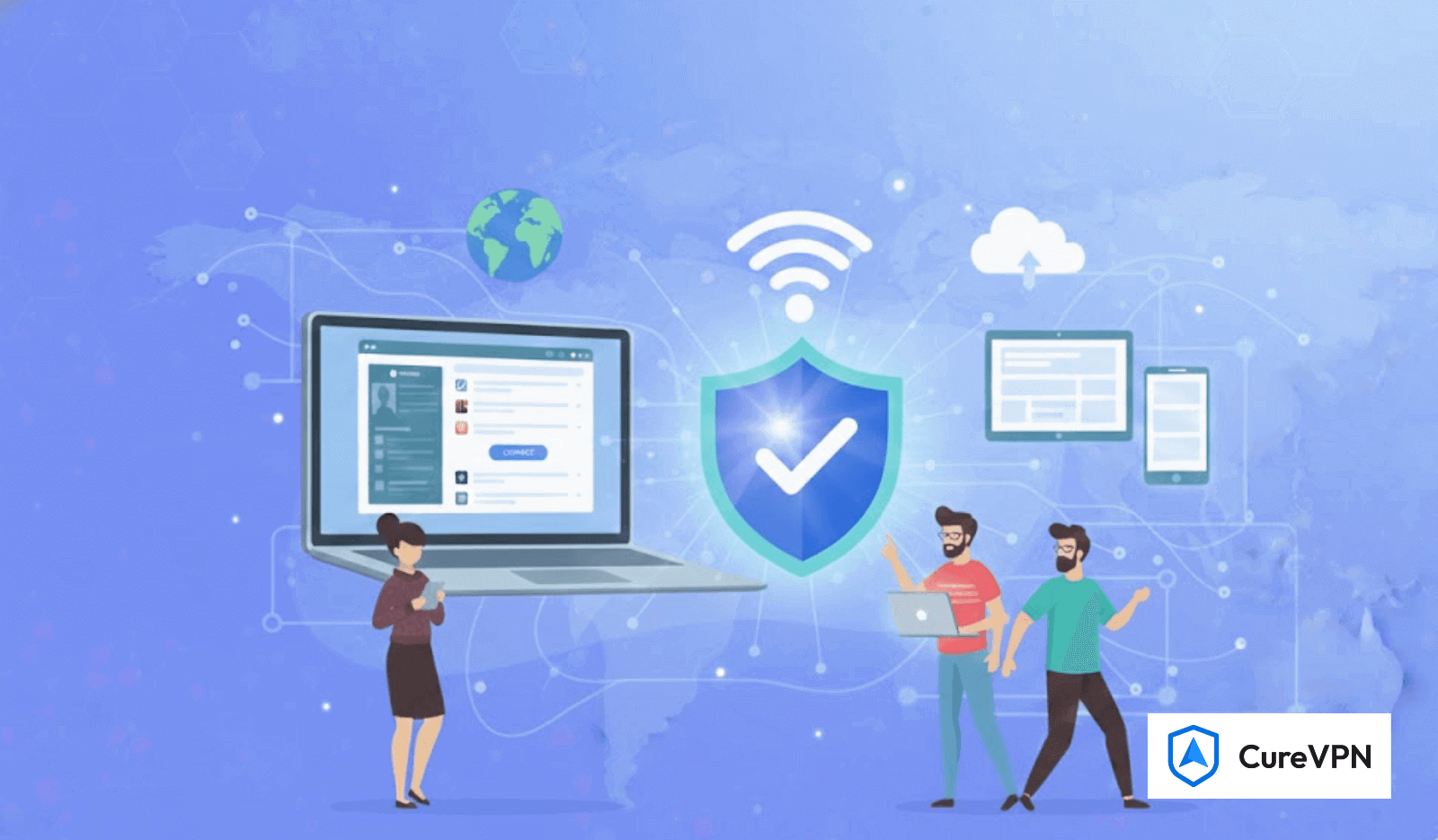
A VPN — virtual private network — solves this by routing your internet traffic through a server in a licensed country before it reaches Tubi. When you connect to a US-based VPN server, your traffic exits from that server and carries that server’s IP address. Tubi checks the IP, sees a US location, and grants access.
The full process looks like this:
- Your device connects to a VPN server located in the United States
- Your internet traffic routes through that server
- Your visible IP address becomes the VPN server’s US IP address
- Tubi’s geo-check passes — access granted
- Your actual location remains completely private
Additionally, the VPN encrypts your entire connection in transit, meaning your ISP, network administrator, or anyone monitoring your Wi-Fi cannot see what you’re watching, when you’re watching it, or that you’re accessing Tubi at all.
Does Tubi Block VPNs?
Yes — Tubi actively attempts to detect and block VPN traffic, which is why not every VPN works. This is important to understand before choosing a provider.
Streaming platforms identify VPN traffic primarily through two methods:
IP blacklisting — VPN providers use shared IP addresses across many users. When a streaming platform notices hundreds of users sharing one IP address and streaming simultaneously, it flags and blocks that IP range.
DNS and WebRTC leak detection — Some VPNs fail to fully mask traffic metadata, allowing Tubi’s detection systems to identify inconsistencies between the declared IP address and the actual origin of the connection.
Therefore, a VPN that worked with Tubi six months ago may fail today if the provider hasn’t refreshed its IP pool. The best VPNs for Tubi invest continuously in rotating IP addresses, maintaining large pools of US server IPs, and deploying obfuscation to defeat detection systems.
What to Look for in a VPN for Tubi?
Not all VPNs are built for streaming. These are the criteria that separate reliable Tubi VPNs from ones that deliver access errors.
| Criteria | Why It Matters for Tubi |
|---|---|
| US server availability | Tubi requires a US IP address — more US server locations means more fallback options when one IP is blocked |
| IP rotation and refresh | Fresh IP pools reduce the likelihood of hitting a blacklisted address |
| Streaming speed | HD streaming requires at minimum 5 Mbps; 4K requires 25 Mbps — VPN overhead should add minimal latency |
| No-logs policy | Protects your privacy while you stream |
| Kill switch | Prevents IP exposure if the VPN connection drops mid-stream |
| DNS leak protection | Ensures your real location isn’t exposed through DNS queries |
| Multi-device support | You’ll want Tubi working across TV, mobile, and laptop simultaneously |
| Obfuscation (optional) | Disguises VPN traffic to bypass aggressive detection systems |
Best VPN for Tubi in 2026 — Top Picks
Based on consistent performance against Tubi’s geo-blocking system, streaming speed tests, and multi-device reliability, here are the strongest options in 2026.
1. Cure VPN — Best Overall for Tubi Streaming
Cure VPN stands out specifically because its US server network is built with streaming performance as a primary design requirement. The combination of WireGuard protocol for minimal latency, AES-256-GCM encryption, and a regularly refreshed US IP pool means Tubi connections establish reliably — and maintain HD quality without the buffering that plagues slower providers.
What makes Cure VPN work well for Tubi specifically:
- Multiple US server locations with dedicated streaming-optimized nodes
- WireGuard-first connection (typically 1–3ms protocol overhead versus 5–10ms with older protocols)
- AES-256 encryption with zero-logs architecture verified by policy
- Kill switch on every platform prevents accidental IP exposure
- DNS leak protection enabled by default
- iOS, Android, Windows, and macOS apps included
Furthermore, Cure VPN’s lightweight app means background resource use stays minimal — important for devices like Fire TV Sticks and older Android TVs where system resources are limited.
2. NordVPN — Strong Server Pool and Reliable Unblocking
NordVPN maintains one of the largest US server networks of any commercial provider, which translates to better Tubi unblocking consistency. Its SmartPlay feature automatically routes streaming traffic through optimized servers, reducing manual server selection. Pricing is higher than most alternatives, and performance has occasionally dipped during peak US streaming hours based on independent tests.
3. ExpressVPN — Fast but Premium-Priced
ExpressVPN’s MediaStreamer feature and Lightway protocol (a proprietary WireGuard-based implementation) deliver fast, low-latency connections that work well for Tubi HD streaming. The consistently higher price point — often $12+/month — is the primary barrier, particularly given that Tubi itself is free.
4. Surfshark — Budget-Friendly with Unlimited Devices
Surfshark’s unlimited simultaneous connections policy makes it practical for households streaming Tubi across multiple devices at the same time. US server reliability for Tubi is good, though not quite at the consistency level of larger server networks. The price-to-value ratio is strong.
5. Proton VPN — Privacy-First Option
Proton VPN’s Switzerland jurisdiction and independently audited no-logs policy make it the privacy-focused choice. Its free tier actually includes US servers (rare among legitimate free options), though free-tier speeds are slower than paid plans. The premium tier performs well for Tubi streaming.
Quick Comparison Table
| VPN | US Servers | Speed | Price | Best For |
|---|---|---|---|---|
| Cure VPN | ✅ Streaming-optimized | ⚡⚡⚡⚡ | $$ | Best overall Tubi streaming |
| NordVPN | ✅ Large pool | ⚡⚡⚡⚡ | $$$ | Consistency at scale |
| ExpressVPN | ✅ Premium | ⚡⚡⚡⚡ | $$$$ | Speed priority |
| Surfshark | ✅ Good | ⚡⚡⚡ | $ | Multiple devices |
| Proton VPN | ✅ Audited | ⚡⚡⚡ | $$ | Privacy priority |
How to Watch Tubi with a VPN — Step-by-Step
To watch Tubi with a VPN, download and install a VPN app on your device, connect to a US server, then open Tubi’s website or app. Your IP address will appear American to Tubi’s servers, granting access regardless of your physical location.
Here’s the exact process:
Step 1 — Download and install your VPN Install the VPN app on the device you’ll use to watch Tubi. Most providers offer apps for iOS, Android, Windows, macOS, Fire TV, and Android TV.
Step 2 — Create your account Sign up and log in. Most premium VPNs handle account creation through their website, then the app authenticates with those credentials.
Step 3 — Connect to a US server Open the server list and select a United States server. If your VPN offers streaming-specific servers (as Cure VPN does), choose one of those for better Tubi performance.
Step 4 — Open Tubi Navigate to Tubi.tv in your browser or open the Tubi app. The platform will detect a US IP address and allow full access.
Step 5 — Create or log into your Tubi account Tubi is free — creating an account gives you a watch history and personalized recommendations. If you already have an account, log in normally.
Step 6 — Stream Browse and stream. If you encounter a buffering issue, switch to a different US server location within your VPN app and reload.
VPN for Tubi on Every Device
VPN for Tubi on iPhone and iPad
Install the VPN app from the App Store, connect to a US server, then open the Tubi app or visit Tubi.tv in Safari. If Tubi’s app isn’t available in your App Store region, access Tubi through Safari directly — no separate app download required.
VPN for Tubi on Android
Download your VPN from the Google Play Store, connect to a US server, and open Tubi. Android users in regions where the Tubi app isn’t listed on the Play Store can sideload the Tubi APK directly, though downloading from the official Tubi website is recommended over third-party APK sources.
VPN for Tubi on FireStick and Fire TV
Install the VPN directly from the Amazon Appstore (most major providers are listed). Connect to a US server, then open the Tubi app. If the Tubi app isn’t pre-installed, search for it in the Appstore while your VPN connection is active — the app may appear available once the VPN establishes a US IP.
VPN for Tubi on Smart TV (Samsung, LG)
Smart TVs that support VPN apps natively can install VPN software directly. For TVs without native VPN app support, two alternatives work: install the VPN on your router (which protects all devices on the network), or use the VPN’s Smart DNS feature if available.
VPN for Tubi on Apple TV
Apple TV supports the WireGuard app from the App Store, which works with VPNs including Cure VPN. Alternatively, install the VPN on your router to cover all connected devices simultaneously.
VPN for Tubi on Windows and Mac
Desktop setup is the most straightforward: install the app, connect to a US server, and stream Tubi in any browser. Chrome, Firefox, Edge, and Safari all work. For best streaming performance, close unnecessary browser tabs and disable browser extensions that might interfere with video playback.
VPN for Tubi on Roku
Roku doesn’t support VPN apps directly. The workaround is connecting Roku through a Wi-Fi network where the VPN is active at the router level. Alternatively, some users create a virtual Wi-Fi hotspot on a Windows or Mac computer with the VPN running, then connect Roku to that hotspot.
How to Fix Tubi VPN Not Working?
Despite a good VPN, Tubi occasionally still throws an access error. These are the most common causes and their fixes.
Problem: Tubi shows “not available in your region” despite VPN Fix: Switch to a different US server within your VPN app. The current server’s IP may be blacklisted. Try switching between cities (New York, Los Angeles, Chicago) for a fresh IP address.
Problem: Tubi loads but video won’t play Fix: Clear your browser cache and cookies, then reload with the VPN still connected. Stored cookies from a previous non-VPN session may conflict with the new US IP.
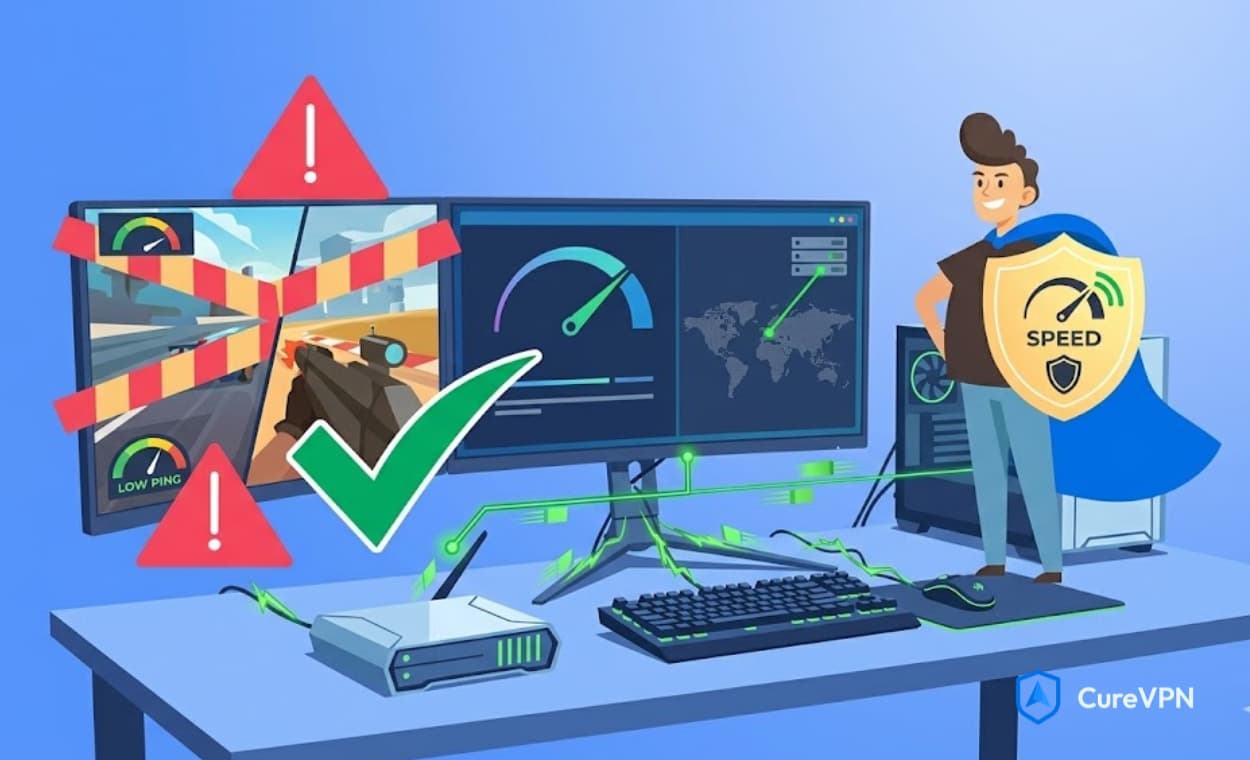
Problem: Slow buffering and poor quality Fix: Switch to a closer or less-congested US server. Also confirm the VPN is using WireGuard rather than an older protocol like OpenVPN, which carries more overhead. Wired connections consistently outperform Wi-Fi for streaming stability.
Problem: VPN disconnects mid-stream Fix: Enable the kill switch in your VPN settings. This prevents traffic from routing through your real IP if the VPN connection drops. Also check that your VPN app is updated to the latest version.
Problem: DNS leak exposing real location Fix: Use your VPN’s built-in DNS leak test (most apps include one) to confirm your DNS queries are routing through the VPN. If a leak appears, enable the DNS leak protection setting and reconnect.
Is It Legal to Use a VPN with Tubi?
Using a VPN itself is legal in most countries, including the United States, United Kingdom, Canada, Australia, Germany, France, India, and most of Europe. VPNs are tools for privacy and security, not inherently illegal instruments.
However, accessing geo-restricted content through a VPN may violate Tubi’s Terms of Service — which state that access is restricted to permitted territories. This is a contractual issue between you and the service, not a criminal matter. The practical consequence is that Tubi could theoretically restrict your account if it detects consistent VPN usage, though in practice this is rarely enforced against individual users.
The important distinctions:
- VPN use itself: Legal in most countries
- Accessing geo-restricted content: May violate platform Terms of Service
- Criminal liability: Does not apply for individual content access via VPN in any major jurisdiction we’re aware of
For users simply wanting to access content they would legitimately use in their home country while traveling, the practical risk is essentially zero beyond a potential ToS violation.
Free VPN for Tubi — What You Need to Know
Free VPN options exist, but they carry specific limitations that matter particularly for streaming use.
The real cost of free VPNs for streaming:
- Speed caps — Most free VPN tiers throttle speeds to 1–5 Mbps, which is borderline for standard definition and insufficient for HD
- Data limits — Free tiers often cap monthly data at 500MB–10GB, which a few hours of streaming will exhaust immediately
- Limited US servers — Free tiers typically offer a small, heavily loaded server pool, increasing IP block likelihood
- Security trade-offs — Some genuinely free VPNs monetize through data collection — the opposite of what a privacy tool should do
Proton VPN’s free tier is the most legitimate exception — it offers unlimited data with US server access, though speed is deprioritized behind paid users during peak hours.
For regular Tubi streaming, the economics of a premium VPN subscription make more sense: a $3–5/month plan costs less than a single streaming service subscription while unlocking Tubi plus dozens of other geo-restricted platforms. For more information on evaluating free options carefully, see our guide on best free VPN service — which covers the key markers that separate legitimate free VPNs from ones that create more privacy problems than they solve.
VPN for Tubi vs Smart DNS
Smart DNS is an alternative to VPN for accessing geo-restricted streaming content. Understanding the difference helps you make the right choice for your situation.
| Feature | VPN | Smart DNS |
|---|---|---|
| Geo-unblocking | ✅ Yes | ✅ Yes |
| Encryption | ✅ Full AES-256 | ❌ None |
| Privacy protection | ✅ Complete | ❌ None |
| Speed impact | Minimal (with WireGuard) | Virtually none |
| Device compatibility | App-based (all major) | System-level DNS change |
| Secure public Wi-Fi | ✅ Protected | ❌ Unprotected |
| Price | $3–10/month | $3–5/month (often bundled with VPN) |
Smart DNS unlocks geo-restricted content faster because it skips encryption entirely. However, it provides zero privacy protection — your ISP, network, and any third party monitoring your traffic can still see everything you’re doing. For anyone on a public network — a hotel, airport, or coffee shop — a VPN is the substantially safer choice. For home use on a trusted network where only geo-unblocking matters, Smart DNS is a viable option.
Expert Insights
On Tubi’s approach to VPN detection: Streaming platforms update their VPN detection systems continuously, which is why IP pool freshness matters more than raw server count. A VPN provider with 3,000 servers running stale IP addresses will fail more often than one with 500 servers refreshed weekly. The arms race between VPN providers and streaming platform detection systems is ongoing — which means provider choice should be revisited periodically rather than treated as a permanent decision.
On protocol choice for streaming: WireGuard’s protocol overhead of 1–3ms versus OpenVPN’s 5–10ms translates directly to streaming performance, particularly on connections where bandwidth isn’t the limiting factor. Switching from OpenVPN to WireGuard resolved buffering issues for a significant portion of users in multiple speed comparison tests. If your VPN is configured on OpenVPN and you’re experiencing Tubi buffering, switching protocols should be your first troubleshooting step.
On router-level VPN for Tubi on TV: The single most underused setup for streaming-on-TV use cases is the router-level VPN — installing the VPN directly on your home router rather than on individual devices. Once configured, every device on your home network automatically streams through the VPN, with no per-device setup required. This is particularly practical for smart TVs and devices like Roku that don’t support VPN apps natively.
Statistics & Data
- Tubi’s library contains over 40,000 movies and TV episodes as of 2026, making it one of the largest free streaming libraries globally (Tubi / Fox Corporation)
- Tubi reported over 74 million active users as of its most recent public figures, primarily in the United States (Fox Corporation)
- HD streaming requires a minimum download speed of 5 Mbps; 4K requires 25 Mbps (Netflix technical guidelines, widely cited industry standard)
- WireGuard VPN protocol introduces approximately 1–3ms latency overhead, compared to 5–10ms for OpenVPN and 3–7ms for IKEv2 (WireGuard technical whitepaper)
- The global VPN market is projected to exceed $77 billion by 2026, driven significantly by streaming access use cases (Precedence Research, 2024)
- 68% of American adults use VPN services, with streaming access as a primary use case (GlobalWebIndex, 2024)
Common Mistakes When Using a VPN for Tubi
1. Connecting to the wrong server location Tubi requires a US IP address specifically. Connecting to a UK or Canadian server will not unlock Tubi’s US library — use a United States server exclusively.
2. Not clearing browser cookies before connecting Cached cookies from a previous non-VPN session can contain location data that persists after the VPN connects. Always clear cookies and cache when switching from non-VPN to VPN browsing for streaming.
3. Using an outdated VPN app version Providers update their apps to refresh IP pools and defeat detection systems. Running an outdated version increases the likelihood of hitting blocked IPs. Keep the VPN app updated automatically.
4. Ignoring protocol selection Leaving the VPN on an older default protocol (OpenVPN) when WireGuard is available sacrifices significant streaming performance for no benefit. Always select WireGuard when available.
5. Using a free VPN with data caps for streaming Streaming consumes data rapidly — 1GB per hour at standard definition, 3GB per hour at HD. A 500MB monthly free tier cap is exhausted in 30 minutes of SD streaming. Free VPNs with data caps are impractical for regular Tubi use.
6. Not testing the connection before a long streaming session Spending 90 minutes into a movie only to have the VPN detect a blocked IP is avoidable. Test the connection by loading Tubi and starting a short video before committing to a full-length watch.
Best Practices for Buffer-Free Tubi Streaming
- Use WireGuard protocol — it adds the least overhead and delivers the fastest streaming speeds of any current VPN protocol
- Choose a US server geographically close to the Tubi CDN — New York and Los Angeles servers typically deliver the lowest latency for Tubi content delivery
- Enable the kill switch before starting any streaming session
- Run a DNS leak test to confirm no location metadata is leaking through DNS queries
- Use a wired connection where possible — Ethernet consistently delivers more stable streaming than Wi-Fi
- Close background apps before starting a streaming session to maximize available bandwidth
- Switch servers if buffering persists — IP congestion is the most common streaming quality issue, and a different server almost always resolves it
- Update your VPN app regularly — fresh IP pools require up-to-date client versions
FAQs — VPN for Tubi
Q: Does Tubi work with a VPN? Yes, when you use a VPN with active US servers and regularly refreshed IP pools. Tubi does attempt to detect and block VPN traffic, so not every VPN works reliably — providers that invest in IP rotation and streaming-specific server infrastructure perform best.
Q: Can you watch Tubi with a VPN for free? Tubi itself is free. You need a VPN with US server access — Proton VPN’s free tier includes US servers with unlimited data (though at reduced speeds). For regular HD streaming, a paid VPN subscription delivers better reliability.
Q: Why is Tubi not available in my country? Tubi holds content licenses that restrict streaming to specific territories — primarily the United States. Broadcasting rights are bought and sold geographically, meaning Tubi can only legally stream content in regions where it has purchased distribution rights.
Q: Which VPN server should I use for Tubi? Connect to a United States server. If your VPN offers streaming-specific or dedicated servers, choose one of those. If Tubi blocks the first server you try, switch to a different US city (e.g., switch from New York to Los Angeles or Chicago).
Q: Is it legal to use a VPN with Tubi? Using a VPN is legal in most countries. Accessing geo-restricted content through a VPN may technically violate Tubi’s Terms of Service, but this is a contractual matter — not a criminal one. Individual users accessing content while traveling face essentially no practical legal risk in major jurisdictions.
Q: How do I watch Tubi outside the US? Install a VPN app, connect to a US server, then open Tubi. Your IP address will appear American, granting full access to Tubi’s library.
Q: Can I watch Tubi in Europe? Yes, with a VPN connected to a US server. Tubi is not available directly in most European countries, but a US-IP VPN connection resolves this.
Q: Can I watch Tubi in Canada? Tubi does have a Canadian service, but with a smaller library than the US version. To access the full US Tubi catalog from Canada, connect to a US server with a VPN.
Q: Why is my VPN not working with Tubi? Common causes: the server’s IP has been blacklisted by Tubi, DNS leak exposing your real location, or an outdated VPN app version. Fix by switching to a different US server, enabling DNS leak protection, updating your app, and clearing browser cookies before reconnecting.
Q: Does Tubi block VPNs? Yes — Tubi actively attempts to identify and block VPN IP ranges. This is why provider and server selection matters. VPNs that regularly refresh their IP pools and offer streaming-optimized servers work most reliably.
Q: What is the fastest VPN for Tubi? VPNs using the WireGuard protocol deliver the lowest streaming overhead. Cure VPN’s streaming-optimized US servers are specifically configured for minimal latency on content delivery networks used by platforms like Tubi.
Q: Can I use a VPN for Tubi on my Smart TV? Yes. Smart TVs that support VPN apps can install them directly. For TVs without native app support (Roku, some Samsung models), install the VPN at the router level to cover all connected devices simultaneously.
Key Takeaways
- Tubi is geo-restricted to the US and a small number of other countries — a VPN with US servers unlocks access from anywhere
- The best VPN for Tubi needs US streaming-optimized servers, regularly refreshed IP pools, and WireGuard protocol for reliable, buffer-free performance
- Cure VPN’s streaming-specific US server infrastructure delivers consistent Tubi access with minimal latency overhead
- Tubi actively attempts to block VPN IPs — if one server fails, switching to a different US city almost always resolves access
- Free VPNs have real limitations for streaming (data caps, speed throttling, smaller server pools) — paid VPNs cost less monthly than any streaming subscription
- WireGuard protocol is the clear choice for streaming performance, adding 1–3ms overhead versus OpenVPN’s 5–10ms
- Always clear browser cookies and run a DNS leak test before a streaming session for the cleanest, most reliable connection
Unlock Tubi — And Every Other Geo-Restricted Platform — With Cure VPN
Tubi’s 40,000-title library shouldn’t be invisible to you just because of where you happen to be sitting right now. One VPN connection to a US server, and the entire catalog opens up — no subscription fee, no credit card, no restrictions.
Cure VPN is built precisely for this use case: streaming-optimized US servers with WireGuard-first performance, AES-256 encryption, kill switch protection, and a no-logs policy that keeps your viewing private. Whether you’re watching Tubi from a hotel room in Paris, an apartment in Mumbai, or a coffee shop in Toronto — the connection takes seconds and the content is there.
And Tubi is just the start. The same connection unlocks BBC iPlayer, DAZN, Peacock, and dozens of other region-restricted platforms that your current location is blocking right now.
Your location shouldn’t decide what you can watch.
👉 Connect to Cure VPN and Start Streaming Tubi Free Right Now