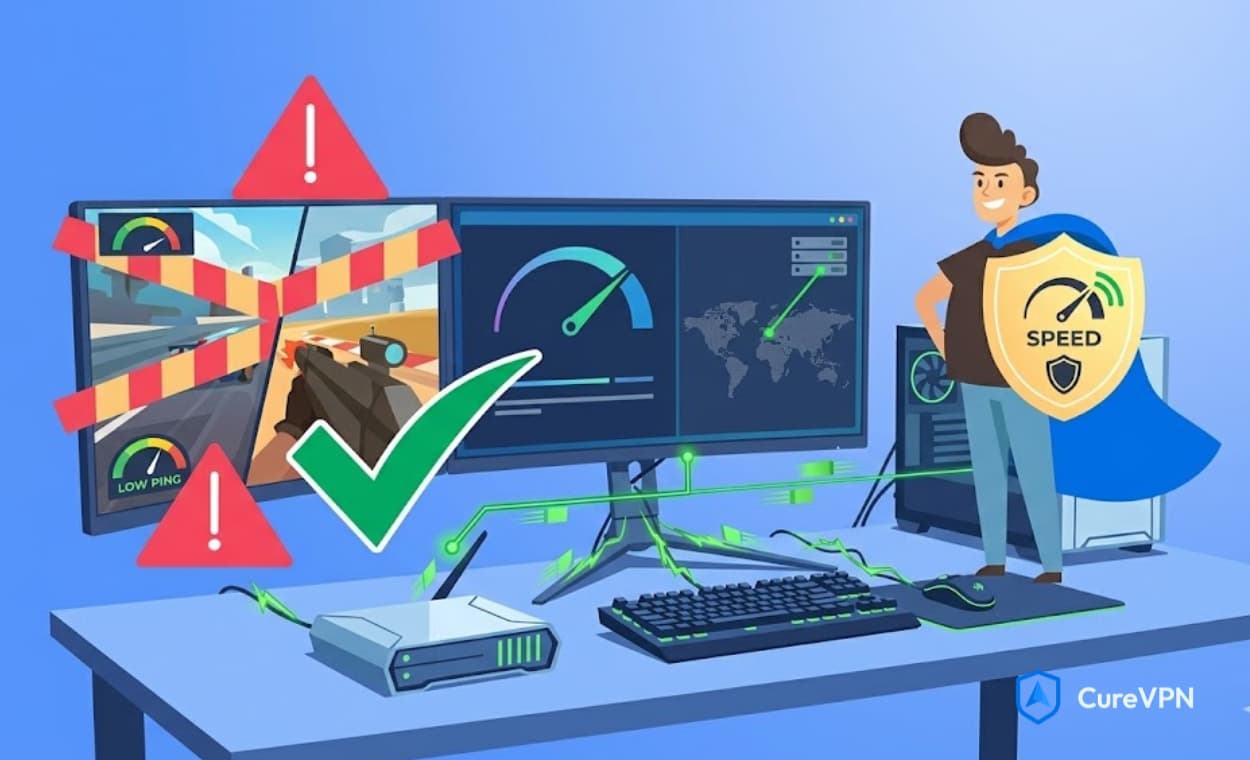

Best VPN for gamers searches usually start the same way — after a rage-inducing session where your ping spiked mid-match, or your ISP throttled your connection right when the tournament round started. If that sounds familiar, you’re chasing the right solution, though the gaming VPN space is full of exaggerated claims that don’t hold up under actual gameplay conditions.
Here’s the blunt truth: a VPN won’t turn a 150ms connection into 10ms. However, the right one absolutely can stabilize your connection, dodge ISP throttling, protect against DDoS attacks, and unlock regional servers your local matchmaking pool doesn’t offer. At Cure VPN, we’ve dug into what actually separates a genuinely useful gaming VPN from marketing fluff dressed up in gamer-branded packaging.
This guide walks through the best options for 2026, broken down by game type, platform, and the specific problem you’re trying to solve — whether that’s high ping, DDoS protection, or accessing a smoother regional server.
Table of Contents
- Does a VPN Actually Help With Gaming?
- What to Look for in a Gaming VPN
- The Best VPNs for Gamers in 2026
- Comparison Table
- Best VPN by Game Title
- Best VPN by Platform
- How a VPN Affects Ping and Latency
- How to Set Up a VPN for Gaming
- Expert Insights from Cure VPN
- Statistics & Data
- Common Mistakes
- Best Practices
- Notes for VPN Developers and Businesses
- Troubleshooting
- FAQs
- Conclusion & Key Takeaways
Does a VPN Actually Help With Gaming?
Yes, but with important nuance. A VPN can help gaming performance in specific situations, though it isn’t a universal speed boost.
Here’s when a VPN genuinely helps:
- ISP throttling: Some internet providers slow down bandwidth-heavy traffic, including gaming, during peak hours. A VPN masks this traffic pattern, sometimes restoring your normal speed.
- Routing inefficiencies: Occasionally, your ISP’s default route to a game server is worse than a VPN’s optimized path, which can lower ping rather than increase it.
- DDoS protection: Competitive gamers, especially streamers, become DDoS targets. A VPN hides your real IP address, making these attacks far harder to execute.
- Regional server access: A VPN lets you connect to game servers in other regions, useful for accessing better matchmaking pools or region-locked content.
Here’s when a VPN typically doesn’t help, or can even hurt:
- If your baseline connection is already fast and stable, adding VPN encryption introduces unnecessary overhead
- Poorly optimized VPN servers can add latency rather than reduce it
- Free VPNs, in particular, often make ping noticeably worse due to overcrowded servers
So, does VPN increase ping? Sometimes, yes — depending entirely on server quality and distance. This is precisely why choosing the right provider matters more than simply owning “a VPN.”
What to Look for in a Gaming VPN
Low Latency Infrastructure
A gaming VPN needs servers specifically optimized for speed, not just privacy. Standard VPN infrastructure built for streaming or browsing doesn’t automatically translate to good gaming performance.
WireGuard Protocol Support
WireGuard has become the go-to protocol for gaming VPNs because of its lightweight encryption overhead compared to older protocols like OpenVPN.
DDoS Protection
Look specifically for providers advertising DDoS protection as a core feature, not an afterthought, since this matters enormously for competitive and streaming-focused gamers.
Server Locations Near Gaming Hubs
The closer a VPN server sits to the actual game server, the smaller the latency penalty. Providers with data centers near major gaming infrastructure hubs perform noticeably better.
Split Tunneling
This lets you route only your game traffic through the VPN while everything else — browsers, downloads, streaming apps — uses your normal connection, minimizing unnecessary overhead.
Reasonable Pricing
Gaming VPN subscriptions vary wildly in price, and premium branding doesn’t always correlate with better in-game performance. An affordable gaming VPN with solid infrastructure can outperform an expensive one with bloated features you’ll never use.
The Best VPNs for Gamers in 2026
1. Cure VPN — Best Budget Gaming VPN
Cure VPN focuses on WireGuard-based encryption with minimal overhead, making it a solid pick for gamers who want DDoS protection and IP masking without paying premium prices for features built around streaming or business use.
Best for: Budget-conscious gamers who want core protection — hiding your IP, avoiding DDoS attacks — without unnecessary extras inflating the price.
Pros:
- WireGuard protocol minimizes latency overhead
- Straightforward, affordable pricing
- Strict no-log policy protects gaming activity data
Consider this if: You want dependable protection without paying for a massive server network you’ll rarely use.
2. NordVPN — Best for Server Network Size
NordVPN’s extensive global server count makes regional server-switching easier, appealing to gamers who frequently want access to different matchmaking regions.
Best for: Gamers who regularly switch regions for matchmaking advantages or early game access.
3. ExpressVPN — Best for Consistent Speed
Known for stable performance across devices, ExpressVPN remains a dependable choice for gamers prioritizing consistency over experimentation with server selection.
Best for: Gamers who want reliable, predictable connection quality without constant server-hopping.
4. Surfshark — Best for Multi-Device Households
Surfshark’s unlimited device connections work well for households running consoles, PCs, and mobile gaming simultaneously on one subscription.
Best for: Families or roommates gaming across multiple devices under a shared plan.
5. ProtonVPN — Best for Privacy-Focused Gamers
Built with a strong privacy-first reputation, ProtonVPN appeals to gamers particularly concerned about data collection alongside performance.
Best for: Privacy-conscious gamers unwilling to compromise on data protection standards.
6. X-VPN — Best Server Variety for Regional Access
X-VPN’s large server list benefits gamers chasing specific regional servers for titles with region-based matchmaking systems.
Best for: Gamers experimenting with different regional servers across multiple titles.
7. Windscribe — Best Free Option for Casual Gamers
Windscribe’s usable free tier suits casual or occasional gamers who don’t need constant, heavy-duty VPN coverage.
Best for: Light gaming sessions where a full subscription doesn’t make financial sense yet.
Comparison Table
| VPN | Best For | Protocol | DDoS Protection | Price Positioning |
|---|---|---|---|---|
| Cure VPN | Budget gaming protection | WireGuard | Yes | Affordable |
| NordVPN | Server network size | WireGuard, OpenVPN | Yes | Premium |
| ExpressVPN | Consistent speed | Lightway, OpenVPN | Yes | Premium |
| Surfshark | Multi-device households | WireGuard | Yes | Mid-range |
| ProtonVPN | Privacy-focused gaming | WireGuard | Limited | Free/Premium |
| X-VPN | Regional server variety | WireGuard, OpenVPN | Partial | Mid-range |
| Windscribe | Casual/free gaming use | WireGuard, OpenVPN | Limited | Free/Premium |
Note: DDoS protection quality and server counts vary by plan tier — verify specifics directly with each provider before subscribing.
Best VPN by Game Title
Best VPN for Call of Duty (Warzone & Mobile)
Warzone’s matchmaking is notoriously sensitive to connection quality, so a low-latency VPN with servers near major CoD server hubs matters significantly. For Call of Duty Mobile specifically, mobile-optimized apps with minimal battery drain become equally important.
Best VPN for Fortnite
Fortnite’s global player base means regional server access can meaningfully affect matchmaking speed and skill-based matching variety, making server location diversity a priority here.
Best VPN for PUBG and PUBG Mobile
Both versions benefit from stable, low-jitter connections, since PUBG’s engine is particularly sensitive to packet loss during firefights.
Best VPN for Free Fire
Popular in regions with variable network infrastructure, Free Fire players often use VPNs specifically to stabilize inconsistent mobile data connections.
Best VPN for Apex Legends
Apex’s fast-paced movement mechanics punish high ping severely, making server proximity the single most important factor for this title.
Best VPN for Valorant
Riot’s strict anti-cheat systems make server stability crucial; a VPN with consistent, non-fluctuating connections works better than one prioritizing sheer speed alone.
Best VPN for Minecraft
Minecraft’s lower bandwidth requirements make VPN choice less critical for performance, though DDoS protection remains valuable for server hosts specifically.
Best VPN for GTA Online
GTA Online’s occasionally unstable server infrastructure benefits from a VPN that offers alternate routing paths when default connections become unreliable.
Best VPN for EA FC and Rocket League
Both titles reward extremely low, stable ping, making server proximity and jitter reduction the priorities over raw server count.
Best VPN for League of Legends
LoL’s regional server lock-in makes VPNs particularly useful for accessing different regional queues, though Riot’s terms of service should be reviewed first.
Best VPN by Platform
Best VPN for PC Gaming
PC gamers benefit from split tunneling and detailed server selection controls that desktop apps typically offer more granularly than console equivalents.
Best VPN for Console Gaming
Since most consoles lack native VPN app support, router-level installation becomes necessary. Setting up a VPN on your router extends protection to your entire network, PlayStation and Xbox included.
Best VPN for Mobile Gaming
Battery efficiency and low data overhead matter more here than raw server count, since mobile gaming sessions often happen on already-limited data connections.
How a VPN Affects Ping and Latency
Understanding this mechanism clarifies why results vary so dramatically between providers.
When you connect through a VPN, your data travels to the VPN server first, then to the game server, rather than going directly. This extra hop can increase latency if the VPN server sits far from both your location and the game server.
However, in certain situations, a VPN server’s route proves more efficient than your ISP’s default path, occasionally reducing ping rather than increasing it. This explains the seemingly contradictory answers you’ll find when searching “does a VPN reduce ping” versus “does VPN increase ping” — both outcomes are genuinely possible, depending on your specific network conditions.
Key factors affecting the outcome:
- Distance between you, the VPN server, and the game server
- VPN server load and congestion
- Protocol efficiency (WireGuard generally outperforms OpenVPN here)
- Your baseline ISP routing quality
If you’re curious whether a VPN can increase your ping in your specific setup, testing multiple servers with a gaming-optimized provider remains the only reliable way to know for certain.
How to Set Up a VPN for Gaming
- Choose a gaming-optimized provider with WireGuard support and DDoS protection
- Download and install the app on your gaming device or router
- Select a nearby server first to establish your baseline performance
- Run a speed and ping test before and after connecting for comparison
- Experiment with alternate servers if your first choice underperforms
- Enable split tunneling if you want only game traffic routed through the VPN
- Save your optimal server as a default for future sessions
Expert Insights from Cure VPN
A few patterns emerge repeatedly when analyzing gaming VPN performance day-to-day.
First, gamers often assume more expensive automatically means faster. That’s rarely true in practice. Server proximity and protocol efficiency matter far more than brand pricing tiers, and we’ve consistently seen budget-friendly, well-optimized servers outperform premium competitors running congested infrastructure.
Second, DDoS protection gets underappreciated until someone actually experiences an attack mid-tournament. Streamers and competitive players specifically should treat this feature as non-negotiable rather than a bonus, since the reputational and competitive cost of a mid-match attack far outweighs any subscription savings.
Third, mobile gamers frequently overlook battery drain when choosing a VPN. Poorly optimized apps can noticeably reduce playtime on mobile devices, making battery efficiency just as important as connection speed for titles like PUBG Mobile or Call of Duty Mobile.
Statistics & Data
Relevant figures worth citing when discussing gaming VPN usage:
- According to Newzoo’s global gaming market reports, mobile gaming continues representing a substantial share of overall gaming revenue, reinforcing why mobile-specific VPN optimization matters increasingly.
- Cloudflare’s DDoS threat reports have repeatedly identified gaming and streaming platforms among the most frequently targeted sectors for DDoS attacks.
- Akamai’s State of the Internet reports have documented gaming traffic as one of the most latency-sensitive categories of internet usage, reinforcing why server proximity matters disproportionately for this use case.
(Please verify current statistics and publication years directly from these sources before publishing.)
Common Mistakes When Choosing a Gaming VPN
- Assuming all VPNs perform identically for gaming — infrastructure quality varies dramatically between providers
- Ignoring server distance — connecting to a far-away server guarantees higher ping regardless of provider quality
- Choosing based on marketing alone — “gaming VPN” branding doesn’t guarantee gaming-optimized infrastructure
- Skipping DDoS protection — treating it as optional rather than essential for competitive play
- Using free VPNs for competitive gaming — overcrowded free servers typically increase latency significantly
- Never testing multiple servers — settling for the first connection without comparing alternatives
Best Practices for Gaming With a VPN
- Test several nearby servers before committing to one as your default
- Prioritize WireGuard protocol whenever available for lower overhead
- Enable split tunneling to avoid unnecessary encryption on non-gaming traffic
- Choose providers explicitly offering DDoS protection, especially for competitive or streamed matches
- Monitor your ping and packet loss periodically, since server performance can shift over time
- Avoid switching servers mid-match, since reconnection often causes more disruption than staying connected
Notes for VPN Developers and Businesses Building Gaming VPN Products
Since this space attracts developers and business owners alongside everyday gamers, a few additional considerations apply here.
Companies entering the gaming VPN market often explore white label VPN development as a faster route to market than building infrastructure from scratch, particularly when targeting a specific gaming niche.
Monetization strategy matters significantly in this competitive space. Businesses researching how to monetize a VPN app typically weigh subscription models against one-time licensing, since gaming audiences often respond differently to pricing structures than general consumer VPN users.
There’s also rising interest in decentralized VPNs within gaming communities specifically, given the appeal of distributed server networks that can’t be easily targeted by large-scale DDoS campaigns aimed at centralized infrastructure.
For businesses building gaming-adjacent products, understanding how gaming VPN demand differs from VPN for work or corporate VPN solution markets matters considerably, since gaming users prioritize latency and DDoS protection over compliance features entirely irrelevant to enterprise buyers.
Troubleshooting Common Gaming VPN Issues
High ping even with VPN connected: Try switching to a closer server, since distance directly impacts latency regardless of provider quality.
VPN causing packet loss during gameplay: This often indicates server congestion — test alternate servers or contact support for less crowded options.
Connection drops mid-match: Check for Wi-Fi instability first, since this issue frequently originates from local network problems rather than the VPN itself.
VPN blocking game launcher: Some anti-cheat systems flag VPN traffic — try whitelisting the VPN app within your game’s security settings.
Slower speeds after connecting: Switch protocols if possible, since WireGuard typically outperforms OpenVPN for gaming-specific traffic.
Frequently Asked Questions
What is the best VPN for gamers?
The best VPN for gamers depends on your priority — Cure VPN suits budget-focused players wanting core DDoS protection, while providers like NordVPN suit those prioritizing extensive server networks for regional access.
Does a VPN reduce ping?
Sometimes, yes, particularly if your ISP’s default routing is inefficient, though results vary significantly based on server distance and quality.
Does a VPN increase ping?
It can, especially with distant or overcrowded servers, which is why choosing a gaming-optimized provider with nearby server options matters considerably.
Is using a VPN good for gaming?
Generally yes, particularly for DDoS protection, avoiding ISP throttling, and accessing regional servers, though raw speed improvements aren’t guaranteed.
Can a VPN help with high ping?
Yes, in cases where your ISP’s routing is suboptimal, though a VPN can’t overcome fundamental distance-based latency to distant game servers.
What’s the best VPN for competitive gaming?
Competitive players should prioritize providers offering strong DDoS protection and consistently low-latency servers over those simply advertising large server counts.
Does a VPN protect against DDoS attacks while gaming?
Yes, a VPN masks your real IP address, making it significantly harder for attackers to target your specific connection during matches.
How do I reduce lag while gaming with a VPN?
Choose a server as close to your physical location and the game server as possible, and prioritize WireGuard protocol for lower encryption overhead.
Can I use a VPN for console gaming?
Yes, though since most consoles lack native VPN apps, installing the VPN directly on your router extends protection to PlayStation, Xbox, and other connected devices.
Is a free VPN good for gaming?
Generally not recommended for serious gaming, since free VPNs often suffer from overcrowded servers that increase rather than decrease latency.
What VPN protocol is best for gaming?
WireGuard is widely considered the best option for gaming due to its lightweight encryption overhead compared to older protocols like OpenVPN.
Does a VPN work for mobile gaming?
Yes, though battery efficiency becomes an important factor alongside speed, particularly for extended mobile gaming sessions.
Can a VPN help access different regional game servers?
Yes, connecting through a VPN server in a different region allows access to that region’s matchmaking pool, though this may violate certain games’ terms of service.
Conclusion
Finding the best VPN for gamers ultimately means matching your specific needs against what each provider genuinely delivers, rather than trusting whichever ranks highest in generic marketing copy. Competitive players, casual mobile gamers, streamers facing DDoS risks, and console users all have different priorities, and thankfully, today’s market offers legitimate solutions across every use case and budget.
If your priority centers on dependable DDoS protection, low-overhead encryption, and pricing that doesn’t assume you need enterprise-grade infrastructure you’ll never touch, that’s exactly the gap Cure VPN aims to fill for everyday gamers.