
Picture a small shop with one front door. A single person plants themselves in the doorway and refuses to budge, so no customer can get in. Annoying, yes, but a security guard can walk over and escort that person out.
Now picture ten thousand people arriving at the same moment, each blocking the door for a few seconds, and none of them looking suspicious on their own. No single guard can fix that. This is the heart of DoS vs DDoS attacks: the same goal (keep real users out) pursued with very different scale, tactics, and defenses.
The difference matters whether you are a gamer whose connection keeps collapsing mid-match, a store owner watching your website freeze on sale day, or a VPN provider responsible for thousands of users’ connections. This guide explains both attack types in plain language, compares them side by side, walks through real incidents, and shows what actually works to detect, stop, and recover from them. You will also get an honest answer to a question that trips up many people: can a VPN protect you from these attacks?
Table of Contents
- The Short Answer: DoS vs DDoS in One Table
- What Is a DoS Attack?
- What Is a DDoS Attack?
- DoS vs DDoS: The Key Differences
- How DoS Attacks Work (With Examples)
- How DDoS Attacks Work (The Botnet Playbook)
- Attack Types Explained: Volumetric, Protocol, and Application Layer
- Reflection and Amplification Attacks
- Real-World Examples
- Why DDoS Attacks Are So Hard to Stop
- How to Detect a DoS or DDoS Attack
- How to Prevent and Mitigate DoS and DDoS Attacks
- Can a VPN Protect Against DoS and DDoS Attacks?
- Protection for Gamers, Home Networks, and Remote Workers
- What VPN Providers and Network Operators Need to Know
- How to Recover After an Attack
- Expert Insights
- Statistics and Data
- Common Mistakes
- Best Practices
- FAQs
- Key Takeaways
DoS vs DDoS in One Table
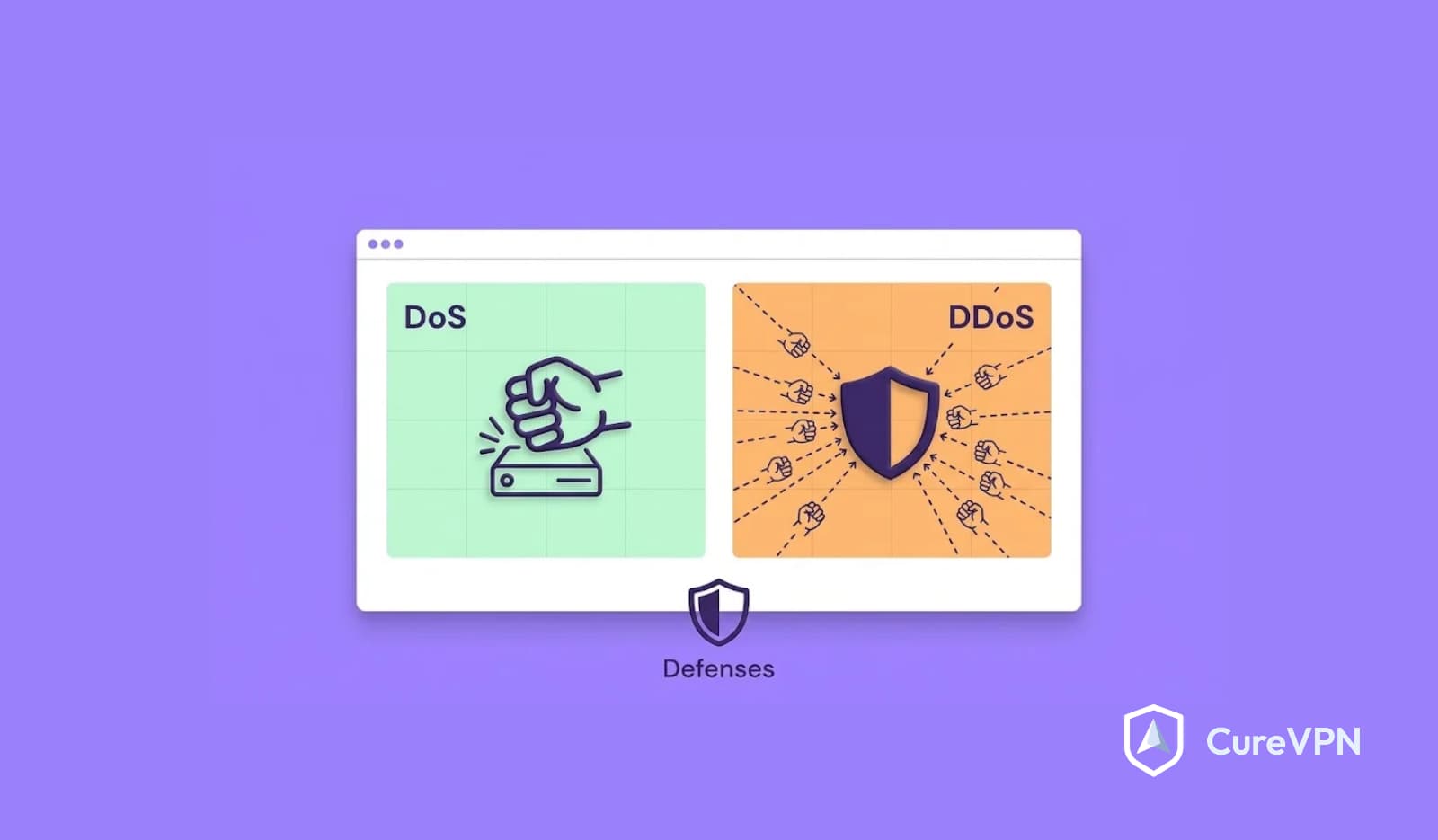
A DoS (denial-of-service) attack uses a single device and a single connection to overwhelm a target. A DDoS (distributed denial-of-service) attack uses many devices, usually a botnet of compromised machines, to flood the target from thousands of places at once. DDoS attacks are larger, harder to trace, and harder to block because there is no single source to cut off.

| Feature | DoS Attack | DDoS Attack |
|---|---|---|
| Number of attack sources | One device | Hundreds to millions of devices |
| Typical scale | Limited by one machine and one connection | Can reach terabits per second |
| Traceability | Relatively easy: one IP address | Difficult: traffic from many networks |
| Blocking method | Block the offending IP | Requires traffic scrubbing, filtering, and upstream protection |
| Attacker effort | Low | Higher: needs a botnet or rented attack service |
| Detection | Spotting one noisy source | Separating attack traffic from legitimate traffic |
| Damage potential | Moderate | Severe, can take down large platforms |
| Common techniques | SYN flood, Ping of Death, Slowloris | UDP flood, DNS amplification, HTTP flood, multi-vector campaigns |
What Is a DoS Attack?
A denial-of-service (DoS) attack tries to make a system, service, or network unavailable by exhausting its resources. The target might be a website, a game server, a home router, or a company’s login page. The attacker’s tools can be as simple as a script running on one laptop.
The goal is not to steal data. It is to cause service disruption. Legitimate users find that pages will not load, connections drop, or applications freeze.
A single-source attack has a built-in weakness for the attacker: one machine can only send so much traffic. Consequently, DoS attacks work best against small targets or against weaknesses in how a server handles connections, rather than by raw force.
What Is a DDoS Attack?
A distributed denial-of-service (DDoS) attack does the same thing at scale. Instead of one machine, the attacker commands a large network of compromised devices, called a botnet, to send traffic to the target simultaneously.
Those devices are often ordinary things: home routers, security cameras, smart TVs, laptops infected with malware. Their owners usually have no idea. The botnet operator sends one command, and every infected device begins flooding the victim.
The “distributed” part is what makes the attack powerful. Traffic arrives from thousands of different IP addresses across many countries and networks, which makes it look like a sudden crowd of real visitors rather than one aggressor.
DoS vs DDoS: The Key Differences
Let us go deeper than the summary table above.
1. Source and Scale
A DoS attack comes from a single source. A DDoS attack comes from many. That alone changes everything else: the volume of traffic, how it can be traced, and how it can be stopped.
2. Traceability and Blocking
With a DoS attack, defenders can usually identify the offending IP address and block it at the firewall. With a DDoS attack, blocking one IP does almost nothing because thousands of others keep sending. Defenders must filter by behavior and pattern instead.
3. Impact
A DoS attack can crash a poorly configured server, but well-prepared infrastructure often absorbs it. A DDoS attack can saturate the target’s entire internet connection, meaning the pipe itself fills up before any firewall gets a chance to act.
4. Cost and Complexity
Launching a basic DoS attack needs minimal resources. Building or renting a botnet takes more effort, although “attack-for-hire” services have lowered that barrier considerably in recent years.
5. Detection
Detecting a DoS attack often means finding one source behaving badly. Detecting a DDoS attack means recognizing that a surge of apparently normal requests is actually coordinated and malicious.
6. Mitigation
DoS mitigation leans on host-level controls: firewall rules, rate limiting, patched software. DDoS mitigation needs capacity and intelligence beyond a single server, such as upstream scrubbing, content delivery networks, and traffic analysis.
How DoS Attacks Work (With Examples)
DoS attacks generally follow one of two patterns: overwhelm a resource with volume, or exploit a flaw so a small amount of traffic causes outsized damage.
SYN Flood
A SYN flood abuses how TCP connections begin. Normally, a client sends a SYN packet, the server replies with SYN-ACK, and the client confirms with ACK. In a SYN flood, the attacker sends many SYN requests and never completes the handshake.
The server keeps those half-open connections waiting, and its connection table fills up. Real users can no longer connect. Defenses include SYN cookies and shorter timeouts for incomplete connections.
Ping of Death
The Ping of Death sent oversized or malformed ICMP packets that crashed vulnerable systems when they tried to reassemble them. Modern operating systems patched this long ago, so it is mostly a historical example. It still illustrates a key idea: some DoS attacks exploit bugs rather than raw volume.
Slowloris and Application-Layer DoS
Slowloris opens many connections to a web server and sends partial HTTP requests very slowly, keeping each connection alive as long as possible. Eventually the server runs out of available connections. A single laptop can tie up some web server configurations this way, which is why HTTP DoS attacks remain relevant despite their simplicity.
ICMP and TCP Floods
An ICMP flood bombards a target with ping requests, while a TCP flood sends large volumes of TCP packets. From one machine, these attacks are usually limited by the attacker’s own bandwidth. However, they can still overwhelm a small server or a home connection.
How DDoS Attacks Work (The Botnet Playbook)
A typical DDoS campaign unfolds in five stages:
- Recruitment: Malware spreads to vulnerable devices such as routers, cameras, and smart TVs, often through weak or default passwords.
- Command and control: The infected devices connect to a controller the attacker operates, forming the botnet.
- Target selection: The attacker picks a victim and an attack method.
- Launch: One command tells every bot to send traffic at once.
- Adaptation: If defenses react, the attacker switches vectors, for example from a UDP flood to an HTTP flood, to keep pressure on.
Modern campaigns often combine several methods at once, called multi-vector attacks. Because each vector needs a different defense, these attacks stress security teams in ways single-method attacks do not.
Botnets also keep evolving. According to Cloudflare’s 2025 Q4 DDoS threat report coverage, the Aisuru-Kimwolf botnet included infected Android TVs in one of its record-setting campaigns. In other words, the same living-room devices people use to stream shows can end up as weapons.
Attack Types Explained: Volumetric, Protocol, and Application Layer
Security teams group DoS and DDoS techniques into three categories based on what they attack.
| Category | What It Targets | Examples | How It Works |
|---|---|---|---|
| Volumetric | Bandwidth | UDP flood, ICMP flood, DNS amplification, NTP amplification | Floods the connection with sheer traffic volume until the pipe is full |
| Protocol | Connection state and network equipment | SYN flood, TCP flood, Ping of Death, Smurf | Exhausts server, firewall, or load balancer resources by abusing protocol behavior |
| Application layer | Web servers and apps | HTTP flood, Slowloris | Sends seemingly legitimate requests that drain CPU, memory, or connection slots |
Network Layer vs Application Layer
Network-layer attacks (layers 3 and 4) aim at bandwidth and connection handling. Application-layer attacks (layer 7) mimic real user behavior, which makes them harder to distinguish from legitimate traffic. According to Cloudflare, network-layer attacks made up 78% of all DDoS attacks in the fourth quarter of 2025, but application-layer floods remain dangerous because they need less volume to cause damage.
Reflection and Amplification Attacks
Some of the nastiest DDoS techniques let attackers multiply their power using other people’s servers.
In a reflection attack, the attacker sends requests to a third-party server while spoofing the victim’s IP address as the sender. The server replies to the victim, not the attacker. The victim receives unexpected traffic from legitimate servers, which are hard to simply block.
In an amplification attack, those requests are crafted so the response is much larger than the request. According to advisories from CISA (formerly US-CERT), NTP responses can be hundreds of times larger than the request that triggered them, and DNS responses roughly 28 to 54 times larger. A tiny stream of spoofed requests turns into a flood.
Common amplification vectors include DNS, NTP, and memcached. Closing open resolvers, restricting unneeded services, and filtering spoofed traffic at the network edge all help reduce this abuse across the internet.
Real-World Examples
Dyn, 2016. The Mirai botnet, built largely from insecure internet-connected cameras and routers, attacked DNS provider Dyn. Many major sites, including Twitter, Reddit, and Netflix, became unreachable for lots of users. The incident showed how an attack on one infrastructure provider can ripple across the web.
GitHub, 2018. Attackers used memcached amplification to send traffic peaking at roughly 1.35 terabits per second. The attack demonstrated how amplification can generate enormous volume from modest resources.
2025 records. Cloudflare reported that the largest DDoS attack it had blocked reached 7.3 Tbps in the second quarter of 2025, lasting only 45 seconds. By the fourth quarter, it recorded a 31.4 Tbps attack that lasted just 35 seconds. The pattern is clear: modern hyper-volumetric attacks hit hard and fast, leaving little time for human responders to react manually.
Why DDoS Attacks Are So Hard to Stop
Several factors combine to make DDoS defense difficult:
- Traffic looks legitimate. Each bot sends requests that resemble normal users.
- No single point to block. Thousands of source IPs mean IP blocking is ineffective on its own.
- Spoofing hides origins. In reflection attacks, the traffic arrives from innocent servers.
- Bandwidth is finite. If the attack fills your internet link, no on-site firewall can help, because the flood arrives before it reaches your equipment.
- Attackers adapt. Vector switching keeps defenders chasing a moving target.
- Attacks are short and sharp. Many large attacks last under a minute, which demands automatic mitigation.
For these reasons, effective DDoS protection usually involves upstream providers with enough network capacity to absorb and filter attack traffic before it reaches you.
How to Detect a DoS or DDoS Attack
Early detection shortens downtime. Watch for these warning signs:
- Websites or services slow to a crawl or become unreachable
- Unusually high traffic with no explanation, such as no marketing campaign or news event
- Many requests for the same page or endpoint
- Traffic arriving from unusual geographies or from thousands of unrelated IP addresses
- Network equipment hitting capacity limits or logging connection table exhaustion
- Persistent lag spikes, packet loss, and disconnects, especially for gamers and streamers
- Your ISP notifying you about abnormal traffic
Telling DoS From DDoS
| Clue | Points to DoS | Points to DDoS |
|---|---|---|
| Traffic source | One or a handful of IP addresses | Thousands of IPs across many networks |
| Behavior after blocking | Attack stops once the IP is blocked | Attack continues from other addresses |
| Traffic profile | Predictable, repetitive pattern | Large, varied, often multi-vector |
| Capacity impact | Server resource exhaustion | Bandwidth saturation plus resource exhaustion |
Confirming It Is an Attack
A legitimate surge, such as a product launch or viral post, usually brings diverse user behavior: varied pages, normal session lengths, and conversions. Attack traffic tends to be repetitive, shallow, and focused on a few endpoints. Check your analytics, server logs, and network monitoring together, and ask your hosting provider or ISP for a second opinion.
How to Prevent and Mitigate DoS and DDoS Attacks
Defense works best in layers. No single tool covers every attack type.
For Individuals and Households
- Protect your IP address. Attackers cannot flood an address they do not know. Avoid exposing your home IP through direct connections, unmanaged game lobbies, and public links.
- Secure your devices. Change default passwords on routers, cameras, and smart TVs. Install firmware updates. Doing this keeps your gadgets out of someone’s botnet.
- Use a VPN. A reliable VPN replaces your public IP with the VPN server’s address. We explain the details in the next section.
- Enable router protections. Turn on the firewall, disable unused remote management, and consider routing the whole household through a VPN on router setup so every device benefits.
- Know how to get a new IP. If you are targeted, many ISPs can assign a new address, and restarting your router sometimes triggers one.
For Businesses and Website Owners
- Put a CDN or DDoS protection service in front of your site. Services with large global networks can absorb and filter attack traffic before it reaches your servers.
- Deploy a web application firewall (WAF). A WAF helps filter malicious HTTP requests and blunt application-layer attacks.
- Use rate limiting. Cap the number of requests a client can make in a given period.
- Harden servers. Enable SYN cookies, tune connection timeouts, and keep software patched.
- Overprovision and autoscale. Extra capacity buys time, though it is not a standalone defense.
- Monitor continuously. Set alerts for unusual traffic spikes, connection counts, and error rates.
- Write an incident response plan. Decide in advance who calls the ISP, who talks to customers, and what gets switched on first.
- Review contracts. Know what DDoS protection your hosting or ISP agreement actually includes.
Can a VPN Protect Against DoS and DDoS Attacks?
Yes, in specific situations, and no in others. Understanding the boundary prevents false confidence.
A VPN encrypts your traffic and routes it through a server, so the outside world sees the VPN server’s IP address instead of yours. If an attacker never learns your real IP, they cannot aim an attack at your home connection. They can only target the VPN server, which is typically hosted in a data center with far more bandwidth than a household line.
| Scenario | Does a VPN Help? | Why |
|---|---|---|
| Attacker tries to target your home IP (gaming, streaming, chat apps) | Yes | Your real IP stays hidden, so the attack hits the VPN server instead |
| You are already being flooded at your home IP | Partially | Your VPN hides new connections, but the old IP may still be hit; ask your ISP for a new address or restart your router |
| Your company’s public website is under DDoS | No | You need CDN and scrubbing services; a VPN protects users, not public servers |
| Attack traffic overwhelms your ISP link | Limited | Saturated bandwidth affects everything, including the tunnel |
| Attacker exploits open ports on your device | Reduces exposure | A VPN is not a replacement for a firewall and updated software |
What Cure VPN Does and Does Not Do Here
Cure VPN masks your public IP address behind its servers, encrypts traffic with AES-256, and includes a kill switch that cuts your connection if the tunnel drops, so your real address is not accidentally exposed. Its DNS leak protection also prevents lookups from revealing where you are connecting from.
That covers the most common attack path against individuals: someone learning your IP and sending traffic at it. Cure VPN does not replace the upstream protection that website owners and enterprises need, and it cannot fix a connection that is already saturated by an ongoing flood. Pairing the VPN with sensible device hygiene is the right approach.
The Ping Question
Many people hesitate to use a VPN because they worry about lag. In practice, the effect depends on server distance and protocol. If you want the technical breakdown, our guide on Can a VPN Increase My Ping covers when a VPN adds latency, when it can actually help by avoiding poor ISP routing, and why modern protocols such as WireGuard add very little overhead.
A Word on Free VPNs
Free services are often overcrowded and under-resourced. Before relying on one for protection, read our overview of the best free vpn service options and what trade-offs come with them. A VPN that cannot handle its own traffic load will not shield you reliably from anything.
Protection for Gamers, Home Networks, and Remote Workers
Gamers and Streamers
Online gaming is a frequent target. Cloudflare’s 2025 reporting placed the gaming industry fourth among the most targeted sectors, behind others such as gambling. Rivalries, griefing, and attempts to force opponents offline are common motivations.
Personal DDoS attacks usually start with an exposed IP address, leaked through voice chat, peer-to-peer connections, or third-party tools. Hiding that address is the cheapest and most effective defense. For game-specific advice on server choice and latency, see our guide to the Best VPN for Gaming.
Home Networks
Household protection comes from small habits: updating router firmware, changing default credentials, and avoiding exposed services. Families who want blanket coverage can explore VPN solutions for home that protect phones, consoles, and smart TVs together.
Remote Workers
Employees working from home connect to company systems over networks the company does not control. A dependable VPN for Work setup keeps that traffic encrypted and, for IP-targeted harassment of individual staff, hides their home addresses from outsiders.
What VPN Providers and Network Operators Need to Know
If you run a VPN service, your servers are public-facing infrastructure, and your customers expect them to stay up. That makes DoS and DDoS resilience part of your product, not an extra.
Where VPN Infrastructure Is Vulnerable
- Handshake endpoints. Authentication and key-exchange services can be flooded with connection attempts.
- Exposed management interfaces. Admin panels and APIs invite application-layer attacks.
- Bandwidth saturation. A large flood can fill a server’s uplink and affect every user on that node.
- Shared exit IPs. Because many users share one IP, an attack aimed at one person can spill over to others.
Protections to Build In
- Upstream DDoS mitigation from your hosting or network provider
- Rate limiting on authentication and connection requests
- Protocols with built-in resistance. WireGuard, for instance, includes a cookie mechanism designed to help servers cope with handshake floods under load.
- Capacity planning with headroom for surges
- Automated failover and load balancing across servers and regions
- Monitoring that alerts on anomalous connection patterns
- Clear abuse and incident-handling procedures
Build or License
Founders choosing between building infrastructure and launching on a platform should weigh DDoS readiness heavily. Our guide on White label VPN Development covers what to ask a platform partner about capacity, monitoring, and incident response before you put your brand on it.
Architecture Matters
Some builders explore distributed architectures to avoid single points of failure. If that interests you, our overview of Decentralized VPNs explains how spreading traffic across independent nodes changes both resilience and risk.
Businesses Buying VPN Access
Organizations evaluating a Business VPN should ask vendors how their network handles volumetric attacks, what uptime commitments exist, and how incidents are communicated. A VPN gateway that goes down takes remote access down with it.
How to Recover After an Attack
If you are hit, follow a calm, ordered response:
- Confirm it is an attack. Compare traffic to normal patterns and check for repetitive, shallow requests.
- Contact your ISP or hosting provider. They can often filter traffic upstream or null-route the target address.
- Activate mitigation. Switch on your DDoS protection service, tighten rate limits, and enable stricter firewall rules.
- Preserve evidence. Save logs and traffic captures for investigation and, if needed, reports to authorities.
- Communicate. Tell affected users or customers what is happening and when you expect service back.
- Restore gradually. Bring systems back carefully so you do not trigger a second outage.
- Run a post-incident review. Find which defenses worked, which failed, and what to change.
For individuals, recovery is simpler: reconnect through your VPN, ask your ISP for a new IP address if your old one is being flooded, and review who may have learned your address.
Expert Insights
On the “DoS is harmless” myth. Many teams dismiss single-source attacks because they are easy to block. However, low-and-slow application-layer attacks can quietly exhaust a web server while generating almost no suspicious volume. Monitoring connection counts and request patterns catches them, while bandwidth graphs alone do not.
On timing. Large modern attacks last seconds, not hours. As the 31.4 Tbps record shows, mitigation must be automatic. A runbook that depends on someone noticing an alert and logging in is already too slow for the biggest events.
On VPN expectations. The most common mistake we see is treating a VPN as a universal DDoS shield. It is excellent at hiding an individual’s IP, and that blocks the most common attack path against gamers, streamers, and remote workers. It is not a replacement for CDN-level protection on a public website, and it cannot help once your link is already saturated.
On botnets. Defenders tend to think of attackers as distant. In reality, the devices doing the damage often sit in ordinary homes. Keeping your own gadgets patched and password-protected protects you and reduces the pool of devices available to attackers.
Statistics and Data
- Cloudflare’s 2025 Q4 DDoS threat report states that the total number of DDoS attacks more than doubled in 2025 to 47.1 million, and that attack counts grew 236% between 2023 and 2025.
- The same report notes that network-layer attacks accounted for 78% of all DDoS attacks in Q4 2025, and that the size of the largest attacks grew by over 700% compared with late 2024.
- Cloudflare recorded a 31.4 Tbps attack that lasted only 35 seconds, and earlier in 2025 blocked a 7.3 Tbps attack that lasted 45 seconds.
- Cloudflare’s reporting summary indicates it mitigated an average of 5,376 DDoS attacks every hour in 2025.
- Cloudflare ranked gambling and gaming among the most targeted industries in late 2025, third and fourth respectively.
- The Aisuru-Kimwolf botnet, which included infected Android TVs, was involved in some of the largest campaigns of the year, according to Cloudflare.
- CISA advisories on UDP-based amplification list NTP amplification factors of hundreds of times and DNS amplification factors of roughly 28 to 54 times.
Common Mistakes
1. Assuming a firewall alone is enough. A firewall cannot help if the flood saturates your internet link before traffic reaches it. Upstream protection is essential for anything serious.
2. Blocking IPs during a DDoS. Chasing individual addresses wastes time. Focus on filtering patterns and activating upstream mitigation.
3. Leaving default credentials on devices. Weak router and camera passwords are how botnets grow.
4. Waiting until an attack to plan. The first hour of an incident is a terrible time to decide who calls the ISP.
5. Expecting a VPN to protect a public website. VPNs protect users and their addresses, not exposed servers.
6. Ignoring application-layer attacks. Small, targeted floods can take down a site that easily handles large but crude ones.
7. Trusting any VPN equally. Provider infrastructure, capacity, and logging practices differ widely.
Best Practices
- Hide your real IP address in any setting where strangers can see it, such as gaming and live streaming
- Patch routers, cameras, and smart devices, and replace default passwords
- Use layered defenses: network filtering, WAF, rate limiting, and upstream scrubbing for businesses
- Put CDN or DDoS protection in front of public-facing sites and APIs
- Enable SYN cookies and tune connection timeouts on servers
- Monitor traffic baselines so abnormal spikes stand out quickly
- Maintain a written incident response plan with named contacts
- Ask your ISP and hosting provider exactly what attack protection they include
- Choose a VPN with a kill switch, DNS leak protection, and a clear no-logs policy
FAQs: DoS vs DDoS Attacks
What is a DoS attack? A DoS attack is an attempt to make a system or network unavailable by overwhelming it with traffic or requests from a single source, or by exploiting a flaw that crashes it.
What is a DDoS attack? A DDoS attack does the same thing using many devices at once, typically a botnet of compromised machines, so the traffic arrives from thousands of locations simultaneously.
What does DoS stand for? DoS stands for denial of service, meaning legitimate users are denied access to a service.
What does DDoS stand for? DDoS stands for distributed denial of service. “Distributed” refers to attack traffic coming from many sources.
What is the main difference between DoS and DDoS? The number of attack sources. A DoS attack uses one, while a DDoS attack uses many, which makes DDoS attacks larger, harder to trace, and harder to block.
Is DDoS worse than DoS? Generally yes, because the scale and distribution make DDoS attacks more disruptive and harder to defend against. Even so, a well-aimed DoS attack against a poorly protected server can still cause a serious outage.
Can a DoS attack come from multiple devices? By definition, no. Once multiple devices are involved, the attack becomes a DDoS attack. However, people sometimes use the terms loosely, so the distinction is worth confirming when reading reports.
Why are DDoS attacks difficult to stop? Attack traffic comes from thousands of sources, often looks like legitimate use, may use spoofed addresses, and can overwhelm bandwidth before on-site defenses engage. Attackers also switch methods mid-attack.
How can you tell if you are experiencing a DDoS attack? Look for sudden slowdowns, unreachable services, unexplained traffic spikes, many requests for the same resource, traffic from unusual regions, and persistent lag or packet loss. Check logs and ask your ISP to confirm.
Can a firewall stop a DDoS attack? A firewall can stop small attacks and some protocol-level abuse, but it cannot stop floods that saturate your internet connection before traffic reaches it. Large attacks need upstream scrubbing or a CDN.
Can a VPN protect against DDoS attacks? A VPN can protect individuals by hiding their real IP address, so attacks hit the VPN server instead of a home connection. It does not protect a public website or fix a connection already saturated by a flood. Households that want whole-network coverage can explore Corporate VPN Solution style gateways or router-level setups.
How do businesses prevent DDoS attacks? By combining CDN or DDoS protection services, a web application firewall, rate limiting, server hardening, capacity planning, continuous monitoring, and a tested incident response plan.
How do you recover from a DDoS attack? Confirm the attack, contact your ISP or provider, activate mitigation, preserve logs, communicate with users, restore services gradually, and conduct a post-incident review to close gaps.
Key Takeaways
- DoS attacks come from one source, while DDoS attacks come from many, which makes DDoS attacks bigger, stealthier, and harder to stop.
- Attacks fall into three groups: volumetric, protocol, and application layer. Each needs different defenses.
- Reflection and amplification let attackers multiply traffic using other people’s servers.
- Modern attacks are huge and brief. Cloudflare recorded a 31.4 Tbps attack that lasted 35 seconds, so mitigation has to be automatic.
- A VPN hides your IP and protects individuals from IP-targeted attacks, but it does not defend public websites or fix an already saturated line.
- Businesses need layered, upstream protection: CDN, WAF, rate limiting, monitoring, and a written response plan.
- Securing your own devices keeps them out of botnets and helps the wider internet.
Keep Your Real IP Out of the Line of Fire
Most DoS and DDoS attacks against individuals share one starting point: someone learns your IP address. Remove that, and the easiest attack path disappears.
Cure VPN puts a protected server address between you and everyone else online. AES-256 encryption secures your traffic, WireGuard keeps the connection fast, the kill switch stops accidental exposure if the tunnel drops, and DNS leak protection helps keep your location from slipping out through lookups. Whether you are gaming, streaming, working remotely, or simply tired of wondering who can see your address, it takes seconds to turn on across your devices.
Attackers go after exposed targets. Make yourself a harder one.
Protect Your IP Address with Cure VPN, Start Today