
VPNs for dummies – that phrase gets typed into Google millions of times a year, and for a genuinely good reason. The technology is everywhere: your employer uses one, your streaming apps reference one, cybersecurity headlines mention one almost daily. Yet most explanations of what a VPN actually is read like they were written for network engineers, not for the person who just wants to know whether they need one and how to use it.
This guide is the one that should have existed years ago. No jargon without explanation. No assumed technical knowledge. Just a clear, honest walkthrough of what a VPN does, how it protects you, what it doesn’t do, and how to pick one that actually works — explained in the same way you’d explain it to a smart friend who doesn’t work in tech.
By the time you finish reading, VPNs will make complete sense. Let’s start at the very beginning.
What Is a VPN? (The Simple Version)
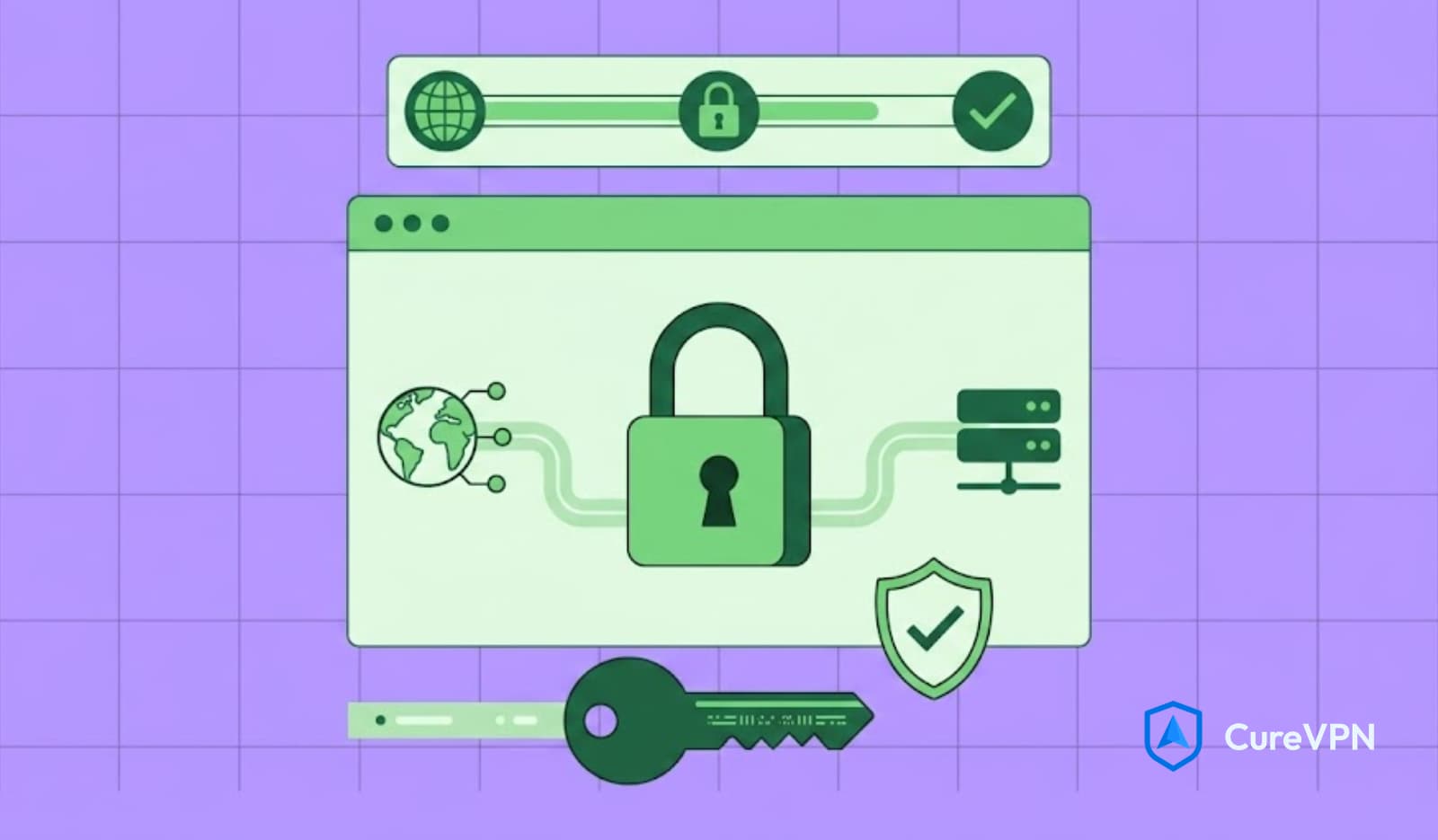
A VPN (Virtual Private Network) is a tool that creates a private, encrypted connection between your device and the internet. It hides your real IP address, encrypts your internet traffic so no one can read it, and makes your online activity private from your internet service provider, hackers, governments, and the websites you visit.
The best way to understand a VPN is through a real-world analogy.
Imagine you’re sending a letter. Normally, you drop it in a public mailbox — anyone along the delivery chain can potentially read the envelope, see the return address, and know who’s corresponding with whom. That’s how your regular internet connection works. Your Internet Service Provider (ISP) sees every website you visit. Your network administrator at work sees your browsing. And anyone monitoring public Wi-Fi can intercept your traffic.

Now imagine instead you seal your letter inside an armored courier bag, hand it to a trusted private carrier who takes a completely different route, and the recipient gets a delivery from the carrier’s address — not yours. Nobody along the original route sees your letter. Nobody knows who sent it or where it actually came from. That’s a VPN.
More precisely, a VPN does three things simultaneously:
- Encrypts your internet traffic — scrambles your data so that even if someone intercepts it, they can’t read it
- Hides your IP address — replaces your real IP address with the VPN server’s IP address, masking your real location
- Creates a secure tunnel — routes your traffic through a private server before it reaches the open internet
How Does a VPN Work?
Understanding the mechanics doesn’t require a computer science degree. Here’s what actually happens when you turn on a VPN.
Step-by-Step: What Happens When You Connect
Step 1 — You launch the VPN app and tap Connect The app establishes a secure connection with a VPN server in the location you select.
Step 2 — Your traffic gets encrypted Everything leaving your device — every website request, every message, every search — gets scrambled using encryption algorithms before it goes anywhere.
Step 3 — Your encrypted traffic travels to the VPN server Your internet traffic travels to the VPN server, not directly to your destination website. Because it’s encrypted, no one in between — your ISP, your router, a hacker on the same Wi-Fi network — can see what it contains.
Step 4 — The VPN server sends your request to the destination The VPN server decrypts your request internally, then forwards it to the website or service you’re visiting. That website sees the VPN server’s IP address — not yours.
Step 5 — The response comes back through the same tunnel The website sends its response back to the VPN server, which re-encrypts it and sends it back to you through the secure tunnel.
The entire process happens in milliseconds. From your experience, you’re simply browsing the internet — just privately.
📊 [Diagram suggestion: Illustration showing Device → Encrypted Tunnel → VPN Server → Internet, contrasted with Device → Open Connection → Internet without VPN]
What Does a VPN Actually Hide?
This question matters more than most beginners realize, because VPNs are sometimes oversold as solving every privacy problem. Here’s exactly what they do and don’t conceal.
What a VPN Hides?
| Hidden From | What Gets Hidden |
|---|---|
| Your ISP | Which websites you visit, when, and for how long |
| Network administrator (work/school Wi-Fi) | All browsing activity and traffic content |
| Hackers on public Wi-Fi | Your unencrypted data, login credentials, financial information |
| Government surveillance (at network level) | Traffic metadata and browsing patterns |
| Websites you visit | Your real IP address and approximate location |
| Advertisers tracking by IP | Your IP-based location data |
What a VPN Does NOT Hide?
- Your identity if you’re logged into accounts — If you log into Google while using a VPN, Google still knows who you are. The VPN hides your IP; it doesn’t prevent websites from identifying you through account logins.
- Cookies and browser tracking — Websites can still track your browser via cookies and fingerprinting independent of your IP address
- Malware already on your device — A VPN encrypts traffic but doesn’t scan for or remove malicious software
- Your own behavior — Oversharing personal information while using a VPN still exposes that information
Why Do You Need a VPN?
The answer depends on your situation, but most people have at least one compelling reason — and many have several.
Reason 1 — Public Wi-Fi Is Genuinely Risky
Coffee shops, airports, hotels, and libraries offer free Wi-Fi that’s often completely unencrypted. Attackers on the same network can intercept your unencrypted traffic through a technique called a man-in-the-middle attack, potentially capturing login credentials, banking information, and private messages.
A VPN encrypts your connection before it leaves your device, making intercepted data completely unreadable even on the most vulnerable public network.
Reason 2 — Your ISP Sells Your Browsing Data
In many countries, including the United States (since 2017, when Congress voted to remove FCC privacy protections), ISPs can legally collect and sell your browsing data to advertisers without explicit consent. Your ISP sees every website you visit on your home connection. A VPN prevents this by hiding your traffic from your ISP entirely.
Reason 3 — Geo-Restricted Content
Streaming platforms, news sites, and services restrict content by geography based on licensing agreements. A traveler from the US trying to access their Netflix account in Germany may find the content library changed. Connecting to a US VPN server restores access to content licensed for a US audience.
Reason 4 — Online Privacy as a Baseline
Even without a specific threat, the principle of not broadcasting your browsing activity to multiple third parties is reasonable. Just as most people close the bathroom door regardless of whether anyone is actually watching, most people prefer not to have their internet activity logged and sold without their knowledge.
Reason 5 — Remote Work Security
Companies with remote employees use VPNs — specifically Business VPN solutions — to give workers secure access to internal company resources. The VPN ensures that sensitive corporate data travels over an encrypted connection rather than the employee’s unsecured home network.
VPN Protocols — What They Are and Why They Matter
A VPN protocol is the set of rules that determines how your device and the VPN server communicate. Different protocols make different trade-offs between speed, security, and compatibility.
A VPN protocol is the technology that determines how your data travels between your device and the VPN server. Different protocols offer different balances of speed and security. WireGuard is the fastest modern option; OpenVPN is the most widely trusted; IKEv2 is best for mobile devices.
WireGuard — The Modern Standard
WireGuard is the newest major VPN protocol and currently the best choice for most users. Its codebase contains approximately 4,000 lines of code — compared to OpenVPN’s 70,000+ — making it dramatically easier to audit for security flaws. Additionally, it’s faster than older protocols, uses less battery on mobile devices, and connects in under a second on most networks.
Best for: Speed, everyday use, mobile devices
OpenVPN — The Proven Classic
OpenVPN has been the industry standard since the early 2000s and has an outstanding security track record through thousands of independent audits. It’s slightly slower than WireGuard and takes longer to connect, but it’s trusted by enterprises and security professionals worldwide.
Best for: Maximum security assurance, corporate use
IKEv2/IPSec — The Mobile Specialist
IKEv2 handles network switching better than any other protocol. When your phone switches from Wi-Fi to mobile data — or vice versa — IKEv2 maintains the VPN connection seamlessly through a feature called MOBIKE, without requiring a manual reconnect.
Best for: Mobile devices, frequent network switching
What This Means in Practice
For most beginners, you don’t need to actively choose a protocol. Quality VPN apps — including Cure VPN — automatically select the best available protocol based on your network conditions. The important thing is choosing a provider that supports WireGuard alongside the legacy options.
VPN Encryption Explained Simply
Encryption is the process of scrambling information so that only authorized parties can read it. VPNs use encryption to make your internet traffic unreadable to anyone who intercepts it.
The Standard You’ll See: AES-256
Most commercial VPNs use AES-256 (Advanced Encryption Standard with 256-bit keys). Here’s a practical sense of what that means: brute-forcing AES-256 encryption would require more computational attempts than there are atoms in the observable universe. It is, for all practical purposes, unbreakable with current and foreseeable technology.
AES-256 is the same encryption standard used by financial institutions, government agencies, and military communications. When your VPN app shows “AES-256 encryption,” it’s using the gold standard of consumer cryptography.
End-to-End vs Transport Encryption
A VPN provides transport encryption — it encrypts your traffic from your device to the VPN server. This is different from end-to-end encryption (used by apps like WhatsApp), which encrypts from sender to recipient without the service provider having access. Both types of encryption serve different purposes and can work simultaneously.
Key VPN Features Every Beginner Should Know
Understanding these features helps you evaluate VPN providers intelligently and use your VPN more effectively.
Kill Switch
If your VPN connection drops unexpectedly, a kill switch automatically cuts your internet connection. This prevents your real IP address from accidentally becoming visible during a brief connection interruption. For anyone using a VPN for privacy — not just geo-unblocking — the kill switch is an essential feature to have enabled.
DNS Leak Protection
Every time you visit a website, a DNS (Domain Name System) request converts the domain name into an IP address. Without proper protection, these DNS requests can bypass your VPN tunnel and go through your ISP’s DNS servers instead — exposing your browsing activity even when your VPN is active. DNS leak protection routes all DNS queries through the VPN tunnel.
Split Tunneling
Split tunneling lets you choose which apps route through the VPN and which connect normally. For example, you might route your browser and banking app through the VPN for privacy, while your local streaming service connects directly for better speed. This is particularly useful for remote workers who need VPN access to company resources without slowing down personal internet use simultaneously.
No-Logs Policy
A no-logs policy means the VPN provider doesn’t record or store your browsing activity, connection timestamps, or IP addresses. This is the foundational privacy claim that separates genuine privacy VPNs from ones that simply move your data from your ISP to themselves. The best providers have their no-logs policies independently audited by third-party security firms.
What a VPN Does NOT Do
This is important enough to cover directly, because misunderstanding VPN limitations leads to a false sense of security.
- A VPN does not make you anonymous online. It significantly improves your privacy, but complete anonymity requires additional tools and practices. If you’re logged into Google, Facebook, or any other account, those services still know who you are regardless of your VPN.
- A VPN does not protect against malware, viruses, or phishing. Those threats require antivirus software and careful browsing habits — a VPN encrypts your traffic but doesn’t scan it for threats.
- A VPN does not hide your activity from websites where you’re logged in. Amazon sees your shopping history even with a VPN, because you’re authenticated as yourself.
- A VPN is not a guarantee of complete legal protection. Using a VPN doesn’t make illegal activities legal. Law enforcement can pursue legal channels with VPN providers when serious crimes are involved.
- A VPN does not always prevent browser fingerprinting. Websites can identify your browser through font rendering, screen resolution, installed plugins, and dozens of other signals that don’t depend on your IP address.
VPN vs Proxy vs Incognito Mode
These three tools get confused constantly. Here’s a clear comparison.
| Tool | Hides IP? | Encrypts Traffic? | Hides from ISP? | Hides from Websites? |
|---|---|---|---|---|
| VPN | ✅ Yes | ✅ Yes | ✅ Yes | ✅ IP only |
| Proxy | ✅ Yes | ❌ No | ❌ No | ✅ IP only |
| Incognito Mode | ❌ No | ❌ No | ❌ No | ❌ No |
Incognito mode only prevents your browser from saving your browsing history locally. Your ISP, the websites you visit, and anyone monitoring your network see everything just as they would in a normal browser window. It’s a privacy tool from your household, not from the internet.
A proxy routes your traffic through a different server, masking your IP address — but without encryption. Your ISP can still see your traffic; so can anyone monitoring your network connection. Proxies are less secure than VPNs and typically work only for specific apps rather than all device traffic.
A VPN does both: it hides your IP address and encrypts everything. That’s the meaningful distinction.
How to Set Up and Use a VPN
Setting up a VPN is considerably simpler than most beginners expect.
On a Phone (iOS or Android)
- Download the VPN app from the App Store or Google Play
- Create an account and log in
- Tap the Connect button (most apps connect to the fastest available server automatically)
- A VPN icon appears in your status bar — you’re connected
- Use your phone normally; all traffic is now encrypted
On a Computer (Windows or Mac)
- Visit the VPN provider’s website and download the desktop app
- Install and open it
- Log in with your account credentials
- Choose a server location (or leave on automatic)
- Click Connect
Manual Setup (Advanced)
iOS, Android, Windows, and macOS all support manual VPN configuration through system settings without a dedicated app. This requires your provider’s server address, protocol settings, and credentials — information available in your account dashboard. Most beginners don’t need this, but it’s useful for devices like routers and Smart TVs.
How to Choose a VPN Provider
With hundreds of providers on the market, here’s the framework that helps beginners make a genuinely good choice.
Must-Have Criteria
No-logs policy — Verified by independent audit, not just stated in marketing copy. The audit name and date should be publicly available.
Strong encryption — AES-256 for data encryption, WireGuard or IKEv2 protocol support.
Kill switch — Available and enabled by default on all platform apps.
DNS leak protection — Confirmed through the provider’s own leak test or third-party verification.
Multi-device support — One subscription should cover at least 5 devices simultaneously.
Useful but Optional
Split tunneling — Valuable for power users and remote workers.
Obfuscation — Disguises VPN traffic to look like regular HTTPS traffic; important for users in countries with VPN restrictions.
Server variety — More server locations give you more options for geo-unblocking and performance.
Red Flags to Avoid
- “Free forever” VPNs with no clear business model — If you’re not paying, you may be the product. Some free VPNs sell user data, which defeats the entire purpose.
- Headquartered in a 14 Eyes country without additional privacy protections — The 14 Eyes is an intelligence-sharing alliance. A VPN in a 14 Eyes country isn’t automatically bad, but their logging policies matter more.
- No independent audit of the no-logs claim — An unaudited no-logs claim is just marketing.
- Vague encryption specifications — Any provider that won’t clearly state their encryption standard is hiding something.
Free VPN vs Paid VPN — The Honest Comparison
| Factor | Free VPN | Paid VPN |
|---|---|---|
| Cost | $0 | $3–10/month |
| Data limits | Usually capped (500MB–10GB) | Unlimited |
| Speed | Throttled | Full speed |
| Server locations | 2–5 locations | 20–100+ countries |
| Privacy | Often compromised | Audited no-logs |
| Kill switch | Rarely included | Standard feature |
| Ads | Often shown | None |
| Support | Minimal | Full customer support |
The honest summary: genuinely free VPNs that protect your privacy are extremely rare. Most monetize through advertising, data collection, or bandwidth selling. The exceptions — like Proton VPN’s free tier — exist but have real limitations on speed and server access. For detailed evaluation of legitimate options, see our guide on best free VPN service.
At $3–5/month for a quality paid VPN, the cost is lower than a single streaming service subscription. For most users, paid is the reasonable choice.
VPN for Every Device and Use Case
VPN for Gaming
VPNs can reduce lag when routed through optimized gaming servers, protect against DDoS attacks during competitive play, and access region-locked game content. The key for gaming is selecting a provider with low-latency servers and WireGuard protocol support. For a deeper breakdown, see our guide on Best VPN for Gaming.
VPN for Streaming
Using a VPN with a US server unlocks platforms like Tubi, Peacock, and US-region Netflix catalogs from anywhere in the world. The same applies in reverse — connecting to a UK server unlocks BBC iPlayer and ITVX.
VPN for Remote Work
Employees connecting to company resources from home use Corporate VPN Solution setups to ensure all data traveling between their device and company servers remains encrypted. This is standard practice in organizations handling sensitive client data.
VPN for Public Wi-Fi
Coffee shops, airports, hotels — any public Wi-Fi network is a potential security risk. Turning on a VPN before connecting to any public network encrypts your traffic completely, making man-in-the-middle attacks ineffective.
VPN for Travel
International travelers use VPNs to maintain access to their home country’s content libraries, banking apps, and services that may be unavailable or restricted in the destination country.
Common VPN Mistakes Beginners Make
1. Assuming incognito mode and VPN do the same thing They don’t. Incognito mode hides your history from your own browser. A VPN hides your traffic from your ISP, network, and the websites you visit. They serve completely different functions.
2. Choosing a free VPN without researching how it makes money Free isn’t always free. Some VPN providers have been caught selling user browsing data to third parties — precisely the outcome a VPN is supposed to prevent.
3. Not enabling the kill switch Without a kill switch, a brief VPN disconnection exposes your real IP address. Most users don’t notice the interruption, but their privacy was briefly unprotected.
4. Using a slow or geographically distant server for streaming A VPN server on the opposite side of the world adds significant latency. For streaming, choose a server in the target country closest to your actual location.
5. Trusting an unaudited no-logs claim Marketing copy is not verification. Look for providers whose no-logs policies have been tested by independent auditors — not just stated in a privacy policy.
6. Leaving the VPN off on mobile Many users enable VPN on their laptop but forget their phone connects to dozens of networks throughout the day — coffee shops, work Wi-Fi, neighbors’ networks. The phone arguably needs VPN protection more than the laptop.
Best Practices for VPN Beginners
- Leave the VPN on as much as possible — Modern VPNs have minimal performance impact; the privacy benefit is continuous
- Always enable the VPN before connecting to public Wi-Fi — Make this a non-negotiable habit
- Choose WireGuard protocol if your VPN offers a choice — it’s faster and more secure than older options
- Enable the kill switch in your VPN app settings immediately after setup
- Run a DNS leak test after your first connection to confirm the VPN is functioning correctly
- Update your VPN app when updates are available — Security patches and protocol improvements ship through app updates
- Use a different server if you experience buffering or slow speeds — Server load varies; switching servers often resolves speed issues
- Don’t rely on a VPN alone for complete privacy — Combine VPN use with strong passwords, two-factor authentication, and careful account security
Expert Insights
On the “nothing to hide” argument: The most common pushback against VPN use is “I have nothing to hide.” But privacy isn’t about hiding — it’s about control. You probably also lock your front door even when you’re not doing anything you’d be embarrassed about. Privacy is the condition under which trust, creative thought, and personal autonomy actually function. The question isn’t what you’re hiding; it’s who gets to decide what data about you they can collect and sell.
On protocol choice for everyday users: Most beginners overthink protocol selection because most VPN guides make it sound complicated. In practice, WireGuard does almost everything better than older protocols for everyday use. It’s faster, more secure by design, and the formal verification of its codebase means its security properties are mathematically proven rather than just empirically tested. If your VPN supports WireGuard, use it.
On no-logs audits: The privacy value of a VPN is only as strong as the provider’s actual data practices — not their stated policy. No-logs claims that haven’t been tested by independent auditors are marketing, not guarantees. The gold standard is a provider whose no-logs architecture has been audited by a reputable security firm, with the full audit report publicly available.
Statistics & Data
- The global VPN market is projected to exceed $77 billion by 2026 and $534 billion by 2034 at a 22.04% CAGR (Precedence Research, 2024)
- 31% of internet users globally used a VPN or proxy service in the previous month (Global Web Index)
- 68% of American adults use VPN services — approximately 142 million people (GlobalWebIndex, 2024)
- VPN usage surged during the COVID-19 pandemic, with Atlas VPN reporting a 124% increase in VPN usage in the US in March 2020 alone
- WireGuard’s codebase contains approximately 4,000 lines of code vs OpenVPN’s 70,000+ — a critical factor in security auditability (WireGuard technical paper, Donenfeld)
- AES-256 encryption would require more computational time to brute-force than the estimated age of the universe — roughly 2^256 possible key combinations
- Public Wi-Fi security incidents cost individuals an average of $543 per incident in compromised financial data (Symantec, cited in multiple security awareness reports)
FAQs – VPN for Dummies
Q: What is a VPN in simple terms? A VPN is a tool that hides your internet activity and your real location by routing your traffic through a private server. It encrypts your data so no one can read it, and replaces your IP address with the VPN server’s IP address so websites and observers see a different location.
Q: How does a VPN work for beginners? When you connect to a VPN, your internet traffic travels through an encrypted tunnel to a VPN server before reaching the websites you visit. The website sees the VPN server’s location and IP address — not yours. Everything between your device and the VPN server is scrambled and unreadable.
Q: Does a VPN hide your IP address? Yes. Your real IP address is replaced by the VPN server’s IP address. Websites, advertisers, and services you connect to see the VPN’s IP — your actual IP remains private.
Q: Is using a VPN safe? Using a reputable, paid VPN with a verified no-logs policy, strong encryption, and a kill switch is safe. Some free VPNs are not safe — they may collect and sell your data, which defeats the purpose.
Q: Does a VPN slow down your internet? Modern VPNs using WireGuard protocol have minimal speed impact — often under 10% on fast connections. Older protocols like OpenVPN can reduce speeds more noticeably. Connection distance matters: connecting to a nearby server produces better speeds than connecting to a server on the other side of the world.
Q: Should I leave my VPN on all the time? Yes, for most users. Leaving the VPN on continuously ensures your traffic is always encrypted and your IP is always protected, without requiring you to remember to enable it on specific networks.
Q: Can a VPN protect me on public Wi-Fi? Absolutely — this is one of the strongest use cases for a VPN. Public Wi-Fi networks are often unencrypted, making them vulnerable to interception. A VPN encrypts your traffic before it leaves your device, making any intercepted data completely unreadable.
Q: Can my ISP see my browsing history with a VPN? No. A VPN encrypts your traffic before it reaches your ISP. Your ISP can see that you’re using a VPN and how much data you’re transferring, but they cannot see which websites you visit or what content you access.
Q: What is a VPN kill switch? A kill switch automatically disconnects your device from the internet if the VPN connection drops unexpectedly. This prevents your real IP address from being briefly exposed during a connection interruption.
Q: Can a VPN be tracked? The VPN server’s IP address and traffic can be observed, but the contents of your traffic remain encrypted. With a no-logs VPN, even if someone obtained the provider’s server records, there would be no browsing data to connect to you. No-logs VPN providers retain no identifying information about user activity.
Q: Is a VPN legal? Yes — in most countries, including the United States, United Kingdom, Canada, Australia, India, and most of Europe. Some countries restrict or ban VPN use, including China, Russia, Iran, and North Korea. Always verify local laws before using a VPN in an unfamiliar country.
Q: What does a VPN not protect against? A VPN does not protect against malware, phishing attacks, or websites tracking you through cookies and account logins. It also doesn’t make you completely anonymous if you’re logged into accounts on websites you visit.
Q: How do I choose the best VPN? Prioritize a verified no-logs policy (confirmed by third-party audit), AES-256 encryption, WireGuard protocol support, a kill switch, DNS leak protection, and multi-device support. Avoid providers that don’t clearly explain their encryption and logging practices.
Key Takeaways
- A VPN encrypts your internet traffic and replaces your IP address with the VPN server’s IP — making your browsing private from your ISP, your network, and websites
- WireGuard is the best protocol for most beginners — fast, secure, and battery-efficient on mobile
- A VPN hides your IP and traffic contents but does not protect against cookies, account tracking, malware, or phishing
- Kill switch and DNS leak protection are essential features — enable both after your first connection
- Free VPNs carry real risks — many monetize through data collection; paid VPNs with audited no-logs policies provide genuine privacy
- The most common use cases — public Wi-Fi security, ISP privacy, geo-restricted content, and remote work — are all served effectively by a quality paid VPN
- Leaving a VPN on continuously is the simplest, most effective approach for most users
Ready to Actually Try a VPN? Start With One That Works Properly.
You now understand exactly what a VPN does, how it works, what it protects against, and what to look for in a provider. The only step left is actually using one.
Cure VPN was designed with exactly this kind of beginner in mind — one tap to connect, WireGuard protocol by default, AES-256-GCM encryption, a strict no-logs policy, DNS leak protection enabled automatically, and a kill switch on every platform. No configuration required. No technical knowledge needed. Just genuine privacy protection that starts the moment you connect.
Across iOS, Android, Windows, and macOS — your entire device covered in seconds.
The internet doesn’t have to be something that tracks, logs, and profiles everything you do. A VPN is the most practical first step toward taking that control back.
It’s simpler than you think. And you now know exactly why it matters.
👉 Try Cure VPN — Your Privacy Starts With One Tap →