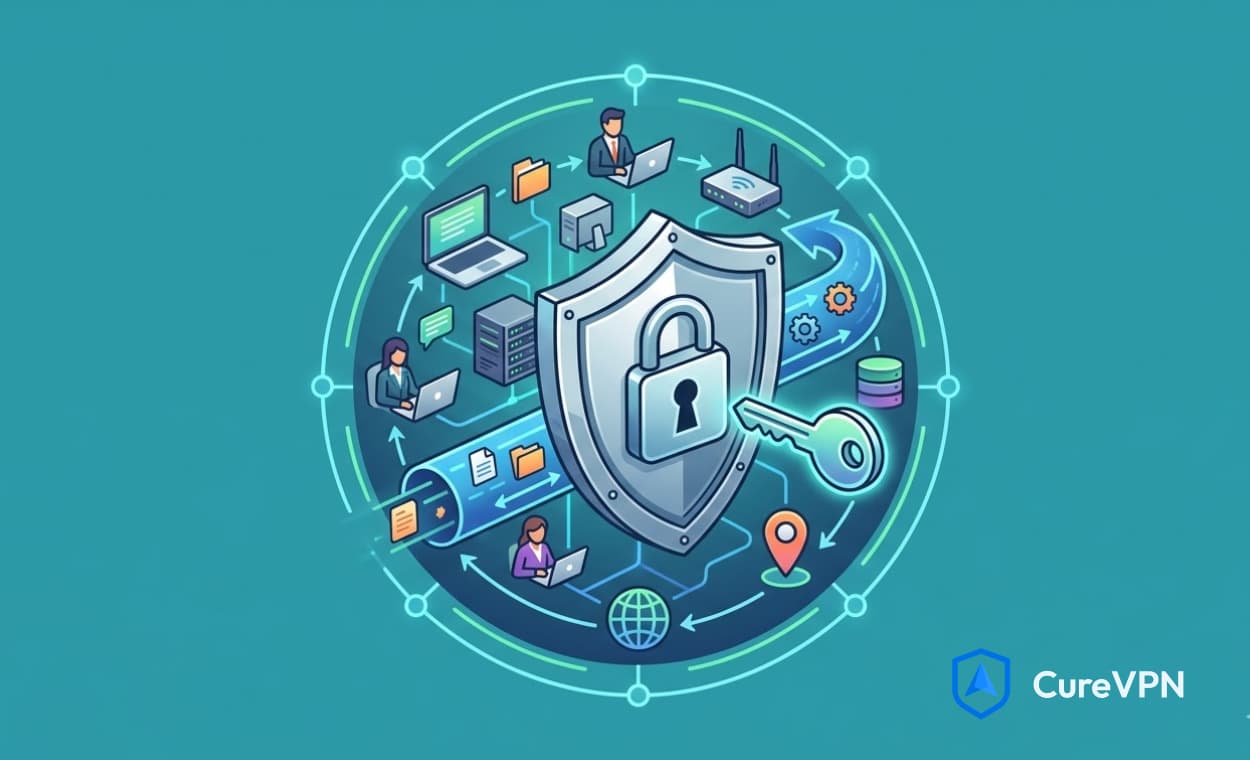

Your home network faces more threats now than ever before. Cybercriminals target residential networks because they’re often less protected than corporate systems. Every smart device, laptop, and phone connected to your Wi-Fi creates a potential entry point for attackers.
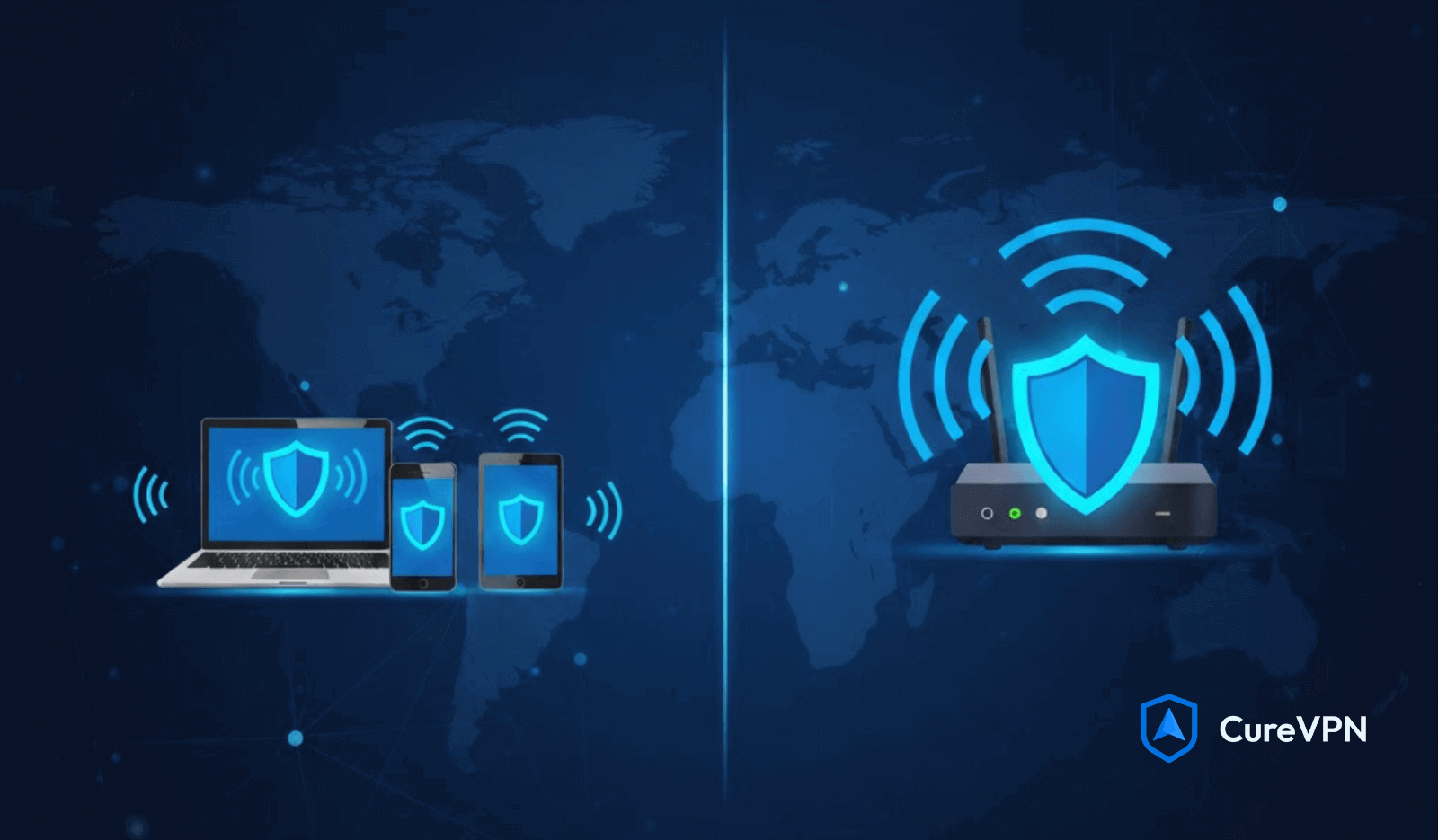
Two primary methods exist to shield your digital life: installing VPN software on individual devices or configuring a VPN on router hardware. Each approach offers distinct advantages depending on your household’s needs, technical comfort level, and the number of connected devices you own.
This comparison breaks down both deployment strategies so you can make an informed decision. You’ll discover how each method handles security, performance, cost, and convenience. Whether you’re protecting a small apartment or a smart home filled with IoT gadgets, understanding these VPN solutions for home will help you choose the right path forward.
The stakes are high. Your browsing data, personal information, and even your physical security depend on getting this choice right.
What Is a VPN for Home?
A home VPN operates by installing dedicated software on each device you want to protect. Your computer, smartphone, tablet, and laptop each run their own VPN application independently. When activated, the software creates an encrypted tunnel between your device and a remote server, masking your IP address and scrambling your internet traffic.
Device-level VPN protection works through simple apps. Download the software from your provider, log in with your credentials, and connect to a server location. The entire process takes minutes, even for users with limited technical knowledge. Most providers offer intuitive interfaces with one-click connections.
Common scenarios where device VPN excels include remote work situations where you access company resources from home. Travelers benefit significantly because they can enable protection on their laptops and phones while using airport Wi-Fi or hotel networks. Content enthusiasts use device VPNs to access geo-restricted streaming services. For example, users seeking VPN for Tubi can quickly connect through their device to access region-specific content libraries.
The flexibility stands out as the primary advantage. You control which devices use the VPN and when they connect. Your teenager’s gaming console can remain unprotected while your work laptop stays encrypted. This selective approach prevents bandwidth waste on devices that don’t require protection.
Device VPNs also shine when you need to switch server locations frequently. Accessing content from different countries becomes effortless with a few taps in your app interface.
What Is a VPN on Router?
Router-level VPN installation transforms your home gateway into a security shield for every connected device. Rather than protecting devices individually, the VPN on router approach encrypts all traffic at the network source. Any gadget that connects to your Wi-Fi automatically gains VPN protection without requiring separate software installation.
The functionality operates at the network layer. Your router establishes a persistent, encrypted connection to your VPN provider’s server. Every device pulling an IP address from your router inherits this protection seamlessly. Your smart refrigerator, security cameras, voice assistants, and gaming consoles all benefit from encryption without compatibility concerns.
Router types that support VPN configurations include high-end consumer models from manufacturers like ASUS, Netgear, and Linksys. These routers feature built-in VPN client software in their firmware. Alternatively, enthusiasts can flash custom firmware like DD-WRT or Tomato onto compatible devices to add VPN capabilities.
Setup complexity varies significantly. Basic router VPN setup requires accessing your router’s admin panel, entering VPN credentials, and configuring tunneling protocols. Users comfortable with network settings find the process straightforward. However, those unfamiliar with DHCP settings, DNS configuration, or OpenVPN protocols may face a steeper learning curve.
The network-wide VPN approach creates a “set it and forget it” environment. Once configured properly, your entire household enjoys continuous protection without individual app management.
Key Differences: VPN for Home vs. VPN on Router
Coverage and Protection Scope
Device-by-device protection limits your security to manually configured gadgets. Most VPN subscriptions cap simultaneous connections at five to ten devices. Families with multiple smartphones, tablets, computers, and streaming devices quickly exhaust these limits. Each family member must manage their own VPN app, remember to connect, and troubleshoot individual issues.
Router-based VPN coverage extends to every device automatically. Your entire network counts as a single connection to your VPN provider. This approach protects unlimited devices simultaneously. Smart home ecosystems with dozens of IoT sensors, cameras, and voice assistants all receive encryption without hitting connection limits.
The difference becomes critical for modern households. A family of four might own 20+ connected devices between phones, laptops, tablets, smart TVs, gaming consoles, and smart home gadgets. Device-level VPN simply can’t scale to protect multiple devices efficiently.
Ease of Setup and Use
Installing VPN software on individual devices requires minimal technical knowledge. Download the app, create an account, and click connect. The entire VPN setup process takes under five minutes per device. User interfaces have evolved to accommodate non-technical users with visual server maps and simple toggle switches.
Router VPN setup demands more technical competency. You’ll navigate router firmware interfaces, understand networking protocols like OpenVPN or WireGuard, and configure DNS settings correctly. Mistakes during easy VPN installation at the router level can disconnect your entire network. First-time users often spend 30-60 minutes completing the configuration.
Technical support becomes more complex with router setups. When issues arise, you’re troubleshooting at the network level rather than the application level. Device VPNs offer in-app diagnostics and automated fixes. Router problems require manual intervention with network settings.
The trade-off balances convenience against coverage. Device VPNs win on simplicity. Router VPNs reward technical effort with comprehensive protection.
Performance and Speed
VPN speed suffers differently depending on your chosen method. Device-level VPN encryption happens on each gadget independently. Modern smartphones and computers handle this processing easily. High-end devices experience minimal slowdown, often just 10-20% speed reduction.
Router VPN setup centralizes all encryption processing on a single device. Your router’s CPU becomes the bottleneck. Budget routers with weak processors struggle to encrypt traffic for multiple simultaneous users. Families streaming 4K video on several TVs while gaming and browsing can overwhelm router hardware. Speed reductions of 30-50% occur on underpowered routers.
Bandwidth considerations matter tremendously. A device VPN only encrypts traffic from active connections. Your smart thermostat doesn’t consume VPN bandwidth when idle. Router VPNs maintain constant encryption for all devices, even those performing background updates.
Processing power requirements scale with network demand. Investing in a router with a quad-core processor and hardware acceleration becomes essential for maintaining router performance under VPN load. The best VPN for router usage demands robust hardware.
Device Compatibility
Smart home VPN protection represents the clearest advantage for router-based solutions. IoT devices like security cameras, smart locks, door sensors, and thermostats can’t install VPN software. These gadgets communicate through your network without security options. Router-level VPN is the only method to encrypt their traffic.
Gaming consoles present similar challenges. PlayStation, Xbox, and Nintendo Switch devices don’t support native VPN apps. Gamers wanting to reduce lag, avoid DDoS attacks, or access region-locked games must use router VPN or workarounds like connection sharing.
VPN compatibility extends to smart TVs, streaming sticks, and media players. While some devices offer limited app support, many don’t. Router protection ensures every screen in your home maintains encryption for streaming content.
Device VPNs excel with computers, smartphones, and tablets, where app installation is straightforward. These devices offer the most flexibility for server switching and protocol selection.
Cost Considerations
VPN cost analysis reveals surprising economics. Subscription prices remain identical whether you install on devices or routers. Most providers charge $3-$12 monthly, depending on commitment length and features.
Hardware requirements create the real price difference. Device VPNs require no additional purchases. Your existing gadgets run the software without upgrades. Router VPN price calculations must include compatible hardware. Budget routers cost $50-$100 but lack the processing power for smooth VPN operation. Quality VPN-capable routers range from $150-$400.
Long-term value comparison favors router solutions for larger households. A family paying $10 monthly for device VPN protection plus constantly managing connection limits could justify a $200 router investment. The hardware pays for itself within 20 months while providing unlimited device coverage.
Single users or couples with few devices find device VPN more economical. Why invest in expensive router hardware when five simultaneous connections suffice?
Pros and Cons of VPN for Home (Individual Devices)
Advantages
Flexibility to enable and disable protection per device stands out as the primary benefit. Your work laptop maintains constant encryption while your smart TV connects directly for optimal streaming speeds. Gaming sessions run unencrypted to minimize latency, then you enable protection for banking sessions. This granular control prevents unnecessary speed sacrifices.
No router configuration means avoiding complex network settings entirely. Users uncomfortable with technical adjustments appreciate the plug-and-play nature. Your existing router continues operating unchanged. Zero risk of misconfiguring network settings and losing internet access.
Server switching convenience becomes effortless with device VPNs. Accessing content from different countries requires a simple app selection. Your phone connects to a UK server for BBC content while your laptop accesses US servers for Hulu. Multiple family members can use different server locations simultaneously based on their needs.
Travel and mobile use represent the strongest use case. Your VPN protection travels with your device regardless of the network. Coffee shop Wi-Fi, airport hotspots, and hotel networks all gain encryption instantly. Router VPNs only protect your home network, leaving you vulnerable on public connections.
Disadvantages
Installing software on each device separately creates management overhead. Five family members with four devices each means 20 separate installations. Updates must occur individually across all devices. Forgotten installations leave security gaps.
Limited device connections on most plans restrict household coverage. Premium plans typically cap at ten simultaneous connections. Families quickly exceed these limits when counting phones, tablets, computers, smart TVs, and gaming devices. Additional connections require expensive subscription tiers.
Smart home devices remain completely unprotected. Your security cameras, video doorbells, smart locks, and voice assistants transmit data without encryption. These IoT gadgets often have weak security protocols, making them prime targets for attacks. Wondering can VPN can stop hackers from compromising your smart home? Not with device-level VPN.
Manual management required across all devices creates friction. Every family member must remember to activate their VPN before browsing. Children and less tech-savvy users forget, leaving them exposed. Consistent protection requires constant vigilance.
Pros and Cons of VPN on Router
Advantages
Automatic protection for all connected devices eliminates human error. Every gadget joining your network inherits encryption immediately. New purchases connect securely without manual setup. Guests using your Wi-Fi gain protection without installing apps.
Single point of configuration streamlines network management. Configure VPN settings once at the router level and forget about individual device management. Updates happen centrally. Troubleshooting occurs in one location rather than across multiple apps and devices.
IoT and smart home device coverage provides the security these vulnerable gadgets desperately need. Your security cameras transmit encrypted footage. Smart locks communicate securely. Voice assistants can’t leak conversation data to eavesdroppers. Router VPN benefits extend to every endpoint on your network.
Counting as one connection to your VPN provider removes device limits entirely. Your household might have 50 connected devices, but your router appears as a single connection. Network VPN advantages include unlimited scalability without subscription upgrades.
Disadvantages
The complex setup process deters non-technical users. Accessing router firmware, configuring OpenVPN settings, and understanding networking concepts create barriers. Mistakes can disable internet access for the entire household. Support forums become necessary reading material.
Potential speed reduction affects every device simultaneously. Router hardware becomes the performance bottleneck. Underpowered routers create lag during peak usage. Video calls stutter, streaming buffers, and downloads crawl when the router can’t keep pace with encryption demands.
Compatible router requirements force hardware upgrades for many households. Internet service provider routers rarely support VPN client functionality. Buying appropriate hardware adds upfront costs that budget-conscious users want to avoid.
Difficult server switching limits flexibility. Changing VPN locations requires accessing router settings rather than tapping an app. All devices must use the same server location simultaneously. Household members can’t customize their connections based on individual needs.
Unified VPN location means your teenager streaming anime, your partner working remotely, and your smart TV all connect through identical servers. This one-size-fits-all approach sacrifices the customization that makes VPNs powerful.
Which Setup Is Right for You?
Choose VPN for Home (Individual Devices) If You
Limited device counts make individual protection practical. Single users or couples owning fewer than five active devices find this approach sufficient. Your laptop, phone, and tablet consume just three connection slots. The remaining slots accommodate occasional streaming or gaming sessions.
Flexibility requirements point toward device-level control. Remote workers need encrypted connections during business hours but prefer unencrypted speeds for evening streaming. This selective approach optimizes both security and performance based on activity.
Frequent travelers depend on portable protection. Your VPN travels with your devices across networks. Business trips, vacations, and daily coffee shop visits all maintain security regardless of location. Router VPN only protects your home network.
Server switching needs indicate device VPN as the best VPN setup. Content enthusiasts accessing multiple streaming libraries daily require effortless location changes. Sports fans watching international leagues need a quick server selection. Gaming across different regions demands low-latency connections to specific countries.
Non-technical users appreciate simplified interfaces. App-based VPN avoids router configuration complexity. Support teams assist with straightforward application issues rather than complex networking problems.
Choose VPN on the Router If You
Extensive device ecosystems demand scalable protection. Modern households with 15+ connected gadgets benefit from unlimited coverage. Smart home enthusiasts with dozens of IoT sensors, multiple computers, several phones, tablets, gaming consoles, and streaming devices need comprehensive solutions.
Smart home and IoT device ownership make router VPN non-negotiable. These gadgets can’t install software but desperately need protection. Security cameras, video doorbells, smart thermostats, and voice assistants all communicate wirelessly. Router-level encryption secures these vulnerable endpoints.
Set-it-and-forget-it preferences suit busy households. Parents managing multiple children’s devices appreciate automatic protection. Nobody needs to remember activating VPN apps. Every device gains security the moment it joins the network.
Technical knowledge or learning willingness opens router VPN possibilities. Users comfortable with networking concepts handle initial setup challenges. Those willing to invest a few hours reading guides and watching tutorials can implement robust protection.
Whole-home protection priority justifies the effort and expense. Security-conscious households view comprehensive coverage as essential. The peace of mind knowing every internet-connected device maintains encryption outweighs setup complexity.
Families asking “is someone spying on my phone?” should consider that router VPN protects not just phones but every device simultaneously, creating a security perimeter around your entire digital life.
Can You Use Both Methods?
The hybrid approach combines the strengths of device and router VPN strategies. Advanced users implement router-level protection for their home network while maintaining device VPN apps for mobile use. This dual setup provides comprehensive security across all scenarios.
Benefits of this VPN combination include seamless protection at home and portable security while traveling. Your smart home remains encrypted through router VPN. Your laptop and phone carry a VPN for coffee shop visits. The hybrid VPN setup ensures zero security gaps regardless of location.
Practical use cases make this approach worthwhile for specific users. Remote workers with extensive smart home setups need both coverage types. Your home office devices stay protected through router configuration. Your laptop maintains independent encryption when visiting client sites or working from coworking spaces.
Families with mixed technical abilities benefit from hybrid protection. Tech-savvy parents configure router VPN for household coverage. Children and less technical family members enjoy automatic home protection. The parents’ work devices carry an additional device-level VPN for enhanced mobile security.
Business owners running home offices implement this strategy effectively. Sensitive work devices maintain dedicated VPN connections with specific server requirements. The general household network operates through a router VPN with different settings optimized for streaming and gaming.
Budget considerations make this option more expensive but potentially worthwhile. You’ll pay for VPN-capable router hardware plus your standard subscription. The investment makes sense when security requirements justify comprehensive coverage across all scenarios.
Best VPN Services for Each Setup
Top VPNs for individual devices prioritize user-friendly apps and wide platform support. Services offering the best VPNs for Chrome extensions alongside mobile apps provide flexibility. NordVPN delivers intuitive interfaces with 6,000+ servers across 60 countries. ExpressVPN maintains consistent speeds with apps for every major platform.
Surfshark offers unlimited simultaneous connections, making device VPN more practical for larger households. CyberGhost provides specialized servers for streaming and gaming. Private Internet Access delivers customizable encryption settings for power users.
Router installation compatibility separates quality providers from budget options. ExpressVPN provides router-specific firmware and detailed setup guides. NordVPN supports major router brands with OpenVPN configuration files. Surfshark offers manual setup instructions for DD-WRT and Tomato firmware.
Router compatibility considerations extend beyond software support. The best VPN for router usage includes responsive customer support for troubleshooting. Technical teams helping with router configuration issues save hours of frustration. Providers offering pre-configured routers eliminate setup complexity entirely at premium prices.
ASUS routers feature native support for several VPN providers through ASUSWRT firmware. Netgear Nighthawk models include built-in VPN client options. These partnerships simplify configuration substantially. Users can select their provider from dropdown menus rather than manually entering server credentials.
Free VPN service options exist, but carry significant limitations. Free providers typically cap data usage at 500MB-10GB monthly. These limits support light browsing but fail during streaming or large downloads. Free services also maintain fewer servers, creating overcrowding and slow speeds.
Security concerns plague free VPN providers. Many monetize through aggressive data logging and selling browsing information to advertisers. Others inject ads into your browsing sessions. The privacy you seek from VPN protection evaporates when providers profit from your data.
Premium services justify their costs through robust security, reliable speeds, and comprehensive features. Annual subscriptions often drop prices below $5 monthly while maintaining AES-256 encryption and no-logs policies.
Step-by-Step: Getting Started
For Device-Level VPN
Choose and subscribe to a VPN service matching your needs and budget. Research providers supporting your specific devices. Read recent reviews focusing on connection stability and customer support quality. Annual plans offer significant savings over monthly subscriptions.
Download and install apps from official sources only. Visit your provider’s website directly rather than searching app stores where fake apps appear. iOS users download from the App Store. Android users access Google Play. Desktop users grab installers from the provider’s download page.
Basic configuration tips streamline your VPN installation guide experience. Create an account during installation, selecting a strong unique password. Enable automatic connection features for public Wi-Fi protection. Configure split tunneling if certain apps need direct connections for banking security.
Choose nearby servers for optimal speeds during general browsing. Select specific country servers when accessing geo-restricted content. Enable kill switch features that disconnect internet access if VPN drops, preventing accidental exposure.
Test your connection by visiting IP checking websites. Verify your displayed location matches your selected VPN server. Check for DNS leaks using provider diagnostic tools. These steps confirm proper configuration before relying on protection for sensitive activities.
For Router VPN
Check router compatibility before subscribing to VPN services. Access your router’s admin panel by typing its IP address (usually 192.168.1.1 or 192.168.0.1) into your browser. Navigate to firmware information and note the model and version. Search your router model plus “VPN support” to verify capabilities.
Routers lacking VPN client functionality require replacement. Budget VPN-capable models start around $150. ASUS RT-AX88U and Netgear Nighthawk RAX80 represent solid mid-range options with powerful processors.
Choose VPN providers with explicit router support and detailed documentation. ExpressVPN offers custom firmware for select routers. NordVPN provides OpenVPN configuration files. Verify your router model appears in the provider’s compatibility list.
The installation overview varies by router type. Custom firmware installation requires downloading your router’s specific firmware file, accessing router settings, and uploading the new firmware. This process takes 10-15 minutes and carries a slight bricking risk if interrupted.
Configuration basics for setting up a VPN router involve entering server credentials into your router’s VPN client section. Copy your provider’s OpenVPN configuration files or enter server addresses manually. Input your VPN username and password. Select encryption protocols like OpenVPN or WireGuard based on your router’s capabilities.
Enable the VPN connection and wait for a successful connection status. All devices should now route through the VPN. Test by checking IP addresses on multiple devices to confirm unified location.
Common Questions and Troubleshooting
Speed issues plague VPN users regardless of setup method. Device VPN slowdowns often stem from distant server selection. Choose servers geographically closer to your location. Encryption protocol matters significantly. Switch from OpenVPN to WireGuard for 30-40% speed improvements on compatible devices.
Router VPN speed problems usually indicate hardware limitations. Check CPU usage during peak network activity. Sustained usage above 80% means your router can’t handle encryption demands. Upgrading to a router with hardware acceleration resolves most bottlenecks.
Connection problems manifest differently across methods. Device VPN issues typically involve app glitches or authentication failures. Reinstalling apps and verifying credentials fixes most problems. Router VPN connection drops require checking firmware updates and verifying configuration files haven’t corrupted.
Switching between methods requires careful planning. Moving from device to router VPN means configuring your router before uninstalling device apps. Test router protection thoroughly before removing backup protection. Transitioning from router to device VPN involves factory resetting router settings after installing device apps.
VPN troubleshooting for DNS leaks involves configuring custom DNS servers. Router users should set DNS to their VPN provider’s servers rather than ISP defaults. Device app users can enable DNS leak protection in app settings.
Kill switch failures create serious VPN problems by exposing traffic during connection drops. Device apps usually include built-in kill switches requiring activation. Router implementations need manual firewall rules blocking non-VPN traffic.
Compatibility issues with certain websites or services require a split tunneling configuration. Banking sites sometimes block VPN traffic. Configure exclusions for these specific domains while maintaining protection for general browsing.
Conclusion
The choice between VPN for home vs router implementation hinges on your specific circumstances. Device-level protection offers unmatched flexibility and travel convenience. Router-based solutions provide comprehensive coverage for modern smart homes.
Small households with technical users often prefer a device VPN. Large families with extensive IoT ecosystems benefit from router implementation. Your decision should reflect device counts, technical comfort, and security priorities.
Neither approach is universally superior. The best VPN choice matches your lifestyle rather than following generic advice. Assess your household’s actual needs honestly. Count connected devices. Consider who manages technology. Evaluate whether smart home protection matters.
Budget consciousness shouldn’t compromise security. Device VPN requires no additional hardware investment. Router VPN demands upfront costs but scales efficiently. Both approaches deliver robust encryption when implemented correctly.
Start by trying device-level VPN if you’re uncertain. Most households can evaluate this method without financial commitment beyond subscription costs. Migrate to router VPN later if device limits or smart home protection become priorities.
Cure VPN has spent years helping households navigate these decisions through practical experience. Our approach focuses on understanding real-world usage patterns rather than pushing one-size-fits-all solutions. Whether you choose device protection, router implementation, or hybrid coverage, the goal remains identical: securing your digital life without sacrificing usability. Take the first step today by honestly evaluating your protection needs and choosing the method that fits your lifestyle.