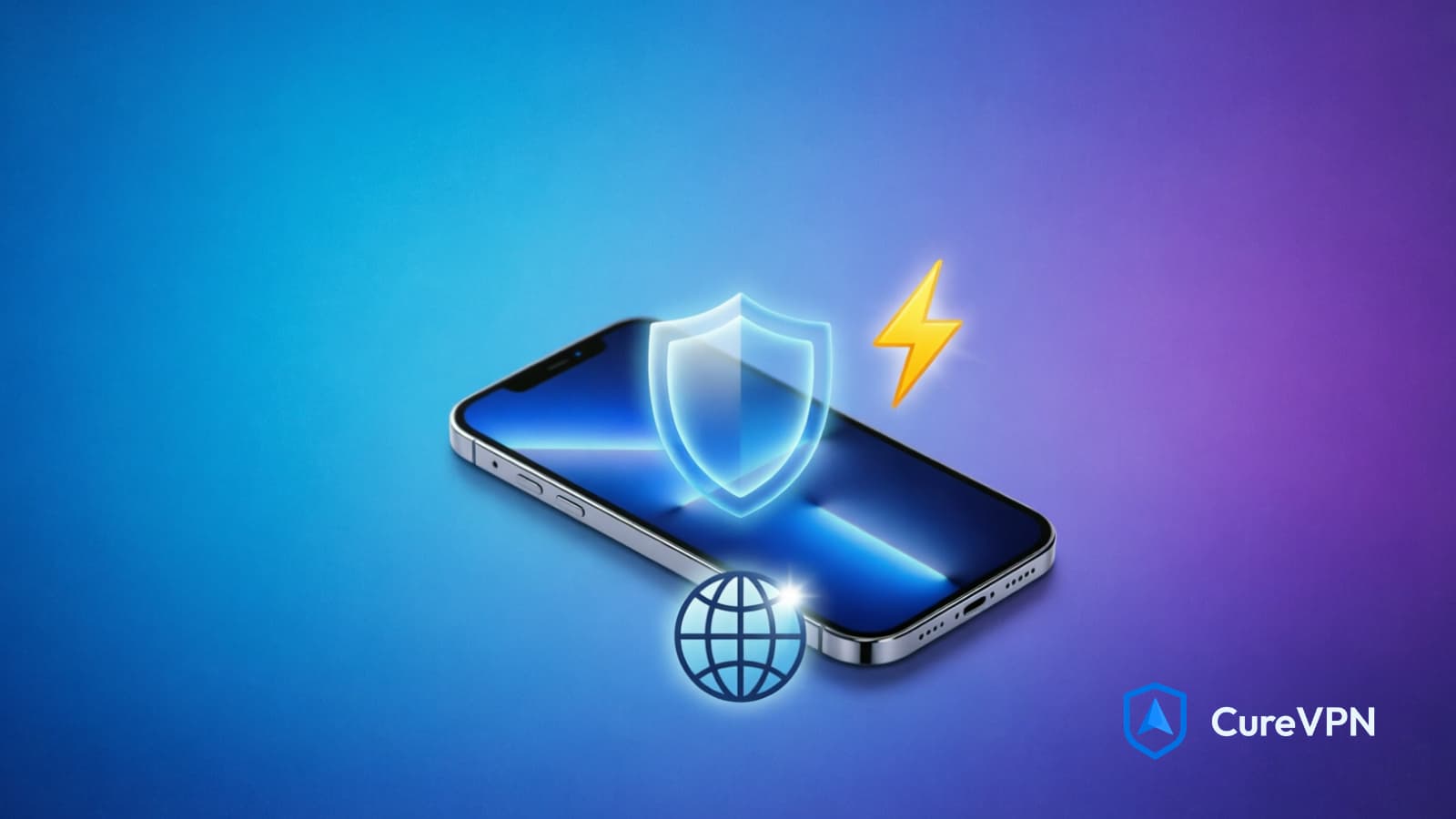

Your iPhone is not as private as you think. Apple’s built-in security is solid — but it stops at your device. The moment you connect to a café hotspot, a hotel network, or even your mobile carrier, your data is exposed to surveillance, snooping, and interception. A VPN for iPhone closes that gap.
This guide covers everything: how VPNs work on iOS, which features actually matter, what separates a good provider from a dangerous one, and how to get set up in under five minutes. Whether you’re after streaming access, airtight privacy, or secure remote work, the right iPhone VPN changes what your phone can do.
What Is a VPN for iPhone – and Why Does It Matter?
A VPN (Virtual Private Network) creates an encrypted tunnel between your iPhone and a remote server. All your traffic routes through that server before reaching the open internet. What that means practically:
- Your real IP address is replaced with the server’s IP
- Your internet provider can’t see what you’re doing
- Public Wi-Fi networks can’t intercept your data
- Geo-restricted content becomes accessible
iOS handles VPN connections natively, but Apple’s own iCloud Private Relay — available to iCloud+ subscribers — isn’t a full VPN. It only routes Safari traffic. A proper VPN for iPhone covers every app on your device: banking apps, social media, email, streaming platforms — all of it.
The Privacy Problem Nobody Talks About
Almost half of public Wi-Fi users have experienced some form of security breach — and you don’t need to visit a shady website to be at risk. Simply being connected is enough.
One study found that up to 84% of mobile VPN apps actually leak user data — meaning the tool you trusted to protect you may be the vulnerability itself. This is the core problem with blindly downloading any free VPN from the App Store.
Over 1.75 billion people worldwide now use VPNs, and among iOS users, 52% report using a VPN — higher than any other platform. iPhone users are more privacy-conscious. They’re also more frequently on public networks, which makes the stakes higher.
The numbers tell a clear story:
- 51% of VPN users adopt one specifically to protect their privacy on public Wi-Fi
- Around 32% of mobile VPN users connect daily or nearly daily
- The VPN market is projected to reach $75.59 billion by 2027
That growth isn’t driven by hype. It’s driven by real, escalating threats.
What to Look for in a VPN for iPhone?
Choosing a VPN for iPhone isn’t the same as choosing one for a desktop. iOS has unique networking constraints — apps handle Wi-Fi-to-cellular handoffs differently, battery drain matters more, and Apple’s App Store policies limit what VPN apps can do at the system level.
Here’s what actually separates a great iPhone VPN from a mediocre one:
1. Protocol Support: WireGuard First
The tunneling protocol determines speed, security, and battery impact. WireGuard is the gold standard for mobile right now — lightweight code, fast handshakes, and efficient reconnection when your phone switches between Wi-Fi and 4G/5G.
ExpressVPN’s Lightway protocol is one of the best VPN protocols for handling constant network interruptions on iOS while keeping speeds up. NordVPN’s NordLynx (a WireGuard implementation) is another strong performer. OpenVPN and IKEv2 are solid fallbacks, but for daily iPhone use, WireGuard-based protocols win.
2. AES-256 Encryption
This is the baseline. Each VPN worth recommending must pass all leak tests, ensuring data stays encrypted with a minimum of AES-256 encryption — which experts believe would take millions of years to crack. No exceptions. If a VPN doesn’t advertise AES-256, look elsewhere.
3. A Verified No-Logs Policy
A VPN that logs your browsing history defeats the purpose. Look for providers with independently audited no-logs policies — not just a marketing claim. Third-party audits by firms like Deloitte, PwC, or Cure53 carry real weight.
4. Kill Switch
A kill switch cuts your internet connection the moment the VPN drops, preventing any unencrypted data from leaking. On iPhones, network switching is constant — without a kill switch, brief gaps in VPN coverage can expose your real IP and traffic.
5. Native iOS App Quality
A great iPhone VPN needs a real iPhone app — one that uses iOS features like Shortcuts integration, handles the constant switching between Wi-Fi and cellular without hiccups, and feels like it’s built for your phone instead of being a port of an Android app.
6. Speed and Battery Impact
A VPN that kills your battery isn’t useful on mobile. Speed retention on nearby servers should be above 85%. WireGuard-based protocols handle this best, consuming less CPU than older tunneling methods.
Best VPN for iPhone in 2026: Top Picks Compared
🥇 NordVPN — Best Overall VPN for iPhone
NordVPN is the most consistent performer across every iPhone use case — streaming, privacy, remote work, and everyday browsing.
During February 2026 tests, NordVPN delivered some of the highest median speeds and most stable connections across UK, US, and Japanese servers — hitting a median download speed of 234Mbps and a median upload speed of 91Mbps, with about 94% download speed retention compared to the base connection.
Key features:
- NordLynx protocol (WireGuard-based) for iOS
- 9,000+ servers across 167+ countries
- Threat Protection blocking ads, trackers, and malicious domains
- Double VPN for extra-layer routing
- Dark Web Monitor
- Verified no-logs policy (audited)
NordVPN’s iOS app also includes ad, tracker, and malicious-domain blocking — in tests, it blocked 106 of 133 elements, making pages noticeably cleaner and reducing tracking.
Pricing: Plans start around $3.39/month (2-year plan) Best for: Streaming, everyday security, remote workers
🥈 Surfshark — Best Budget VPN for iPhone
Surfshark punches well above its price point, especially for families or anyone running multiple Apple devices.
Surfshark showed exceptionally high upload speeds and strong overall performance across UK, US, and Japanese servers in 2026 tests. Installation took about a minute, with a clean interface and a simple Quick Connect button.
Key features:
- Unlimited simultaneous device connections
- Bypasser (split tunneling) for iOS
- Auto-connect on public Wi-Fi
- Multi-hop routing for extra privacy
- Alternative ID feature
- ClearWeb ad and tracker blocking
You also get Surfshark Search (a private search engine), Alternative ID for protecting your personal details, and dark-web alert features — alongside a massive network of 4,500 servers in 100 countries.
Pricing: From $1.99/month (2-year Starter plan) Best for: Families, multi-device users, budget-conscious users
🥉 ExpressVPN — Best for Uninterrupted Mobile Connections
ExpressVPN’s Lightway protocol was engineered specifically for mobile environments — handling the constant switching between mobile data and Wi-Fi without dropping the connection.
ExpressVPN offers a built-in kill switch that keeps you from accidentally sending unencrypted traffic when you switch networks, and its server network spanning 105 locations consistently provides high-speed connections.
Key features:
- Lightway protocol (custom-built for speed)
- Kill switch on iOS
- Split tunneling
- 24/7 live support
- Audited no-logs policy
Pricing: From $2.79/month (long-term plan) Best for: Frequent travelers, users on mixed Wi-Fi/cellular environments
Proton VPN — Best Free VPN for iPhone
If you’re not ready to commit to a paid plan, Proton VPN is the only truly trustworthy free option.
Proton VPN is the best free VPN for iPhone if you care about privacy but don’t want to pay upfront — and during 2026 tests, it delivered surprisingly strong speeds and one of the best ad and tracker blocking results among all providers tested.
What makes it different from other “free” VPNs:
- Unlimited data on the free tier (rare)
- Strict, audited no-logs policy
- Swiss-based jurisdiction (strong privacy laws)
- Open-source apps
The free tier has limited server access and slower speeds than paid plans, but it’s a legitimate option for light users. For a broader comparison of best free VPN options across platforms, look for providers that share Proton’s transparency — audited no-logs, open-source code, and a clear business model that doesn’t rely on selling your data.
VPN for iPhone: Real-World Use Cases
Securing Public Wi-Fi
This is the #1 reason to run a VPN on your iPhone. Public Wi-Fi networks are the most vulnerable way to access the internet in 2026 — free Wi-Fi in a café, airport, hotel, or shopping center is convenient, but passwords, messages, and financial data can be intercepted.
Without a VPN, attackers on the same network can run man-in-the-middle (MITM) attacks, intercept unencrypted DNS queries, or set up fake “Evil Twin” hotspots that mimic legitimate networks. AES-256 encryption through a trusted VPN shuts all of that down.
Best practice: Enable auto-connect on untrusted networks so your VPN activates the moment you join public Wi-Fi. Surfshark and NordVPN both offer this on iOS.
Streaming and Geo-Restricted Content
57% of mobile VPN users turn to a VPN specifically to access better TV, movies, and games. Streaming libraries differ by country — what’s on Netflix in Japan isn’t what’s available in Bangladesh, and vice versa.
NordVPN and Surfshark both hit 100% streaming success rates in testing, reliably unblocking Netflix, Disney+, BBC iPlayer, and other major platforms.
Speed matters here. A VPN that drops you below 25Mbps will buffer 4K content. NordVPN’s NordLynx protocol consistently delivers 200Mbps+ on nearby servers — more than enough headroom.
Gaming on iPhone
Latency is the enemy of mobile gaming. A poorly chosen VPN adds 50–100ms of ping, which is the difference between winning and losing in competitive titles.
A best gaming VPN for iPhone does three things well: minimizes added latency (look for sub-10ms increase on nearby servers), provides DDoS protection so you can’t be knocked offline during matches, and offers split tunneling so you route only game traffic through the VPN while keeping other apps on the direct connection.
NordVPN and ExpressVPN both have gaming-optimized servers. For mobile gaming specifically, choose a server geographically close to the game’s regional server cluster.
Remote Desktop and Business Access
Remote workers connecting to company systems via an iPhone need more than basic encryption. VPN for security in a professional context means strong authentication, leak protection, and a kill switch that prevents any unintended data exposure if the tunnel drops.
Around 40% of VPN users rely on it for remote work — split between those who use it exclusively for work and those who use it for both work and personal browsing.
For accessing Windows-based systems remotely, a best VPN for remote desktop must support stable, low-latency tunneling protocols (WireGuard or IKEv2), and ideally offer split tunneling so RDP traffic goes through the VPN while regular browsing doesn’t eat into bandwidth.
IPVanish and NordVPN are strong choices here — both support unlimited simultaneous connections and include kill switch functionality on iOS.
How to Set Up a VPN on iPhone (Step-by-Step)
Setting up a VPN for iPhone takes under three minutes using any of the providers above.
Method 1: Via App (Recommended)
- Open the App Store and search for your chosen VPN (NordVPN, Surfshark, etc.)
- Download and install the app
- Create an account or log in
- Tap “Connect” — the app configures the VPN profile automatically
- When prompted, tap “Allow” to grant VPN permissions in iOS Settings
Method 2: Manual Configuration (Advanced)
- Go to Settings → General → VPN & Device Management → VPN
- Tap “Add VPN Configuration”
- Select your protocol (IKEv2, IPSec, or L2TP)
- Enter server details provided by your VPN provider
- Save and toggle the VPN on
Manual setup works but is best left to users comfortable with network configurations. The app method is faster and gives you access to all provider features — split tunneling, kill switch, server selection — that manual configs don’t expose.
Free VPN vs. Paid VPN for iPhone: The Honest Comparison
The temptation to use a free VPN is understandable. But the trade-offs are serious.
| Feature | Free VPN | Paid VPN |
|---|---|---|
| Data cap | Usually 500MB–10GB/month | Unlimited |
| Server count | Minimal (5–50 servers) | Thousands |
| Speed | Throttled | Full speed |
| No-logs policy | Often unverified | Audited |
| Kill switch | Rarely available | Standard |
| Split tunneling | No | Yes |
| Ad/tracker blocking | No | Yes |
| Data selling risk | High | Low (reputable providers) |
Some free VPNs trick users into data collection — if a service is free, you may be the product. The only free VPN genuinely worth trusting on iPhone is Proton VPN’s free tier, which operates on the same privacy infrastructure as its paid plans and has been independently audited.
For most users, a paid VPN at $2–4/month is a reasonable trade for genuine privacy protection.
Common Mistakes iPhone VPN Users Make
1. Trusting any free App Store VPN Hundreds of VPN apps in the App Store have no audited privacy policies. Some log everything. Download only from established, audited providers.
2. Assuming the VPN is always on iOS can drop VPN connections on network switches if auto-reconnect isn’t enabled. Always check that your kill switch is active and auto-connect is on.
3. Using a VPN without checking for leaks Run a DNS leak test (available at dnsleaktest.com) after connecting. A leaky VPN sends DNS queries outside the encrypted tunnel, exposing your browsing even while connected.
4. Selecting the wrong server Connecting to a server on the other side of the world adds latency. For most tasks, pick the nearest server. For streaming, pick a server in the target content region.
5. Expecting a VPN to replace other security tools A VPN masks IP addresses, but device fingerprints, cookies, and browser behavior still track users. VPNs don’t block malware, phishing, or malicious apps. Use a VPN alongside a password manager, two-factor authentication, and regular iOS updates.
Does a VPN Slow Down Your iPhone?
This is one of the most common concerns — and it’s largely outdated.
Modern WireGuard-based protocols add minimal overhead. NordVPN retains over 90% of baseline speeds on nearby servers. ExpressVPN’s Lightway was built specifically to minimize mobile performance impact.
What does affect speed:
- Server distance: The farther the server, the higher the latency
- Server load: Busy servers at peak times run slower
- Protocol: WireGuard > IKEv2 > OpenVPN for speed on mobile
- Network quality: A slow underlying connection can’t be fixed by a VPN
For 4K streaming, fast downloads, and smooth video calls, any of the top-tier providers above perform well. Budget and free VPNs are where speed becomes a genuine problem.
Is It Legal to Use a VPN on iPhone?
In most countries, yes — completely legal.
VPNs remain fully legal in 160+ countries, including the US, Canada, the UK, EU member states, Japan, and Australia. Using a VPN in these regions carries no legal risk for normal, lawful activity.
A handful of countries restrict or ban VPN use: North Korea, Iraq, Belarus, Turkmenistan, Iran, Russia, and Myanmar. In countries like China, only government-approved VPNs are permitted.
If you’re traveling internationally, check local laws before connecting. For the vast majority of readers, VPN use is straightforward and legal.
Frequently Asked Questions
Q: Do I need a VPN if my iPhone already has built-in security? Apple’s iOS security protects your device from malware and unauthorized access — but it doesn’t encrypt your internet traffic or hide your IP address. A VPN covers that gap, especially on public networks.
Q: Can I use a free VPN on iPhone safely? Most free VPNs are not safe. The only exception worth considering is Proton VPN’s free tier, which has an audited no-logs policy and unlimited data. Avoid any free VPN that doesn’t publish independent security audits.
Q: Which VPN protocol is best for iPhone? WireGuard (or WireGuard-based protocols like NordLynx or Lightway) is the best choice for iPhone. It’s fast, battery-efficient, and handles Wi-Fi-to-cellular switching better than older protocols.
Q: Will a VPN drain my iPhone battery? A well-optimized VPN using WireGuard has minimal battery impact — typically 5–10% more drain than browsing without a VPN. Older protocols like OpenVPN are more resource-intensive.
Q: Can a VPN bypass iPhone network restrictions? Yes — VPNs can bypass content filters, geo-restrictions, and ISP throttling. This is one reason remote workers, travelers, and streaming users rely on them.
Q: How do I know if my VPN is working on iPhone? After connecting, visit a site like ipleak.net or dnsleaktest.com. Your displayed IP address should match your VPN server’s location, not your real IP. If DNS addresses outside your VPN appear, you have a leak.
Q: Is NordVPN the best VPN for iPhone? NordVPN consistently tops independent tests for speed, server footprint, and privacy features on iOS. It’s the best overall pick. Surfshark is the best value, and Proton VPN is the best free option.
Q: Does a VPN work on cellular data? Yes — a VPN works on both Wi-Fi and cellular. It’s especially useful on cellular when your carrier’s DNS or routing can expose your browsing activity.
The Bottom Line
Your iPhone is a remarkable piece of hardware — but it connects to networks you don’t control, through infrastructure you can’t inspect. A VPN for iPhone fills that gap.
The right provider gives you AES-256 encryption, a no-logs policy you can verify, a kill switch that actually works on iOS, and speeds fast enough that you’ll forget the VPN is running. Cure VPN is built with exactly those priorities — no data collection, no throttling, clean iOS app, and transparent privacy practices. For users who’ve experienced enough breached café Wi-Fi connections or geo-blocked streaming errors to take this seriously, it’s the kind of tool that earns its place on your phone quickly.
Start with a verified provider. Run a leak test. Enable auto-connect on untrusted networks. That’s all it takes to stop being a visible target on every network you touch.