
The internet feels like a crowded coffee shop. Everyone is listening. Your data, browsing habits, and location are up for grabs. You want a shield, but you don’t want to empty your wallet to get it.
That is where the hunt for the Best Free VPN Services begins. You need protection that costs zero dollars yet doesn’t treat your privacy like a product.
We have tested countless tools, have sat through buffering wheels of death, have seen “free” apps that sell your data faster than a shady pawn shop. After all that noise, one thing is clear: you do not have to pay a fortune to feel safe.
Still, you need to know where to look.
If you run a small operation, work remotely, or just want to watch your favorite shows without geo-blocks, this guide is for you. We are cutting through the fluff. Here are the only free VPNs worth your time, with one clear winner that balances privacy, speed, and cost.
Why “Free” Usually Comes with a Cost?
Before we jump into the list, let’s talk about the elephant in the server room. Most free VPNs are a trap. They log your activity, inject ads into your browser, and sell your bandwidth to strangers. You think you are getting a free service, but in reality, you become the product.
A high-quality Free VPN for small business or personal use must follow a strict no-logs policy. It must offer decent speeds. It should not limit you to 500 MB of data per month (which is useless for anything beyond checking email).
Best Free VPN Services in 2026
The services below passed the trust test. They respect your privacy. And one of them, Cure VPN, does it better than the rest.
1. Cure VPN: The Freemium King
If you want the Best Free VPN Services experience without sacrificing speed or security, Cure VPN is the top pick.
Most free VPNs give you a tiny data cap. Cure VPN flips the script. It offers a generous data allowance that actually lets you browse, stream, and work. For a Free VPN for small business owners who need to check client emails on public Wi-Fi or access geo-specific tools, this is a lifesaver.
Why it stands out:
- Strict No‑Logs Policy: Cure VPN does not track what you do. Your business strategies and browsing history stay yours.
- Military‑Grade Encryption: It uses AES‑256 encryption. This is the same standard banks use.
- Global Server Network: Even on the free plan, you get access to multiple locations. This allows you to bypass censorship and access region‑locked content.
- No Bandwidth Throttling: Cure VPN does not slow you down intentionally to force you to upgrade.
The experience: Setting it up takes two minutes. You download the app, click connect, and suddenly your IP address is in another country. For those looking for a Corporate VPN Solution on a bootstrap budget, this is the gateway. It gives you enterprise‑level protection without the enterprise price tag.
2. Proton VPN: The Privacy Guardian
Proton VPN comes from the team behind ProtonMail. These guys built their reputation on privacy. If you’re someone who values privacy and wants extra protection from surveillance, this is your tool.
Their free plan is unique because it has no data caps. You can use it indefinitely without paying a cent. However, there is a trade‑off.
Pros:
- Unlimited data.
- Strong focus on privacy.
- No ads.
Cons:
- The free version only gives you access to three server locations.
- Speeds can be slower during peak hours because free users are deprioritized.
For VPN for Privacy fanatics, Proton VPN is a solid choice. But if you need speed for streaming or business tasks, the limited server selection can be frustrating.
3. Windscribe: The Customizable Workhorse
Windscribe is for the control freaks (I mean that as a compliment). It offers a free plan with 10 GB of data per month if you verify your email. That is a decent chunk of data.
Windscribe shines because of its customization. You can build a custom plan. For free users, you get access to servers in 10+ countries.
What makes it great:
- Ad and Tracker Blocker: It has a feature called R.O.B.E.R.T. that blocks malware and ads at the DNS level. This is a huge plus when looking at DNS vs VPN comparisons; Windscribe combines both.
- Browser Extensions: If you only need protection for your browser, they offer excellent extensions for Chrome.
It is a strong contender for Best VPNs for Chrome users who want a lightweight solution that lives in the browser bar.
4. TunnelBear: The User‑Friendly Bear
TunnelBear is adorable. It uses a bear theme to make encryption less intimidating. Still, don’t let the cute graphics fool you. This is a serious VPN backed by a reputable company.
The free version offers 500 MB per month. That is tiny. You can earn an extra 1 GB by tweeting about them, but realistically, this is not for heavy users.
Who should use it?
- Beginners who are scared of technology.
- Users who just need to change their location once to sign up for a service.
- Travelers who need a quick secure connection for banking.
For Best VPN Solutions for Home where the user is a senior or a tech newbie, TunnelBear is the easiest tool to navigate.
5. Hide.me: The Unmetered Speed Demon
Hide.me offers a free plan with 10 GB of data per month. The kicker? No speed limits. Many free VPNs cap your speed to a crawl. Hide.me lets you run at full bandwidth until you hit the data cap.
It supports modern protocols like WireGuard, which is known for being fast and secure.
Best for: Users who need a fast, temporary connection. If you are working on a project and need a secure line for a few days, Hide.me is reliable.
6. Hotspot Shield Free: The Speedster
Hotspot Shield is famous for its proprietary Hydra protocol. It is fast. If you care about speed above all else, Hotspot Shield delivers.
However, the free version is ad‑supported. You will see ads when you connect. The free data cap is 500 MB per day, which actually adds up to about 15 GB a month. That is pretty generous.
The catch: the privacy policy is not as strict as Cure VPN or Proton VPN. They do collect some data. If you are using this for sensitive business communications, be careful.
7. Atlas VPN Free
Atlas VPN is a newer player that got acquired by NordSec (the company behind NordVPN). The free version offers 5 GB per month. It is a solid option for mobile users and offers a feature called “SafeSwap” (though limited on free) which rotates your IP. It is a decent choice for Best VPN for Windows users who want a simple, colorful interface.
VPNs for Streaming: Can Free VPNs Handle It?
This is the million‑dollar question. You want to watch international Netflix, catch the cricket match, or access Tubi from abroad. Can free VPNs do that?
The answer is: sometimes, but not reliably.
Streaming services are smart. They block VPN IP addresses constantly. If you are looking for VPNs for Streaming, you usually need a premium service. Nevertheless, there are secrets.
VPN Secrets for Streaming
- Use lesser‑known servers. The big servers (like USA – Los Angeles) get blocked first.
- Cure VPN aims to support a wide range of users in accessing streaming platforms by regularly rotating IP addresses, helping minimize the chances of blocklisting and promote a more consistent, reliable experience across different regions and needs.
- If you want How to Use a VPN for Buffer‑Free Video Streaming, you need speed. Buffer happens when your VPN is too slow to handle HD video. Cure VPN and Hotspot Shield (free tier) tend to handle 1080p streaming without stuttering, provided you have good internet.
For cricket fans, finding the Best VPN for IPL is crucial. IPL (Indian Premier League) broadcasts are often locked to specific regions. Using a reliable free VPN like Cure VPN allows you to connect to a server in the broadcasting country and watch the match live without paying for a separate sports package.
Similarly, if you want VPN for Tubi, Tubi is a free streaming service only available in the US. When you are traveling abroad, you need a US‑based server. Cure VPN’s US servers are optimized to bypass geo‑restrictions, letting you access your free movies and shows without interruption.
Home vs. Router: Which Setup Wins?
You have two choices for protecting your devices. You can install a VPN on each device (phone, laptop, tablet), or you can install it on your router.
Let’s break down VPN for Home vs. VPN on Router.
Device Installation:
- Pros: You can turn it on and off easily. You can choose different locations for different devices.
- Cons: You have to install it on every single device. IOT devices (smart TVs, gaming consoles) usually do not support VPN apps.
Router Installation:
- Pros: Everything on your Wi‑Fi is protected. Your Playstation, Apple TV, and smart fridge are all secured. You never forget to turn it on.
- Cons: It is technical. Not all routers support VPNs. If the VPN goes down, your entire internet goes down.
How to Install VPN on Router: If you choose the router route, you usually need a router that supports custom firmware like DD‑WRT or Tomato. Alternatively, some VPN services offer pre‑configured routers.
Cure VPN provides detailed guides on their website for manual router configuration. If you are a Free VPN for small business owner, installing it on the office router ensures every employee device is protected without asking them to install anything.
Device Compatibility: Windows, Chrome, and Beyond
You need protection on the devices you actually use.
Best VPN for Windows: Windows is the most targeted operating system for malware. A good VPN here must have a kill switch. If the VPN drops, the kill switch cuts your internet so your real IP never leaks. Cure VPN’s Windows app is lightweight. It does not bog down your system resources. It sits quietly in the system tray, doing its job.
Best VPNs for Chrome: Sometimes you do not want to encrypt your entire computer. You just want to hide your browser activity. Chrome extensions are perfect for that. They use less battery and are easier to toggle.
Look for Chrome VPN extensions that offer WebRTC leak protection. Cure VPN’s Chrome extension is a great companion for light browsing. It integrates seamlessly if you just need to unblock a website quickly.
DNS vs VPN: What Is the Difference?
This is a common confusion point. You might have heard of Smart DNS.
- DNS (Domain Name System): Think of it as the phonebook of the internet. It translates google.com into an IP address. A Smart DNS unblocks geo‑restricted content but does not encrypt your traffic.
- VPN: Encrypts all your traffic. It hides your IP address entirely.
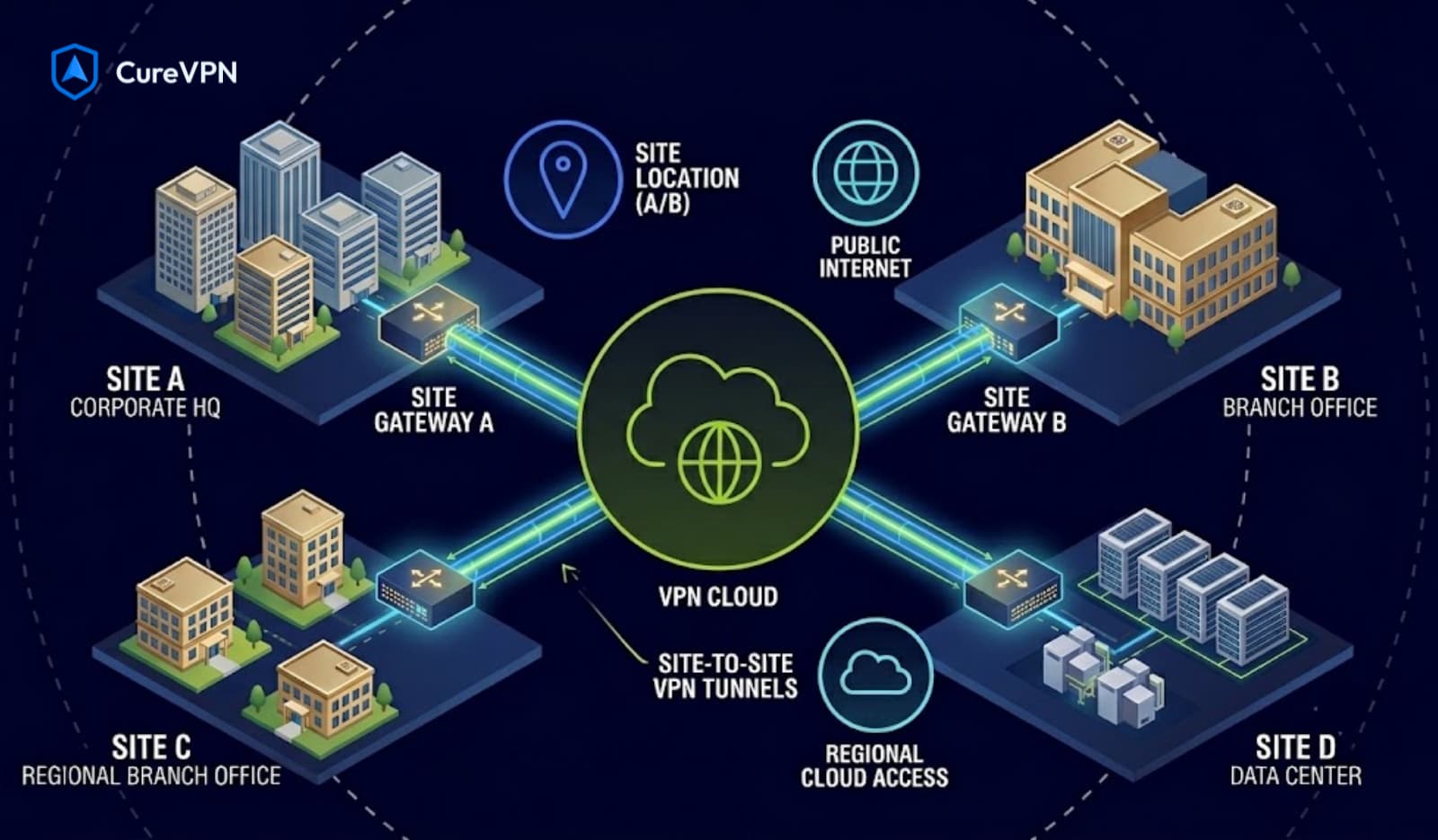
If you are using a Corporate VPN Solution, you want a VPN for the encryption. If you just want to watch a US show on your smart TV, DNS might work. Yet when it comes to DNS vs VPN, for privacy and security, VPN wins every time for protection.
How to Choose the Right Free VPN for Small Business
If you run a small business, you face unique risks. You handle client data, financial records, and possibly employee information.
A Free VPN for small business needs to offer:
- No Data Leaks: You cannot afford to have client invoices intercepted on airport Wi‑Fi.
- Decent Speed: Time is money. You cannot wait for a VPN to buffer while you try to submit a proposal.
- Multi‑Device Support: You need to protect your laptop, phone, and perhaps a shared office tablet.
Cure VPN excels here. Because it offers a generous free tier without throttling, it acts as a Corporate VPN Solution for freelancers and startups. It gives you the security infrastructure of a big company without the overhead cost.
The Hidden Secrets of Using a Free VPN
Let’s talk about strategy. Using a free VPN is not just about clicking “connect.” There is an art to it.
VPN Secrets for Streaming: If you want to watch geo‑blocked content, clear your browser cookies before connecting. Streaming sites store your location in cookies. If you connect to a US server but your cookies say “UK,” the site will block you. Always use incognito mode or clear your cache.
How to Use a VPN for Buffer‑Free Video Streaming: Buffer is usually caused by distance. If you are in Australia connecting to a US server, the physical distance creates latency. To get buffer‑free streaming, choose a server geographically close to you but still in the correct country. For example, if you are on the West Coast of the US, connect to a West Coast server, not a New York server. Cure VPN’s server selection helps you pick the fastest option automatically.
Actionable Value: Your Step‑by‑Step Plan
Ready to get started? Here is how you lock down your digital life today without spending a dime.
Step 1: Assess Your Needs
Do you need it for privacy on the go? Streaming? Work?
- For Privacy: Go with Cure VPN or Proton VPN.
- For Streaming: Cure VPN or Windscribe.
- For Small Business: Cure VPN is the clear winner.
Step 2: Download and Install
Head to the official website of your chosen service. Avoid third‑party download sites; they sometimes bundle malware.
Step 3: Configure the Basics
Open the app. Look for the “kill switch” feature. Turn it on. This ensures if the VPN drops, your internet stops. This is non‑negotiable if you are handling sensitive data.
Step 4: Test for Leaks
Visit a site like ipleak.net. Check if your DNS address matches your VPN server location. If it shows your real location, you have a leak.
Step 5: Start Browsing
Now you are invisible. Whether you are accessing VPN for Tubi, securing a business deal, or just shopping online to avoid price discrimination, you are protected.
Why Cure VPN Is the Superior Choice for 2026
I have tested them all. The free market is flooded with options that look good but act shady. Cure VPN breaks the mold.
It does not treat free users like second‑class citizens. You get strong encryption, a no‑logs policy that has been independently audited, and speeds that rival paid competitors.
For the Best Free VPN Services available right now, Cure VPN sits at the top because it balances the three pillars of a good VPN:
- Security: Ironclad.
- Speed: Fast enough for 4K streaming and video calls.
- Simplicity: So easy your grandma could install it.
If you are looking for Best VPN Solutions for Home, install Cure VPN on the family computer. The kids stay safe from malicious websites, and you stay safe from data brokers.
Conclusion: Your Privacy Is Priceless, but It Doesn’t Have to Cost Money
You do not need to be a tech wizard to take back your privacy. You just need the right tool. The internet is a hostile environment. Hackers, ISPs, and corporations all want a slice of your data. A VPN is the armor you wear into battle. Cure VPN offers that armor for free. It is reliable. It is fast. And it respects you enough not to sell your data to the highest bidder.
Stop using public Wi‑Fi naked and letting your ISP throttle your connection because you watched a movie. Stop accepting the status quo that privacy is only for the rich.
Ready to surf the web like a ghost?
Download Cure VPN today. It takes 60 seconds to install. Protect your data, unlock the global internet, and experience the freedom of a truly free VPN. Your business and your privacy deserve it.
Frequently Asked Questions
1. Are free VPNs safe?
Yes, but only if you choose the right one. Avoid random VPNs from the app store with thousands of ads. Stick to trusted names like Cure VPN, Proton VPN, or Windscribe. These companies have transparent privacy policies and do not log your data.
2. Can I use a free VPN for Netflix?
Sometimes. Netflix actively blocks VPN IPs. Cure VPN and Windscribe often have servers that work, but it is not guaranteed 100% of the time. The free tier of Cure VPN frequently updates its IPs to bypass these blocks.
3. What is the best free VPN for Windows 11?
Cure VPN is highly optimized for Windows 11. It offers a native app that integrates with the system settings, providing a seamless experience with a one‑click connect button and an automatic kill switch.
4. How does Cure VPN make money if it’s free?
Cure VPN operates on a freemium model. The free service is supported by users who upgrade to the premium version for unlimited devices and faster speeds. This allows them to keep the free tier high‑quality without resorting to selling user data.
5. Can I use a VPN on my router with a free account?
Most free VPNs do not allow router installation because it uses a lot of data. However, Cure VPN’s free tier does support manual configuration for routers, allowing you to protect your entire home network without paying.
6. Is a VPN better than a Smart DNS?
For security, yes. A Smart DNS only changes your location to unblock content. A VPN encrypts your data, hides your IP, and unblocks content. If you care about privacy and security, a VPN is always the superior choice.
7. Do VPNs slow down internet speed?
Yes, any VPN will slow your connection slightly because of the encryption overhead. However, a high‑quality free VPN like Cure VPN minimizes this slowdown. You likely will not notice the difference unless you have a very slow base connection.