
How to protect your online privacy starts with an uncomfortable truth: most of your data leaves your device without you noticing. Websites log your IP address, ad networks follow you across pages, apps ask for permissions they rarely need, and public Wi-Fi hands strangers a view of your network. At Cure VPN, we spend our days thinking about what a connection reveals, so we know that no single tool fixes all of it. This guide gives you twelve practical steps, ordered from quick wins to deeper habits, and it explains where a VPN helps and where it does not.
You do not need to be an expert to follow along. Each tip works on its own, and together they cut your exposure sharply. So start with the first few, then keep building.
Table of Contents
- Quick answer: how do you protect your online privacy?
- What is online privacy and why does it matter?
- Common threats to your online privacy
- 12 ways to protect your online privacy
- Does a VPN make you anonymous?
- Best tools to improve online privacy
- What the data and official guidance say
- Expert insights from Cure VPN
- Privacy for work, home, and business
- Common online privacy mistakes
- Best practices
- Frequently asked questions
- Conclusion and key takeaways
How Do You Protect Your Online Privacy?
Use a password manager with unique passwords, turn on multi-factor authentication, keep devices updated, block third-party trackers, tighten social media settings, avoid untrusted Wi-Fi, and add a reputable VPN to hide your IP address and encrypt your connection.
Online privacy is your ability to control what personal information you share on the internet, who can collect it, and how they use it. Online security is related but different. Security keeps attackers out, while privacy limits what companies, networks, and strangers can learn about you.
Three habits give the biggest return:
- Unique passwords plus multi-factor authentication on every important account.
- Software updates applied promptly.
- Less data shared in the first place.

What Is Online Privacy and Why Does It Matter?
Every click creates data. Search queries, location, device details, purchases, and browsing history can all end up in a profile. Companies use that profile for advertising, and criminals use leaked versions for fraud.
The stakes go beyond ads. Exposed personal data fuels phishing, account takeover, and identity theft. Moreover, a detailed digital footprint can reveal your routines, health interests, and relationships. If you want to see how large yours is, read what is a digital footprint.
Laws give you some control. The GDPR in the EU and UK, the LGPD in Brazil, the CCPA in California, PIPEDA in Canada, India’s DPDP Act, Japan’s APPI, and Australia’s Privacy Act all grant rights over personal data. The details vary by country, so check what applies to you. Many companies publish a form for access and deletion requests.
Common Threats to Your Online Privacy
Know what you are defending against before you pick tools.
- Third-party trackers and cookies. Ad networks follow you across sites to build interest profiles.
- Browser fingerprinting. Sites combine your settings, fonts, and screen size into a near-unique ID, even without cookies.
- Data breaches. A leak at one company exposes your email, password, or personal details.
- Phishing. Fake messages trick you into handing over credentials or card details.
- Unsafe networks. Fake hotspots and poorly configured public Wi-Fi expose your traffic.
- Data brokers. Companies collect and sell personal data compiled from public records and apps.
- Over-sharing. Social media posts, photo metadata, and location tags reveal more than you intend.
12 Ways to Protect Your Online Privacy
1. Use a Reliable VPN
A virtual private network encrypts traffic between your device and a VPN server, and it hides your real IP address from the websites you visit. As a result, it shields your activity from the local network, such as a café router, and from your internet provider.
Choose carefully, because you shift trust to the VPN provider. Look for a clear no-logs policy, independent audits where available, modern protocols, and transparent ownership. Our guide to the Best VPN for online privacy lists the features that matter. If you want the technical side, read how VPN encryption works.
2. Use Strong, Unique Passwords
Reused passwords turn one breach into many. A password manager creates and stores a different password for every account, so you remember only one.
NIST’s digital identity guidance (SP 800-63B) favors length over complexity, discourages forced periodic changes, and recommends checking passwords against known breached lists. Therefore, a long passphrase beats a short string full of symbols.
3. Turn On Multi-Factor Authentication
A password alone fails once it leaks. Multi-factor authentication adds a second check, such as a code from an authenticator app or a hardware key. CISA’s Secure Our World campaign lists multi-factor authentication among its four core habits.
Where possible, choose passkeys or app-based codes over SMS, since text messages can be intercepted through SIM-swap fraud. Start with your email, bank, and cloud accounts.
4. Secure Your Web Browser
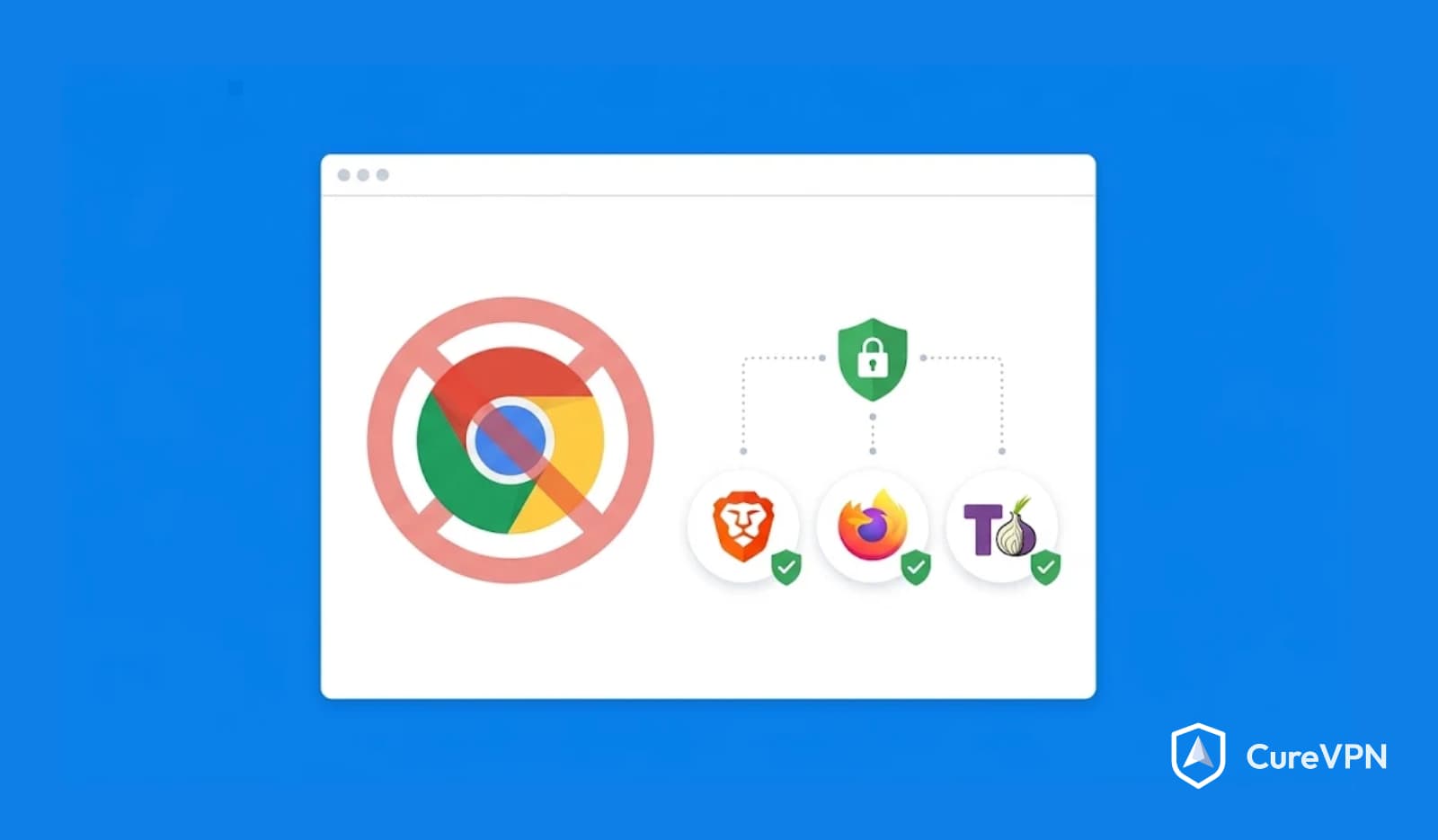
Your browser sees everything you do online. Review its cookie and permission settings, turn on HTTPS-only mode if it offers one, and clear site data you no longer need. Chrome keeps third-party cookies available by default, while Safari, Firefox, and Brave block them.
If you want a stronger default, compare the best privacy-focused browsers in our dedicated guide. Remember that Incognito mode only hides history on your own device. It does not hide your activity from websites, your employer, or your internet provider.
5. Avoid Unsafe Public Wi-Fi Networks
Is public Wi-Fi safe without a VPN? It depends. HTTPS now protects the content of most site traffic, so casual snooping is harder than it used to be. Still, fake hotspots, unencrypted pages, and metadata leaks remain real risks.
Take simple precautions. Confirm the network name with staff, avoid banking on shared networks when you can, and turn off auto-join. When you must connect, a VPN adds an encrypted layer. Our public Wi-Fi security guide covers how to secure public Wi-Fi in more detail.
6. Limit Social Media Data Sharing
Social platforms collect far more than your posts. Open the privacy settings and review who can see your profile, tags, and friend list. Disable location tagging, and strip metadata from photos before you share them.
Also check which third-party apps hold access to your account, and revoke the ones you do not use. If you share location on social platforms, understand how changing your Facebook location works and what it does not change.
7. Block Third-Party Trackers
Trackers load invisibly from ad and analytics networks. A content blocker such as uBlock Origin or Privacy Badger from the Electronic Frontier Foundation stops many of them. Browser-level protections help too.
For a full walkthrough, read our guide on how to prevent online tracking. Keep in mind that blocking cookies alone does not stop fingerprinting.
8. Keep Your Devices Updated
Updates patch security flaws that attackers exploit. Turn on automatic updates for your operating system, browser, and apps. CISA also names software updates as a core habit.
Retire devices that no longer receive security patches. An unpatched old phone or router becomes the weakest link on your network.
9. Learn to Spot Phishing
Phishing remains one of the most common routes into accounts. Check the sender’s address, hover over links before you click, and distrust urgent demands for money or credentials. When in doubt, open the company’s site directly instead of using a link in a message.
Report suspicious messages to your email provider or your country’s cyber authority. Therefore, a few seconds of suspicion saves hours of recovery.
10. Reduce Your Digital Footprint
Delete old accounts you no longer use, since each one is another breach target. Unsubscribe from lists, remove apps you have not opened in months, and search for your own name to see what appears.
Data brokers also hold profiles. Many offer opt-out forms, although the process takes time and repeats. Our guide on how to protect personal data walks through the steps.
11. Review App Permissions
Apps often request access to your camera, microphone, contacts, and location. Grant only what the app needs to function. On both iOS and Android, you can set location access to while using the app, or turn it off.
Audit permissions every few months. Apps you installed years ago may still hold broad access.
12. Monitor for Breaches and Lock Down Credit
Check your email address on Have I Been Pwned, a free breach lookup service run by Troy Hunt. If your data appears, change the affected password and enable multi-factor authentication. For deeper prevention habits, see how to prevent data breaches.
In countries that offer credit freezes, consider placing one to block fraudulent accounts. Rules differ by country, so check your local credit bureau or consumer authority.
Does a VPN Make You Anonymous?
No. A VPN improves privacy, but it does not make you anonymous. Here is what it does and does not do.
| A VPN does | A VPN does not |
|---|---|
| Hide your IP address from sites | Block cookies and trackers in your browser |
| Encrypt traffic between you and the VPN server | Stop fingerprinting |
| Hide site visits from your local network and ISP | Protect you if you log in to an identifying account |
| Help on untrusted public Wi-Fi | Remove malware or stop phishing |
The VPN provider can see your connection metadata, so trust matters. That is why reading a provider’s privacy policy and audit history is worth the time. If you want to understand the differences between tools, our comparison of VPN vs Proxy explains why a VPN usually offers stronger protection.
Two technical checks matter after you connect. A DNS leak sends your lookups outside the tunnel, and a WebRTC leak can expose your real IP through the browser. Read what is DNS leak protection and test your setup. In addition, review the VPN security features that reduce those risks, such as a kill switch.
Can a VPN stop hackers? Not directly. It encrypts your traffic on untrusted networks, but it will not stop malware or phishing, as explained in can a VPN stop hackers.
Free VPNs and Trust
A free VPN has to fund itself somehow, and some do it with ads or data collection. Read the privacy policy before you install one, and compare options in our guide to the Best free vpn service. Our general advice is simple: if you do not pay for the product, check how it earns money.
Speed and Decentralized Options
A VPN adds some latency. If you game or stream, lower your ping by choosing a nearby server. Some projects also explore Decentralized VPNs, which spread traffic across independent nodes, though they bring different trust and speed trade-offs.
Best Tools to Improve Online Privacy
| Tool | What it helps with | Limit to know |
|---|---|---|
| Password manager | Unique passwords on every account | You must protect the master password |
| Authenticator app or passkeys | Stronger sign-in | Needs a recovery plan |
| VPN | IP address, public Wi-Fi, ISP visibility | Does not block trackers |
| Privacy-focused browser | Tracker and cookie blocking | Some sites break |
| Content blocker | Trackers and ads | Needs updates |
| Private search engine | Less query logging | Results can differ |
| Breach monitor | Early warning | Cannot undo a leak |
If you use Windows daily, check which VPN apps support it well. Our guide to the Best VPN for Windows explains what to look for.
What the Data and Official Guidance Say
We focus on guidance you can verify, not statistics we cannot source.
- CISA: The agency’s Secure Our World campaign highlights four habits: recognize and report phishing, use strong passwords, turn on multi-factor authentication, and update software.
- NIST: SP 800-63B recommends long passwords, discourages forced rotation without cause, and advises screening against breached password lists.
- FTC: The US Federal Trade Commission advises caution on public Wi-Fi and recommends encrypted connections.
- Chrome: Google said in April 2025 that Chrome would keep third-party cookies, as reported by several law and industry publications.
- EFF: The Electronic Frontier Foundation’s Cover Your Tracks tool tests how unique your browser fingerprint looks.
Breach statistics change every year. Check IBM’s Cost of a Data Breach report and the Verizon Data Breach Investigations Report for current figures before you quote any.
Expert Insights from Cure VPN
We see the same patterns again and again when people ask how to stay safe online.
Start with accounts, not tools. Here is a hypothetical example. Someone reuses one password on a shopping site and their email. The shop suffers a breach, attackers try the password on email, and then reset every other account. A password manager and multi-factor authentication would have stopped the chain.
Match the tool to the threat. A VPN protects the connection. A browser setting protects against trackers. A password manager protects accounts. Each tool covers a different gap, so one cannot replace the others.
Do not trade privacy for convenience without noticing. Single sign-in buttons, location sharing, and broad app permissions feel harmless. Over time they build a detailed profile.
Improve in layers. Few people can do all twelve steps at once. Pick three this week, then add more monthly. Habits last longer than one-time cleanups.
Check what you trust. Every privacy tool asks for trust, including ours. Read policies, look for audits, and test claims. That habit matters more than any single product.
Privacy for Work, Home, and Business
Home networks carry many devices, and each one leaks something. Consider VPN solutions for home if you want coverage across phones, laptops, and smart TVs. Also change your router’s default password and keep its firmware current.
Work adds a different risk. Employees connect from homes, hotels, and airports, and company data travels with them. Our guide on VPN for Work explains how remote access differs from consumer privacy tools. Larger organizations should review a Corporate VPN Solution, while smaller teams can begin with a Business VPN.
If you run a VPN brand, education builds trust before the sale. Plan your promotions with our Black Friday Cyber Monday Playbook so offers stay honest and clear. Service providers who want a branded product can also explore White label VPN Development.
Common Online Privacy Mistakes
- Reusing passwords. One breach then unlocks many accounts.
- Trusting Incognito mode. It hides history locally, not your activity from the network.
- Assuming a VPN makes you anonymous. It hides your IP address, but accounts and fingerprints can still identify you.
- Installing a free VPN without reading the policy. Some monetize your data.
- Skipping updates. Attackers target known flaws.
- Clicking links in urgent messages. Phishing relies on pressure.
- Sharing location and photos freely. Metadata reveals home, work, and routines.
Best Practices
- Use a password manager and long passphrases.
- Turn on multi-factor authentication for email, banking, and cloud accounts.
- Turn on automatic updates everywhere.
- Review browser and app permissions every few months.
- Use a VPN on public and untrusted networks.
- Check your accounts against breach databases.
- Delete accounts and apps you no longer use.
Frequently Asked Questions
What is online privacy?
Online privacy is your control over what personal information you share on the internet, who collects it, and how they use it.
Why is online privacy important?
Exposed data enables fraud, identity theft, and profiling. Privacy limits that risk and protects your personal life.
How can I protect my privacy online for free?
Use a password manager’s free tier or your browser’s built-in one, turn on multi-factor authentication, update your devices, review privacy settings, and block trackers with a free content blocker.
Can someone track my internet activity?
Yes. Websites, ad networks, your internet provider, and sometimes network owners can see parts of your activity. Tools such as browser protections and a VPN reduce what they can see.
How do I stop companies from collecting my data?
You cannot stop all collection, but you can limit it. Tighten privacy settings, deny unnecessary permissions, use opt-out forms, and use rights granted by laws such as GDPR where they apply.
Does incognito mode protect my privacy?
Only on your own device. It does not hide your activity from websites, your internet provider, or your employer.
Can websites see my IP address?
Yes. Every site you visit sees your IP address unless you use a VPN or similar tool to mask it. Your address can reveal your approximate location.
How can I browse without being tracked?
Block third-party cookies, use a content blocker, choose a privacy-focused browser, and consider a VPN. Complete anonymity is hard, so aim to reduce tracking.
Is public Wi-Fi safe without a VPN?
It is safer than it used to be because of HTTPS, but risks remain, such as fake hotspots. A VPN adds an encrypted layer on untrusted networks.
What are the best tools for online privacy?
A password manager, multi-factor authentication, a privacy-focused browser, a content blocker, and a reputable VPN cover the main gaps.
Does a VPN make you anonymous online?
No. It hides your IP address and encrypts your connection, but accounts, cookies, and fingerprints can still identify you.
Can a VPN protect your personal data?
It protects data in transit on untrusted networks. It does not protect data already stored by companies or stop phishing.
Conclusion and Key Takeaways
Protecting your privacy is a habit, not a purchase. Start with strong, unique passwords and multi-factor authentication, keep everything updated, trim what you share, and layer on tools that match your threats. A VPN fits near the top of that list, since it covers the connection that other tools leave exposed.
Ready to secure the connection your other tools cannot? Cure VPN encrypts your traffic and hides your IP address on networks you do not control. Explore Cure VPN today, and check our current Black Friday offer for 85% off, then confirm the plan terms on the offer page before you buy.